EasyManua.ls Logo

Zenith XBV441 - User Manual

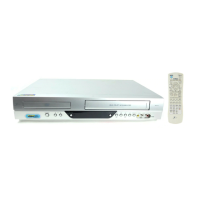
Zenith XBV441
40 pages
Print Icon
To Next Page IconTo Next Page
Loading...
Installation and Operating Guide | Warranty
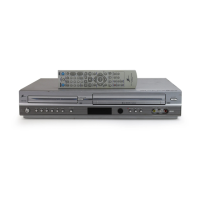
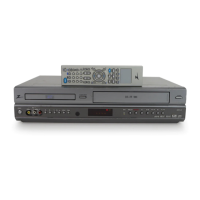
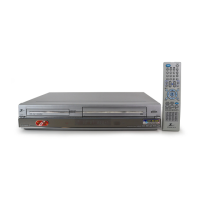
Model Number | XBV441 | DVD Player + Video Cassette Recorder
© Copyright 2004, LG Electronics U.S.A., Inc.

Table of Contents

Questions and Answers

  • C
    Charlotte PalmerAug 7, 2025
    Why is the picture and sound weak on my Zenith XBV441 DVD VCR Combo?
    • D
      daltonjuliaAug 7, 2025
      If you are experiencing weak or missing picture and sound on your Zenith DVD VCR Combo, ensure that the antenna or cables are securely connected. Tighten any loose connections or consider replacing the cable. Also, make sure that you are using the correct TUNING BAND option; try all available options.
  • C
    Christy JohnsonAug 12, 2025
    How to fix stereo audio not working on Zenith XBV441 DVD VCR Combo?
    • S
      Samantha ShawAug 12, 2025
      If you're not getting stereo audio record or playback on your Zenith DVD VCR Combo, there are several potential causes. First, confirm that your TV is stereo-compatible. Next, ensure that the broadcast program itself is in stereo. Check that the DVD+VCR A/V Out jacks are correctly connected to the TV A/V In jacks. Verify that the TV is set to the correct input (AUX or A/V) for the DVD+VCR. Finally, confirm that the DVD+VCR BROADCAST TYPE mode is set to STEREO, not SAP or MONO.
  • D
    Dr. Elizabeth WatsonAug 16, 2025
    How to restore skipped channels on Zenith XBV441?
    • O
      Olivia BuchananAug 16, 2025
      If your Zenith DVD VCR Combo is skipping channels, it's possible that those channels were previously deleted using the CH. ADD/DEL option. To restore them, simply use the CH. ADD/DEL function again to add the channels back.
  • C
    Cynthia JohnsonAug 20, 2025
    Why is timer recording not working on my Zenith DVD VCR Combo?
    • N
      noah99Aug 20, 2025
      If your Zenith DVD VCR Combo timer recording isn't working, first ensure that the clock on the DVD+VCR is set to the correct time. If the time is correct, then the timer may have been programmed incorrectly. Reprogram the timer, making sure all settings are accurate.
  • E
    Eric Cooper MDAug 25, 2025
    What to do if timer indicator doesn't appear on Zenith XBV441 DVD VCR Combo?
    • M
      melissa59Aug 26, 2025
      If the indicator does not appear after programming the timer on your Zenith DVD VCR Combo, it simply means that the DVD+VCR is in Timer Recording mode, which is the normal indication.
  • L
    Lauren QuinnAug 28, 2025
    Why is my camcorder image not showing on Zenith DVD VCR Combo?
    • C
      Cynthia SmithAug 29, 2025
      If the camcorder image is not displaying on your Zenith DVD VCR Combo, make sure the camcorder is turned on and functioning correctly. Also, verify that the DVD+VCR SOURCE SELECT is set to LINE1 or LINE2 by pressing the INPUT button to select the appropriate A/V input.
  • A
    Alexis ShieldsSep 2, 2025
    What to do if my Zenith XBV441 has moisture condensation?
    • M
      Maria MackSep 2, 2025
      Moisture condensation can occur in your Zenith DVD VCR Combo when it's moved from a cold to a warm place or under extremely humid conditions. To prevent this, keep the DVD+VCR plugged into an AC power outlet with the POWER on. If condensation occurs, wait a few hours for the unit to dry before using it.

Zenith XBV441 Specifications

General IconGeneral
BrandZenith
ModelXBV441
TypeDVD VCR Combo
DVD PlayerYes
VCR PlayerYes
Audio OutputStereo
Playback FormatsDVD, VHS
Recording FormatsVHS
Remote ControlYes
TV TunerYes
Playable File TypesDVD
Video OutputComposite
ConnectorsComposite, Stereo Audio

Related product manuals