
 Need help?
Do you have a question about the ZEO SLEEP MANAGER - BEDSIDE and is the answer not in the manual?
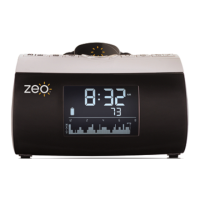
Overview of the main display unit and its included parts.
Details about the wearable headband for sleep monitoring.
Information on accessing myZeo online services and support materials.
Accessing and viewing last night's sleep data and history.
Using Left/Right and Up/Down arrows for menu navigation and adjustments.
Steps to set the current time and alarm time on the display.
Returning to the main screen and using the snooze feature.
Explanations of icons for Alarm, Battery, Sleep Phase, and Communication.
Connecting the power adapter and charging the headband.
Step-by-step guide to setting the device's time and alarm.
Instructions on activating, deactivating, and silencing the alarm.
Guidance on wearing the headband for comfort and accurate sleep tracking.
Maintaining the headband's functionality and ensuring safety.
Information on when and how to replace the sensor pad.
Customizing screen brightness, wake music, and snooze length.
Accessing Wake Mode, Sensor life, and data erasure settings.
Understanding and selecting between different alarm modes.
Inputting subjective sleep quality after waking.
Leveraging online tools for deeper sleep analysis and trend identification.
Guide to creating an account on myZeo.com.
Steps for transferring sleep data from the device.
Information on the coaching program for sleep improvement.
Explanations for Total Z, Time to Z, Times Woken, and sleep phases.
How to interpret the ZQ score and the visual sleep graph.
Solutions for common wireless connectivity problems.
FAQs about sensor replacement, program suitability, and data.
How to export data for external analysis and contact support.
 General
| Brand | ZEO |
|---|---|
| Model | SLEEP MANAGER - BEDSIDE |
| Category | Alarm Clock |
| Language | English |

 To Next Page