14
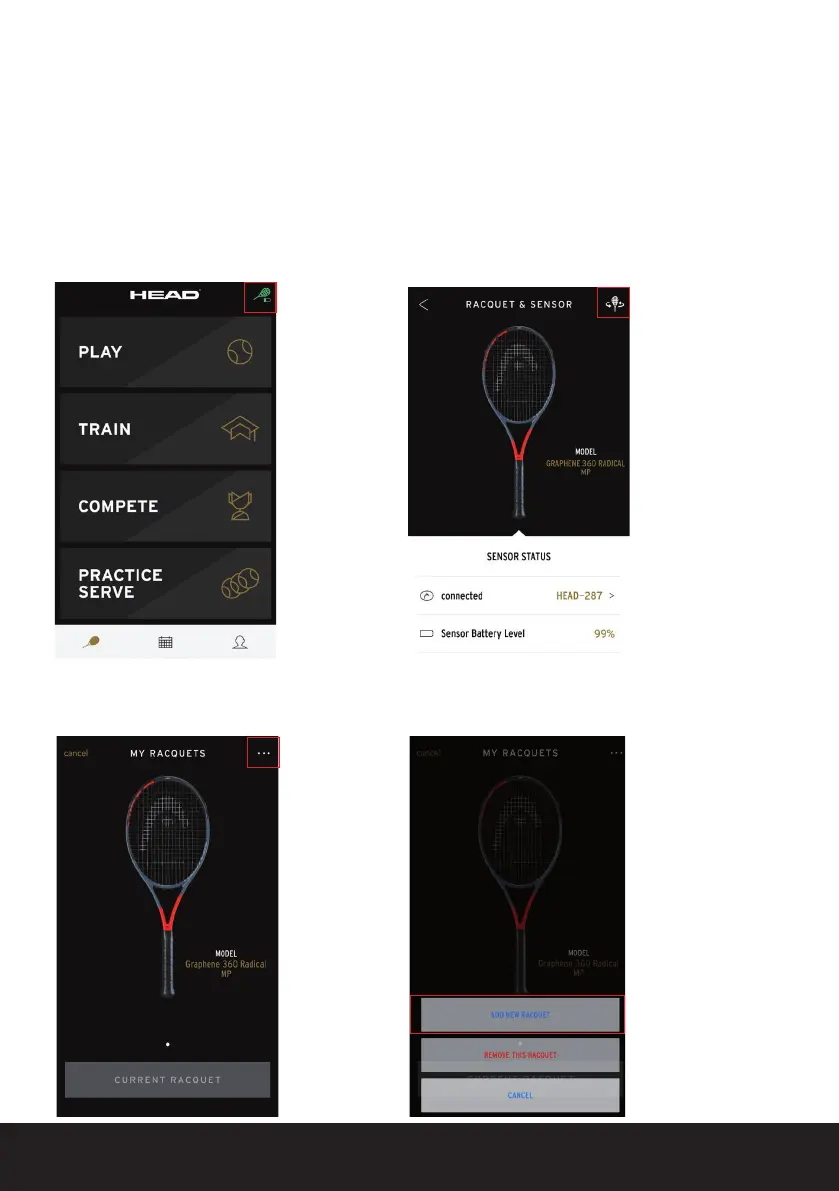
You have the option of adding multiple HEAD racquets into the app or pairing
them with your Sensor.
To do this, follow these steps:
1. Click on the green racquet button in
the top right of the start screen
2. On the top right, click on the gray
rotating racquet in the ‘RACQUET &
SENSOR’ view
3. Then click on the ‘…’ symbol in the top
right of the ‘MY RACQUETS’ view
NOTE:
Green means
a HEAD
racquet and
an active
Sensor are
successfully
paired
4. Add your chosen racquet by clicking on
‘ADD NEW RACQUET’
9.2 Add additional racquets


 To Next Page