29
14 DISCONNECTING THE SENSOR
AND EDITING THE SENSOR NAME
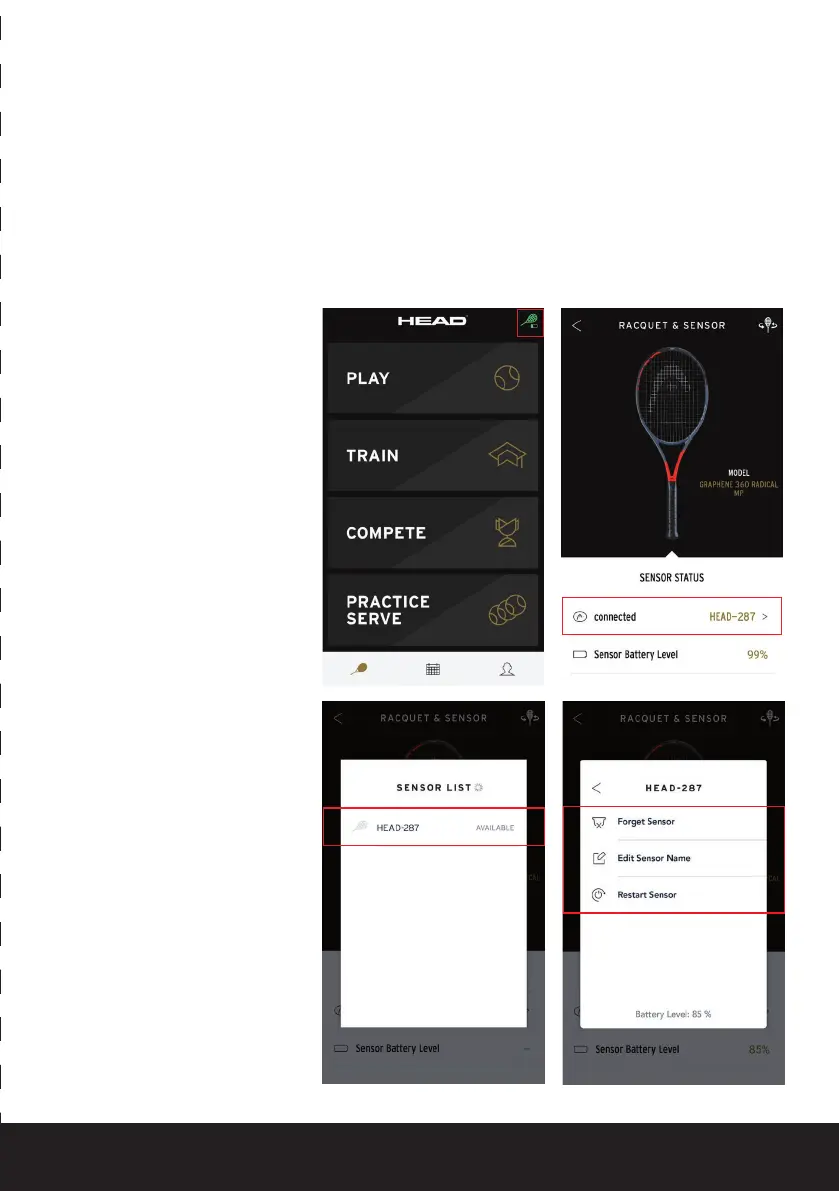
In order to disconnect the Sensor or to edit its name, please do the following:
1. Click on the green racquet button in the top right of the start screen
2. Click on the screen where the connected Sensor is displayed
3. Click on your Sensor in the list of available Sensors
4. You can now unpair your Sensor, edit its name or restart it.


 To Next Page