20
GOOD TO KNOW:
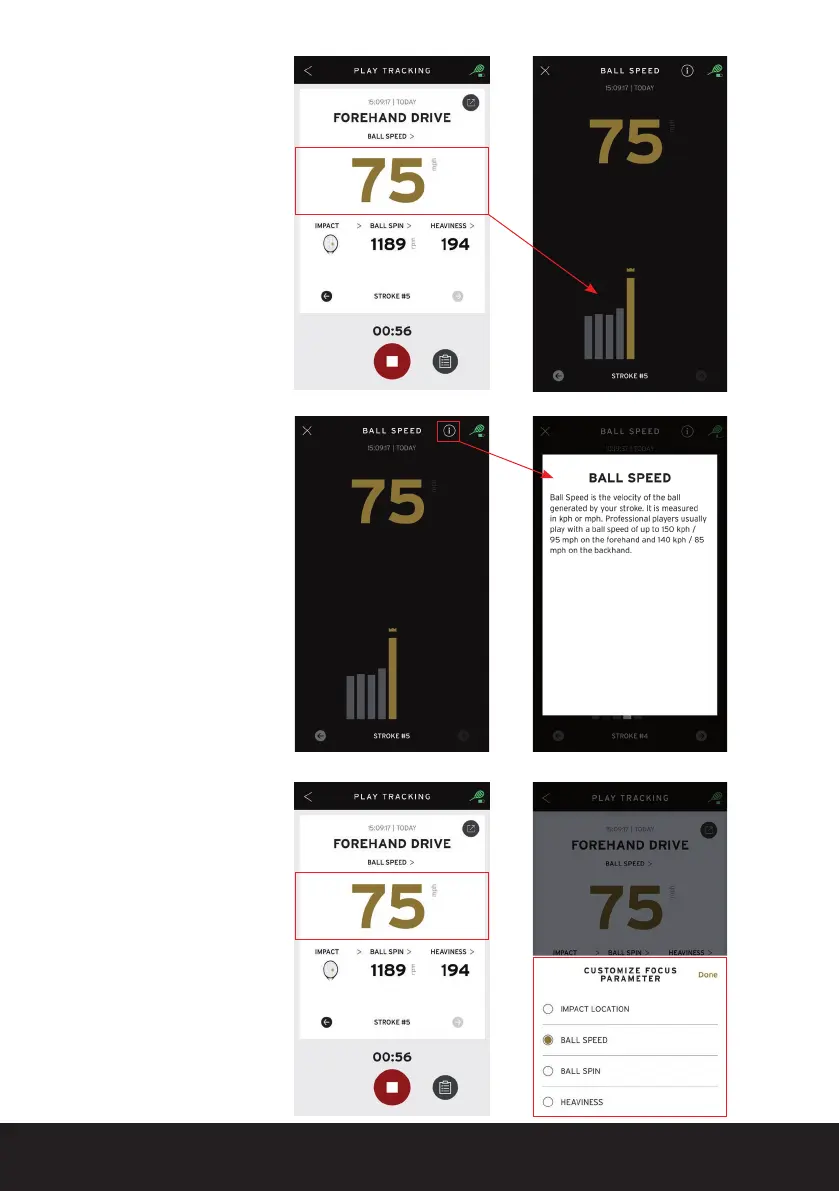
During a ‘PLAY’ session,
you can tap the large
parameter BRIEFLY to
enter the Focus screen. In
this screen you can see the
progress of this parameter
during the session.
By clicking on the small
INFO symbol, you can
readthedenitionofyour
newly chosen parameter
again
(in this case: ball speed).
You can also change the
parameter shown during
the current session
by holding the large
parameter somewhat
LONGER and selecting a
new parameter. You can
also see the progress
of your newly chosen
parameter in the session,
as well as display the
denition.


 To Next Page