22
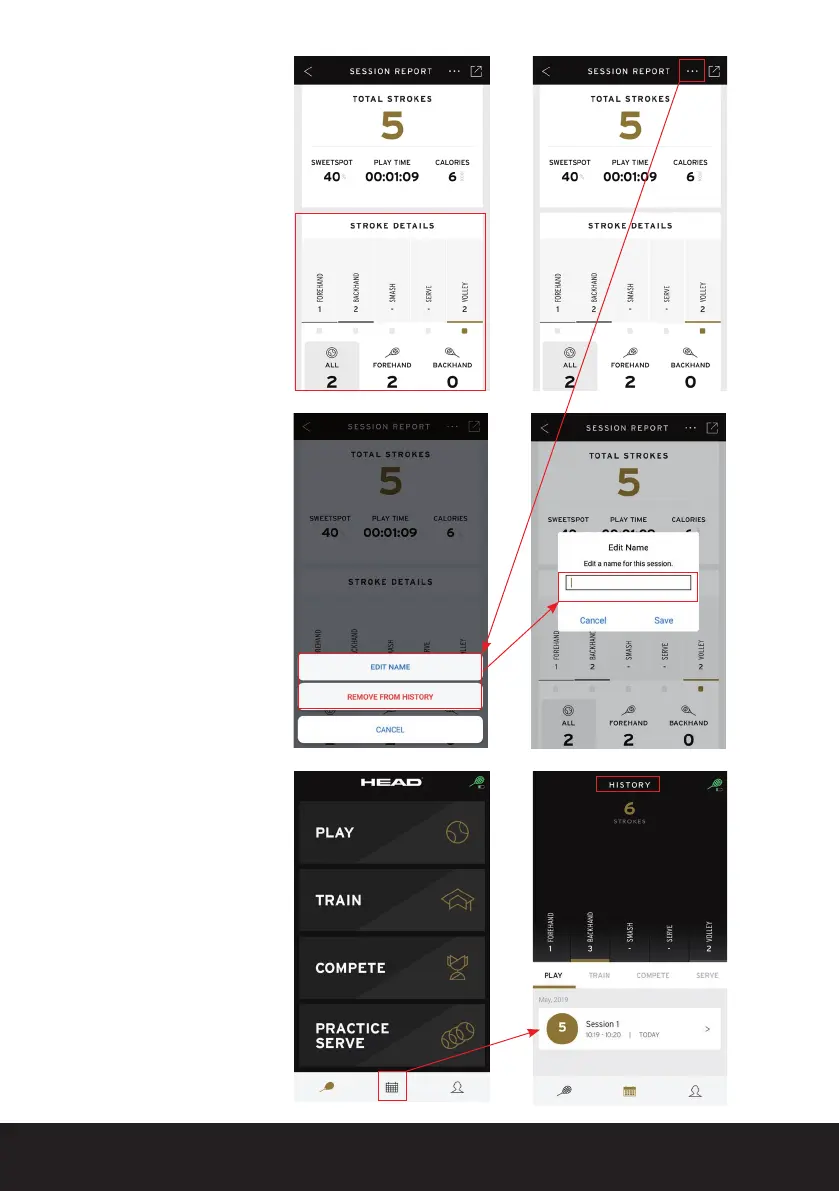
Once you have ended the
session your SESSION
REPORT will be displayed.
By clicking on STROKE
DETAILS, you can see
the different strokes and
variations from your
session.
Furthermore, by clicking
on the ‘…’ button in the
top right, you can rename
your session or remove it
entirely from your history.
If you would like to review
your session at a later
period in time, you can do
this at any time by clicking
on the middle history
button in your menu list
(provided you have not
deleted the session).


 To Next Page