EasyManua.ls Logo

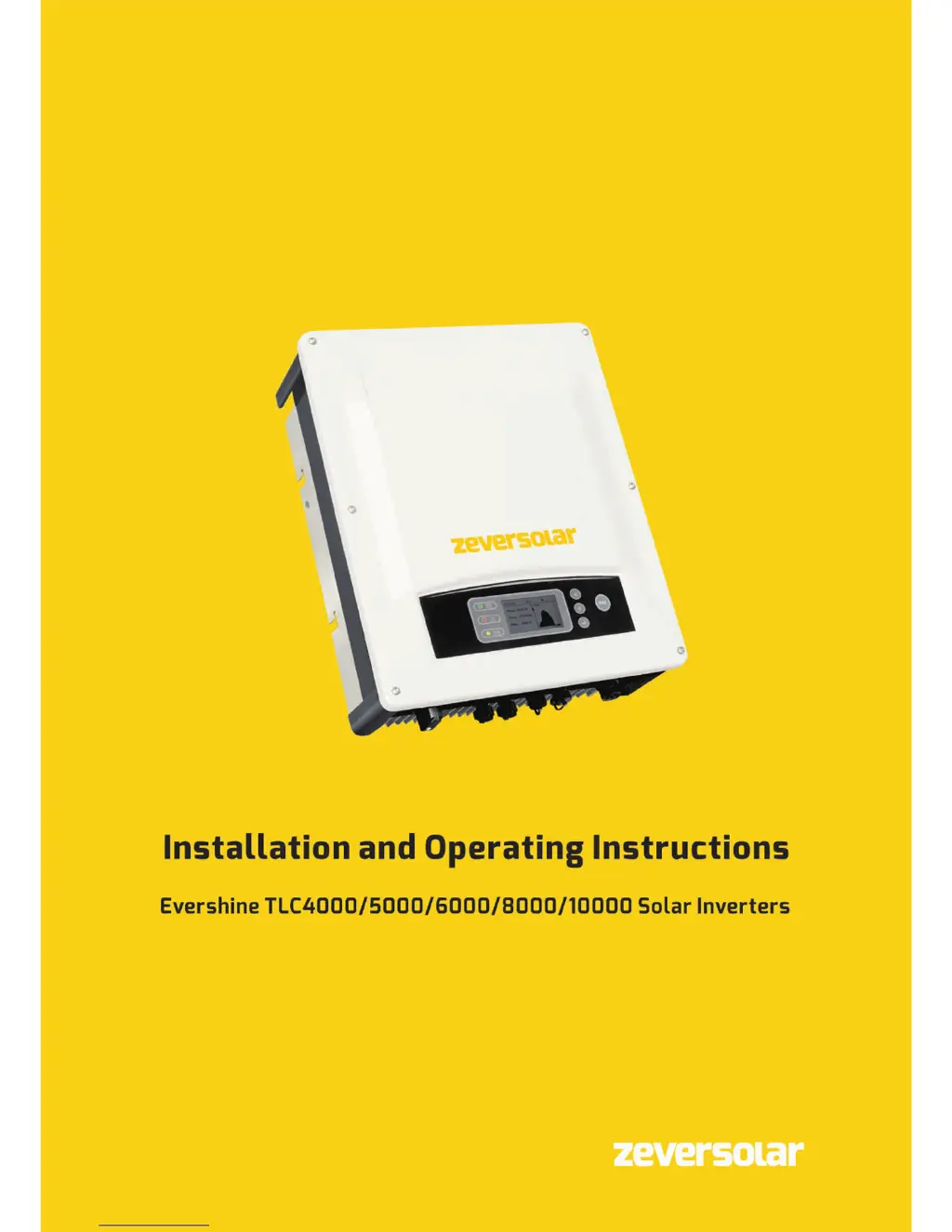
Zeversolar Evershine TLC6000 - User Manual

Default Icon
74 pages
Print Icon
To Next Page IconTo Next Page
Loading...

Table of Contents

Other manuals for Zeversolar Evershine TLC6000

Questions and Answers

  • N
    newtonhollyAug 20, 2025
    What to do if Zeversolar Evershine TLC6000 Inverter shows Resumable Fault 35?
    • M
      Mr. Robert BaileyAug 20, 2025
      If your Zeversolar Inverter displays Resumable Fault 35, check the fuse and the triggering of the miniature circuit breaker in the distribution box. Also, check the grid voltage, grid usability, AC cable, and grid connection on the inverter. If the fault persists, contact the service.
  • A
    Alicia ColemanAug 22, 2025
    What to do if Zeversolar Evershine TLC6000 shows Resumable Fault 34?
    • K
      katie07Aug 22, 2025
      If your Zeversolar Inverter displays Resumable Fault 34, check the grid voltage and grid connection on the inverter. Verify the grid voltage at the inverter's connection point. If the grid voltage is outside the permissible range, consider adjusting the monitored operational limits after consulting with the electric utility company. If the grid voltage is within the permitted range and the fault continues, contact the service.
  • J
    Jessica EvansAug 25, 2025
    What to do if Zeversolar Evershine TLC6000 shows Resumable Fault 40?
    • J
      James JonesAug 25, 2025
      If your Zeversolar Inverter displays Resumable Fault 40, check whether the air flow to the heat sink is obstructed and whether the ambient temperature around the inverter is too high.
  • L
    laurakellyAug 26, 2025
    What to do if Zeversolar Evershine TLC6000 shows Resumable Fault 33?
    • A
      Alexander AndersonAug 26, 2025
      If your Zeversolar Inverter displays Resumable Fault 33, check the grid frequency and observe how often major fluctuations occur. If frequent fluctuations cause this fault, consider modifying the operating parameters after informing the utility provider first.
  • N
    nguyencoreyAug 27, 2025
    What to do if Zeversolar Evershine TLC6000 shows Resumable Fault 41, 42 43, 44?
    • B
      Brian FuentesAug 27, 2025
      If your Zeversolar Inverter displays Resumable Fault 41, 42, 43, or 44, disconnect the inverter from the grid and the PV generator, then reconnect them after 3 minutes. If the fault persists, contact the service.
  • M
    Mary LawsonAug 29, 2025
    What to do if Zeversolar Inverter shows Permanent Fault 1,2,3,4 ,8,9,10 ,11,39?
    • M
      megan90Aug 29, 2025
      If your Zeversolar Inverter displays Permanent Fault 1, 2, 3, 4, 8, 9, 10, 11, or 39, disconnect the inverter from the grid and the PV generator, then reconnect them after 3 minutes. If the fault persists, contact the service.
  • M
    mariah16Aug 31, 2025
    What to do if Zeversolar Inverter shows Resumable Fault 46?
    • W
      williamssheilaAug 31, 2025
      If your Zeversolar Inverter displays Resumable Fault 46, check the open-circuit voltages of the strings, making sure it is lower than the Max. DC input voltage of the inverter. If the input voltage is within the permitted range, and the fault still occurs, it is possible that the internal circuit has broken, contact the service.
  • J
    Joshua FerrellSep 2, 2025
    What to do if Zeversolar Inverter shows Resumable Fault 37?
    • K
      Kathryn NguyenSep 2, 2025
      If your Zeversolar Inverter displays Resumable Fault 37, check the open-circuit voltages of the strings, making sure it is lower than the Max. DC input voltage of the inverter. If the input voltage lies within the permitted range and the fault still occurs, contact the service.
  • D
    davidsondianaSep 4, 2025
    What to do if Zeversolar Evershine TLC6000 shows Resumable Fault 38?
    • H
      Haley MillerSep 4, 2025
      If your Zeversolar Inverter displays Resumable Fault 38, check the PV generator’s insulation to earth, and ensure that the insulation resistance to earth is greater than 1MOhm. Also, perform a visual inspection of all PV cables and modules, and ensure the inverter's earth connection is reliable. If the fault occurs often, contact the service.
  • B
    Beverly GordonSep 6, 2025
    What to do if Zeversolar Inverter shows Resumable Fault 36?
    • K
      Kelly DillonSep 6, 2025
      If your Zeversolar Inverter displays Resumable Fault 36, ensure the inverter's earth connection is reliable and perform a visual inspection of all PV cables and modules. If the fault persists, contact the service.

Summary

Installation and Operating Instructions

Safety Information

Critical Safety Guidelines

Type Label Symbols Explained

Unpacking the Inverter

Inverter Mounting

Mounting Environment Requirements

Specifies required clearances, temperature limits, and location considerations for mounting.

Choosing the Mounting Location

Mounting with Wall Bracket

Electrical Connection

Electrical Connection Safety Precautions

Essential safety warnings regarding high voltages, grounding, and connection order.

Connection Area Overview

AC Connection Procedure

AC Connection Cable Requirements

Specifies cable requirements, including external diameter, cross-section, and stripping lengths.

Connecting to the Grid

Second Protective Grounding

AC Circuit Breaker Requirements

DC Connection

DC Connection Requirements

Details requirements for PV modules, voltage thresholds, and connector polarity for DC connection.

Assembling DC Connectors

Disassembling DC Connectors

Connecting the PV Array

Inverter Commissioning

Electrical Commissioning Checks

Details critical electrical checks required before starting up the inverter.

Mechanical Commissioning Checks

Inverter Start-up Procedure

Describes the sequence for starting up the inverter and its operational states (Waiting, Checking, Normal).

Disconnecting from Voltage Sources

Operating the Inverter

LED Indicator Status

Display Messages and Error Codes

Operation Information Screens

Event Log Access

Safety Regulations Configuration

Overload Protection Settings

Active Power Control Settings

Instructions for enabling or disabling the active power control function.

Reactive Power Control Settings

PV Mode Configuration

Communication Settings

Clearing History Data

Technical Specifications

DC Input Specifications

Provides detailed technical data for DC input parameters across different inverter models.

AC Output Specifications

Safety Regulation Compliance

Troubleshooting Guide

Inverter Maintenance

Contact and Support

Zeversolar Evershine TLC6000 Specifications

General IconGeneral
ModelEvershine TLC6000
Rated Output Power6000 W
Maximum Output Power6600 W
Number of MPPTs2
Max. AC Power6000 W
Nominal AC Voltage230V
Output Voltage230V
Output Frequency50/60 Hz
Power Factor>0.99
Operating Temperature-25°C to +60°C
Cooling MethodNatural Convection
Protection ClassIP65
Protection LevelIP65

Related product manuals