65xx-A1 Family Router Users Guide 49
Remove a Connection
If you want to delete a connection from the listed WAN setup, click the Remove check box next to
the connection, then click Remove.
Edit a Connection
If you want to modify a connection from the listed WAN setup, click the Edit button next to the
connection.
NOTE: Some connection settings cannot be edited after they have been created. You will need to
delete and re-add the connection to change some settings.
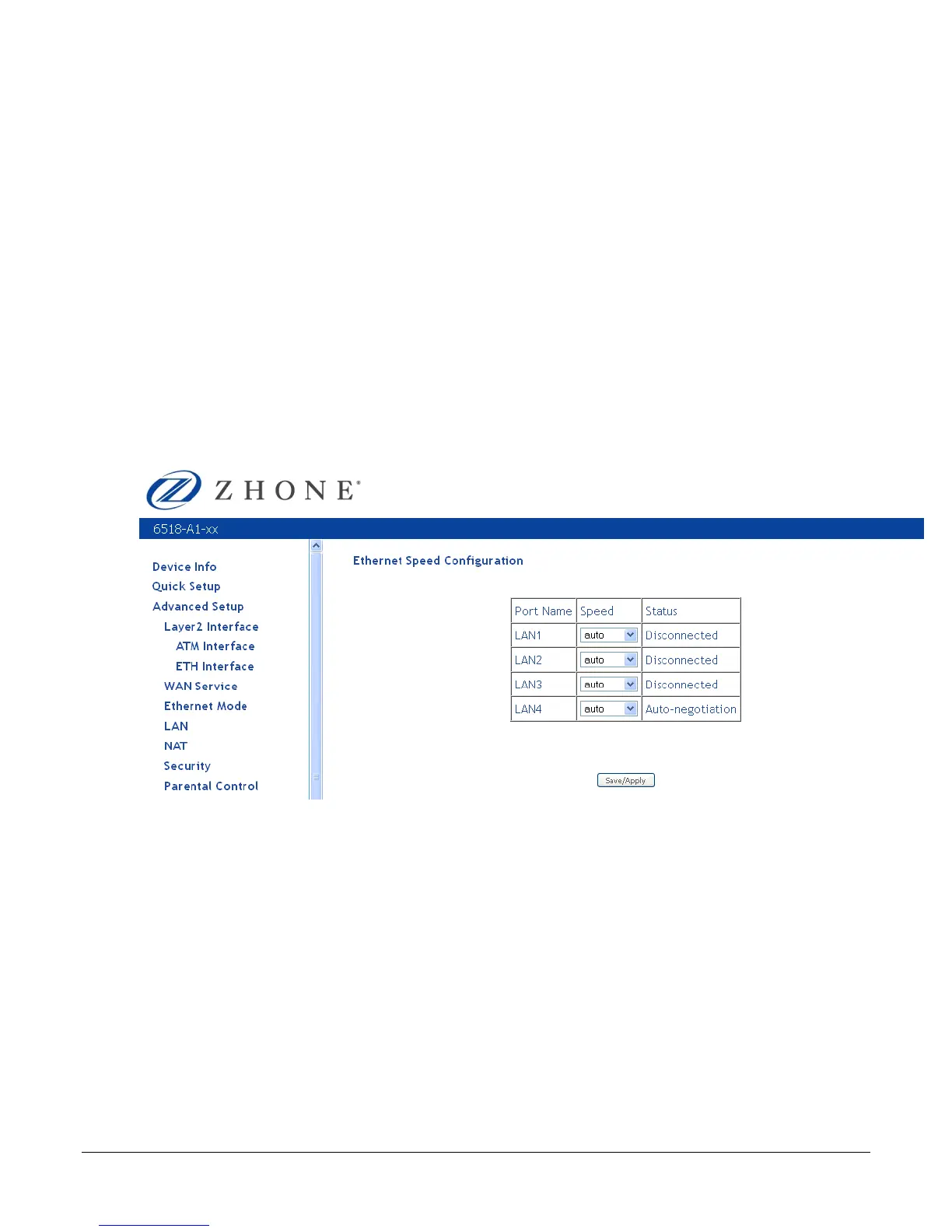
Ethernet Mode
Ethernet mode allows you to select the speed of your Ethernet connection. Modes include—auto,
100 full, 100 half, 10 full and 10 half. If you select auto then the router will use the common
mode that all the connected interfaces can operate at.
LAN Local Area Network (LAN) Setup
You can configure the DSL Router IP address and Subnet Mask for the LAN interface to
correspond to your LAN’s IP Subnet. .
Note: Changing the IP address on this screen may cause your browser to be disconnected from
the modem. You will need to set your PC to the same subnet as the modem’s IP address to
access the router again.
Group Name— the default LAN configuration is based on your router’s IP address.
Enable IGMP snooping—enable or disable.
Select Standard Mode or Blocking Mode.



 To Next Page