65xx-A1 Family Router Users Guide 52
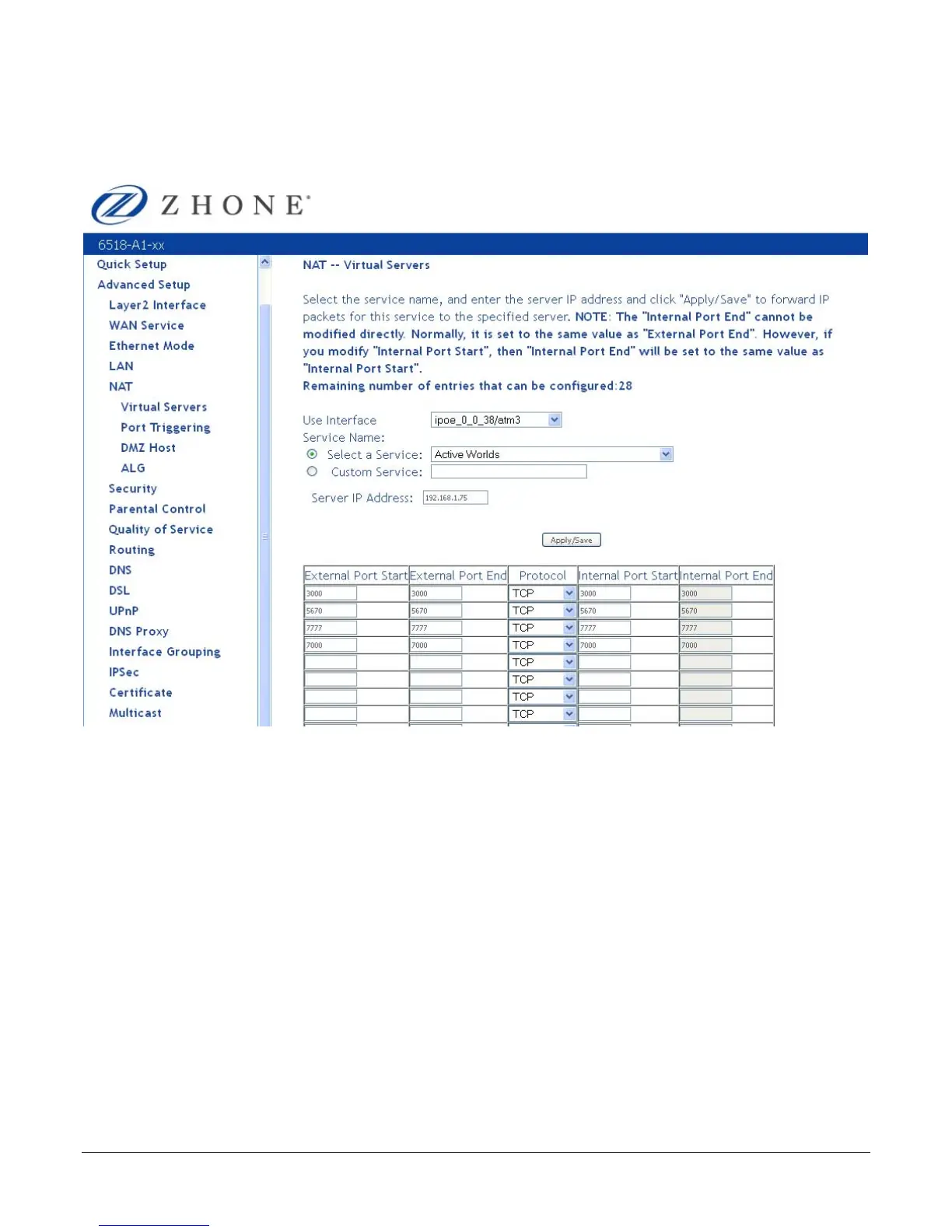
2. Either select a service (by using the Select a Service dropdown) or select a custom server
(by entering the IP address of the server in the Custom Server text box).
You can select a Service or make a new one.
3. Enter the IP address of the LAN side PC in the Server IP Address text box.
4. Click Save / Apply to submit the configuration.
The NAT – Virtual Servers Setup screen appears after you save your selection. To add
additional virtual servers, click Add. If you need to remove any of the server names, select
the check box for the item and click Remove.



 To Next Page