65xx-A1 Family Router Users Guide 82
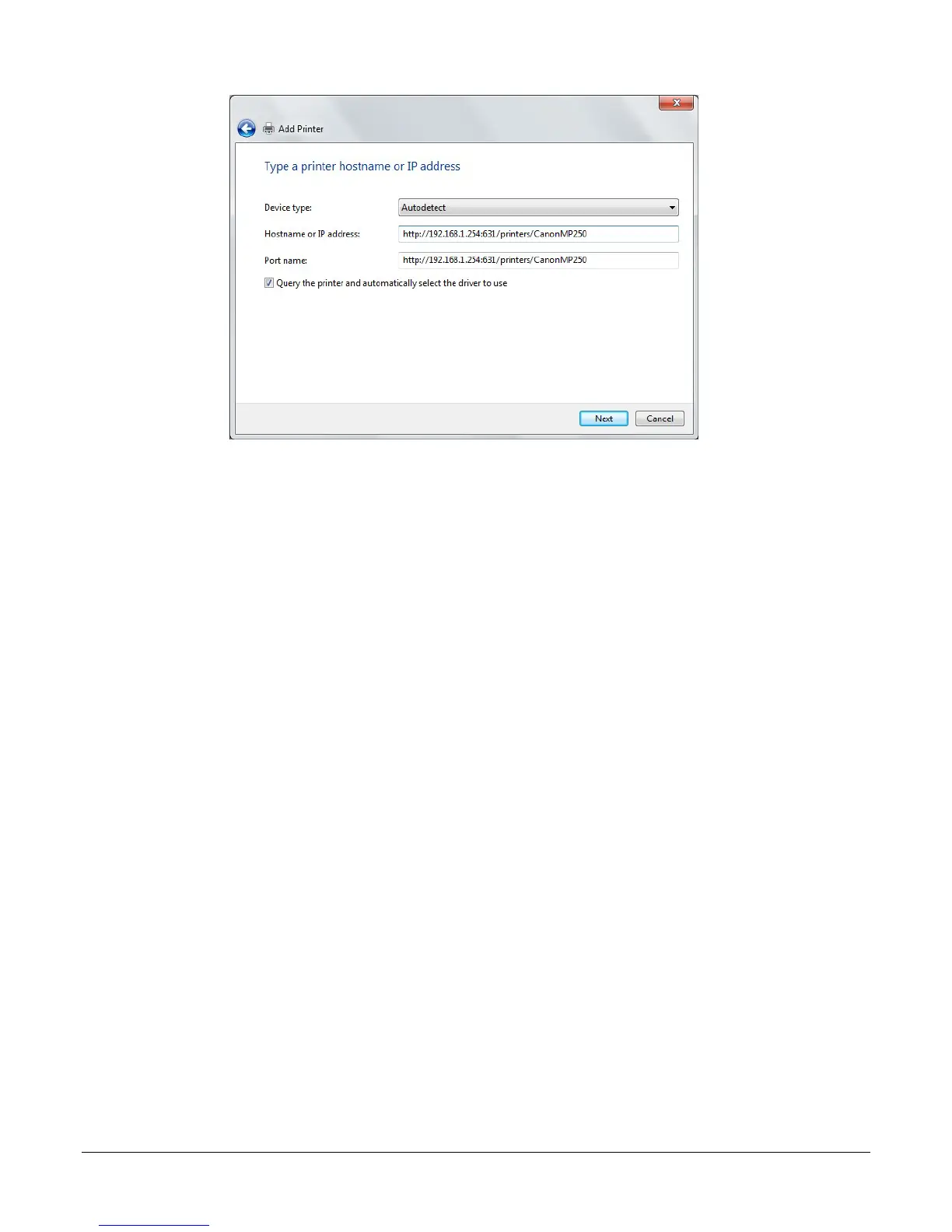
For example: http://192.168.1.254:631/printers/CanonMP250 and click Next.
The syntax is
http://<modem_IP_Address>:<Port ID>/printers/<Printer_Name>
Where
<modem_IP_Address> is the Modem LAN IP Address, the default IP Address is 192.168.1.1
<Port_ID>: fixed at 631
<Printer_Name> must be the same name entered in the modem Printer Server Setting as
described in Step 1.
7. If the printer cannot be found, the Additional port information required screen will appear
asking you to specify a device type. Select the type of device you are installing and click
Next.


 To Next Page
 Loading...




