Install the MXK
MXK Hardware Installation Guide
37
WARNING! Two people are required to pick up the system
because it weighs too much for one person to lift. Do not attempt
to lift the system chassis without assistance or personal injury can
result.
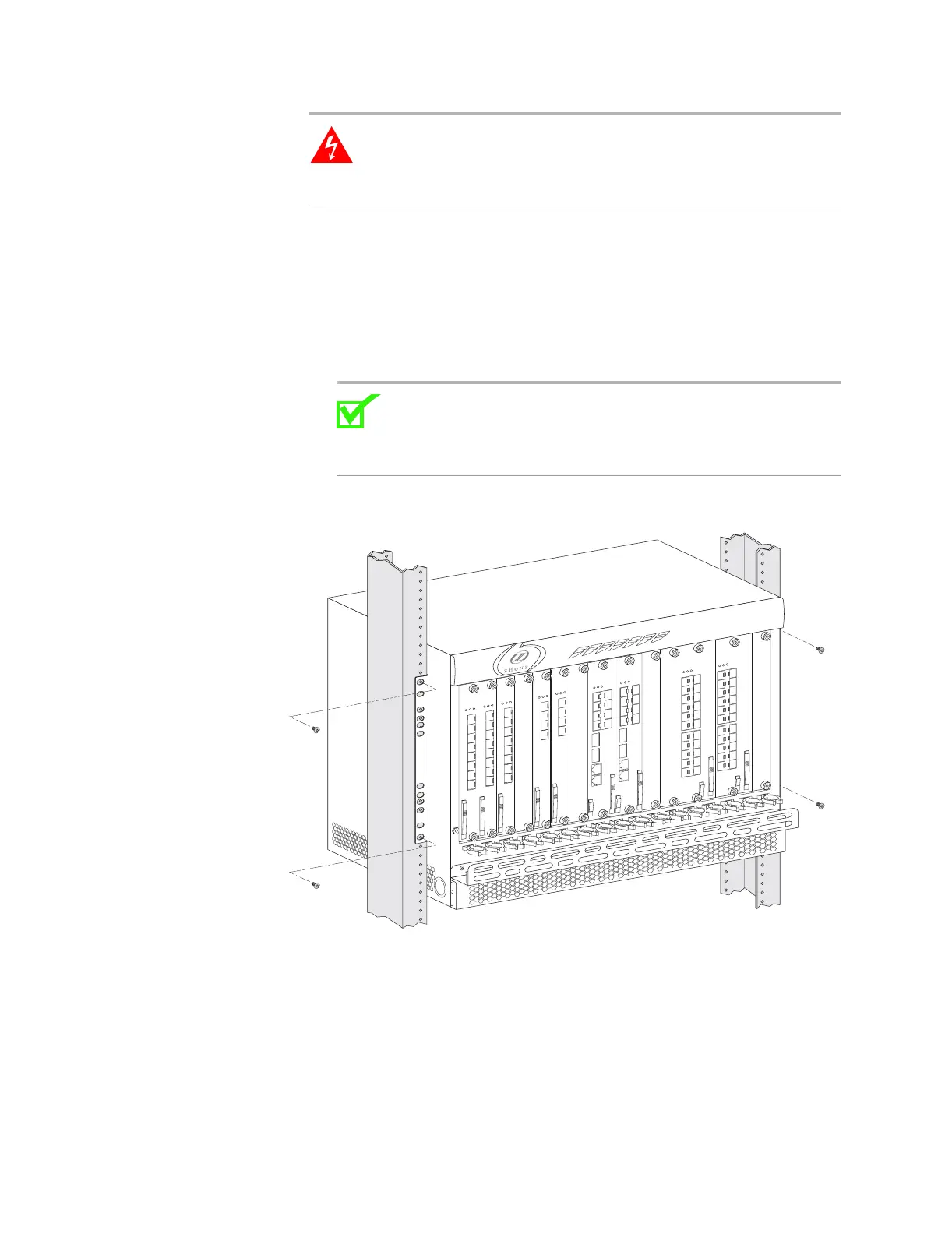
Use the following procedure to mount the system chassis in a rack:
1 Choose a rack position for the system chassis.
2 Carefully lift the system chassis into the rack with the front of the system
facing outward.
3 Secure the system chassis to the mounting rack with the screws provided
in the installation kit.
Note: Use a 12-24 UNC x 0.5-inch screw when mounting the
system to the rack. Using the wrong screw type will result in a
poorly-secured system. These screws are provided in the
installation kit.
Figure 10: Installing the MXK in a rack
Mounting the MXK 319 system chassis in a rack
The system chassis can be mounted in a 19-inch rack that is connected to an
earth ground. Use the following procedure to mount the system chassis in a
rack:
1 Choose a rack position for the system chassis.
mx0706


 To Next Page