MXK Hardware Maintenance
70 MXK Hardware Installation Guide
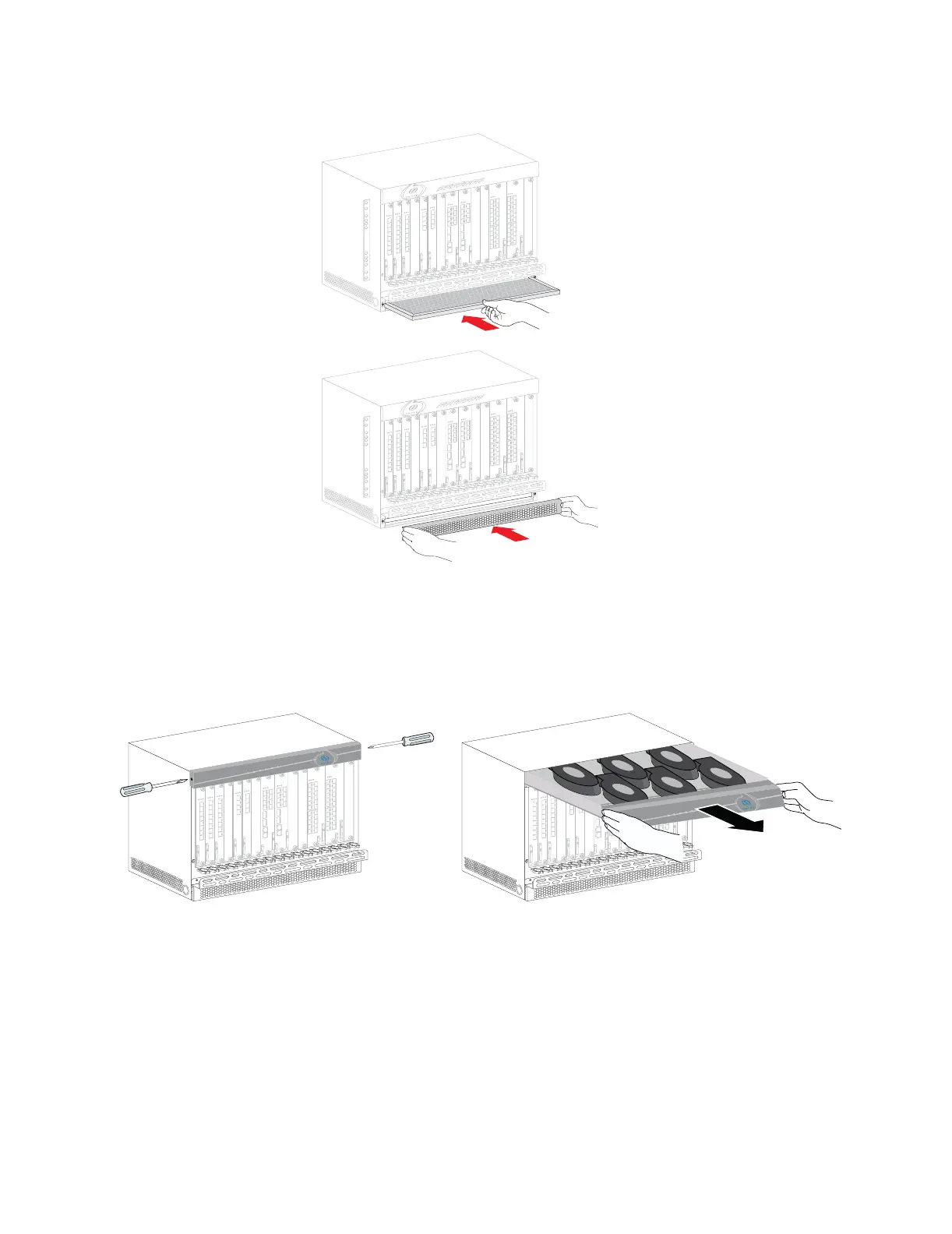
Figure 32: Replacing the air filter
Replacing the fan tray for the 8U chassis
Remove the fan tray from the MXK and reinsert promptly after replacing a
fan to ensure proper cooling to the MXK unit.
Removing the fan tray
1 Loosen and remove screws at either end of the upper activity lights
facing.
2 By using firm pressure on either end of the fan tray, gently slide our the
fan tray assembly.
mx0710


 To Next Page