MXK Hardware Installation Guide 63
MXK HARDWARE MAINTENANCE
This chapter describes how to maintain the MXK and includes the following:
• Read the LEDs, page 63
• Install a slot card, page 65
• Remove a slot card, page 66
• Replace running redundant uplink cards, page 67
• Clean and replace the air filter, page 68
• Replacing the fan tray for the 8U chassis, page 70
• Replacing the fan tray for the MXK 319 chassis, page 72
Read the LEDs
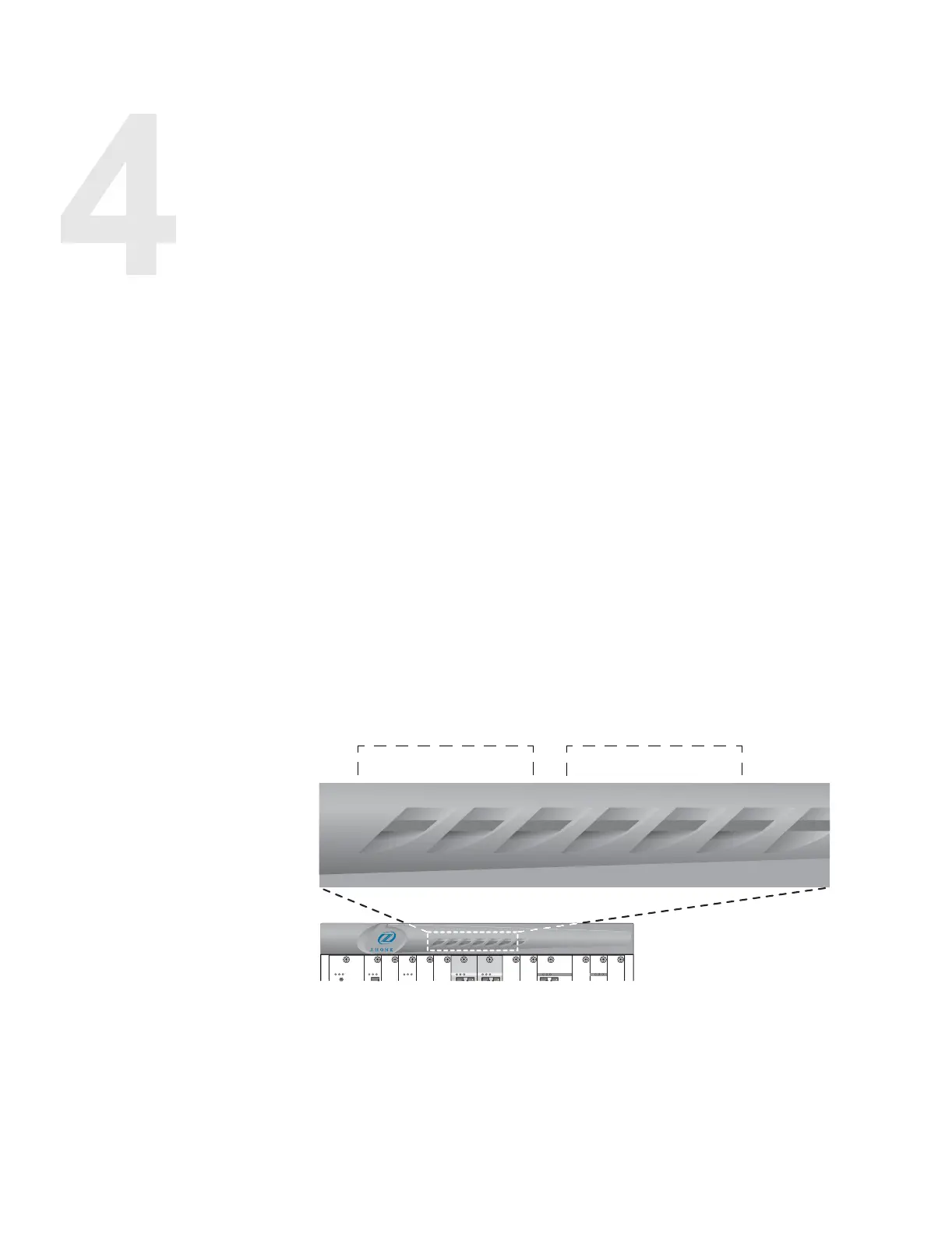
The MXK 819 and MXK 823 system LEDs are located on the front bezel (see
Figure 28 on page 63).
Figure 28: MXK 819 and MXK 823 LEDs
These LEDs illuminate to reflect the most significant alarm in the system. For
example, if there were five major alarms and one critical alarm in the system,
only the critical LED would be lit.
Table 15 describes the MXK system LEDs.
mx0713
active
fault
pwr fail
active
fault
pwr fail
active
fault
pwr fail
active
fault
pwr fail
active
fault
pwr fail
active
fault
pwr fail
active
fault
pwr fail
m
a
j
o
r
c
r
i
t
i
c
a
l
m
i
n
o
r
f
a
n
f
a
u
l
t
p
o
w
e
r
B
p
o
w
e
r
A
major
critical
minor
fan fault
power B
power A
AlarmsPower A Power B
Fan Fault


 To Next Page