MXK Hardware Maintenance
66 MXK Hardware Installation Guide
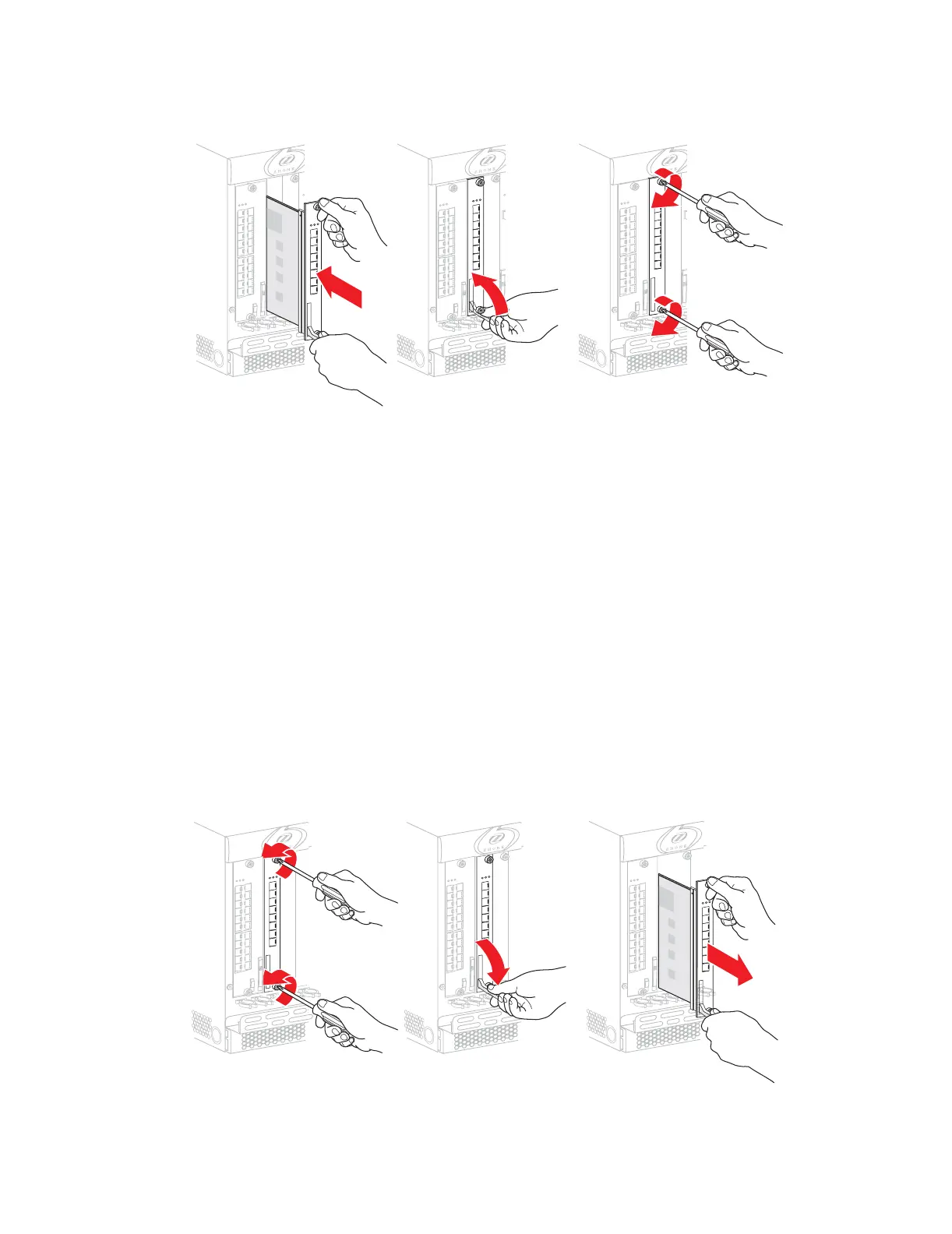
Figure 29: Installing slot cards in the MXK
Remove a slot card
This section describes how to remove a slot card from the MXK chassis.
Removing a slot card from the MXK chassis
1 Put on an antistatic wrist strap that touches the skin. Make sure it is
properly grounded to the ESD jack on the front of the unit.
2 Loosen the top and bottom screws of the slot card.
3 Unscrew the top and bottom screws from the card.
4 Lift the bottom ejector.
5 Slide the card out.
Figure 30 illustrates removing slot cards.
Figure 30: Removing slot cards
mx0803
mx0802


 To Next Page