Handleiding Internet van Ziggo 30
4.2.7 Backup/Restore
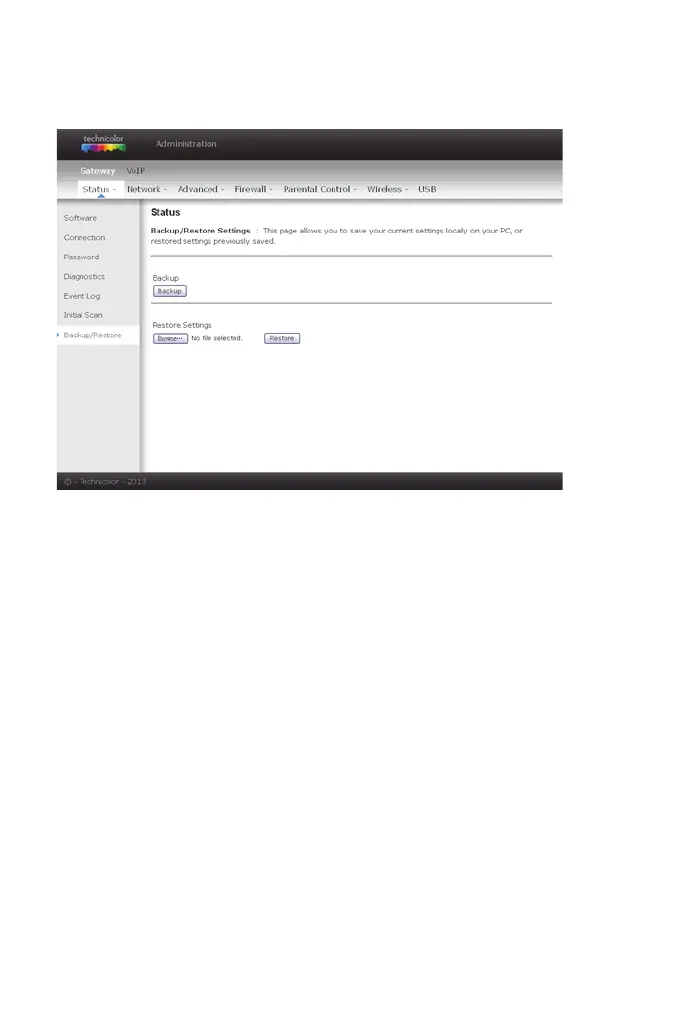
This page allows you to save your current settings locally on your PC, or restore
settings previously saved. The default file name is GatewaySettings.bin.
figure 18: Gateway\Status\ Backup/Restore
4.3 Gateway – Network Web Page Group
4.3.1 LAN
You can activate the DHCP server function for the LAN on this page. With this
function activated,
• your cable company’s DHCP server provides one IP address for your
gateway,
• and your gateway’s DHCP server provides IP addresses, starting at the
address you set in IP Address on the LAN page, to your PCs. A DHCP server
leases an IP address with an expiration time.
To change the IP address that your gateway will use on the LAN side, enter it
into the IP Address box and then click Apply.
IP Address and Subnet Mask:
A private IP address and Subnet Mask for LAN sub netting.
For example 192.168.0.1./ 255.255.255.0.


 To Next Page