
 Need help?
Do you have a question about the ziggo Technicolor TC7210 and is the answer not in the manual?
Explains symbols used in the manual for clarity and emphasis.
Guide on how to access and modify advanced settings of the Wi-Fi modem.
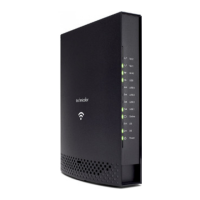
Provides an overview of the Wireless Voice Gateway hardware and its components.
Explains the interaction and roles of different devices in the network setup.
Step-by-step instructions for connecting the gateway to a computer via Ethernet.
Details on how to log into the gateway's web interface for configuration.
Information about the gateway's current operational status and system details.
Configuration options for the gateway's network settings, including LAN and WAN.
Advanced configuration options for features like IP filtering, port forwarding, and firewall.
Settings related to firewall features for network security and traffic control.
Options for filtering web content and controlling internet access based on keywords or domains.
Configuration settings for the wireless network, including security and advanced options.
Settings for managing USB devices connected to the gateway, such as media servers.
Basic configuration and status information for Voice over IP (VoIP) services.
Explains the fundamental concepts of data communication and network devices.
Describes different types of communication within the network and with the service provider.
Details the functionality and technology of the cable modem section.
Explains the role and protocols used by the gateway's networking section.
Overview of the three available networking modes (CM, RG, CH) for gateway configuration.
Explains the specific settings and operation of the Cable Modem (CM) mode.
Describes the Residential Gateway (RG) mode, including NAT functionality.
 General
| Brand | Technicolor |
|---|---|
| Model | TC7210 |
| Type | Wireless Router |
| Wireless Standards | 802.11b/g/n |
| Frequency Band | 2.4 GHz |
| Ethernet Ports | 4 |
| WAN Ports | 1 |
| USB Ports | 1 |
| DOCSIS | 3.0 |
| Security Features | WPA, WPA2 |

 To Next Page