Handleiding Internet van Ziggo 29
4.2.6 Initial Scan
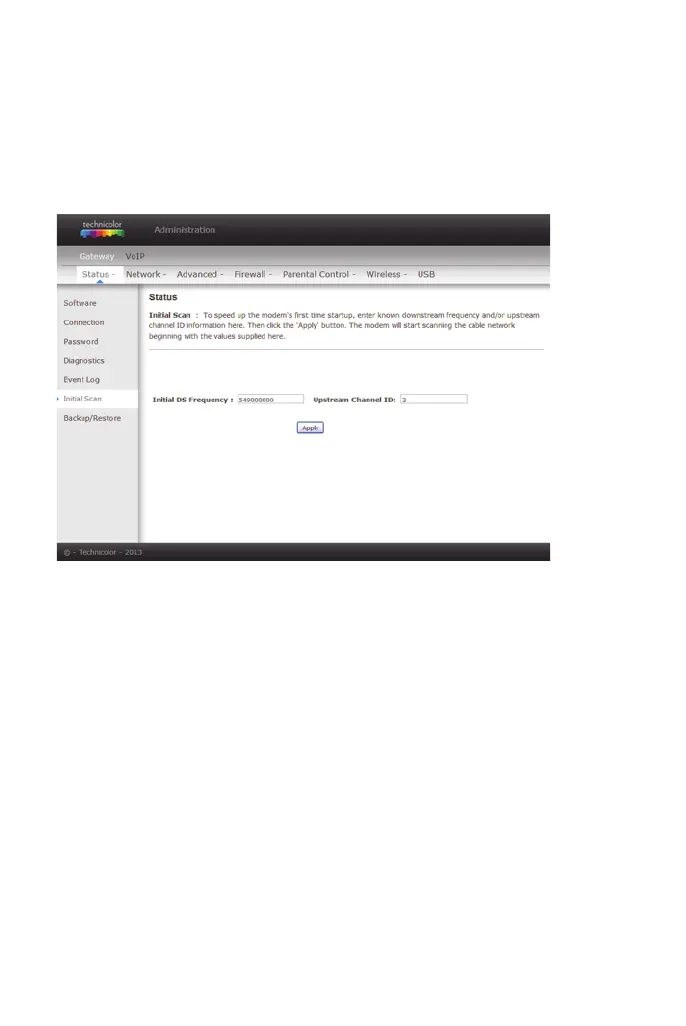
To speed up the modem’s first time connection, enter known downstream
frequency and/or upstream channel ID information here. Then click Apply and
Reboot button to start scanning the cable network beginning with the values
supplied here.
The value is provided in Hertz. So, for 549 MHz, you must type: 549000000
figure 17: Gateway\Status\Initial Scan


 To Next Page