Handleiding Internet van Ziggo 21
4.1.2 Warning message to change the password
At your first connection or while the password is the default one, a warning
message is displayed on the top banner of each Web configuration page. We
want to encourage you to change the password in order to enforce the security
of your modem. Please refer to the chapter password page 25 for more
information.
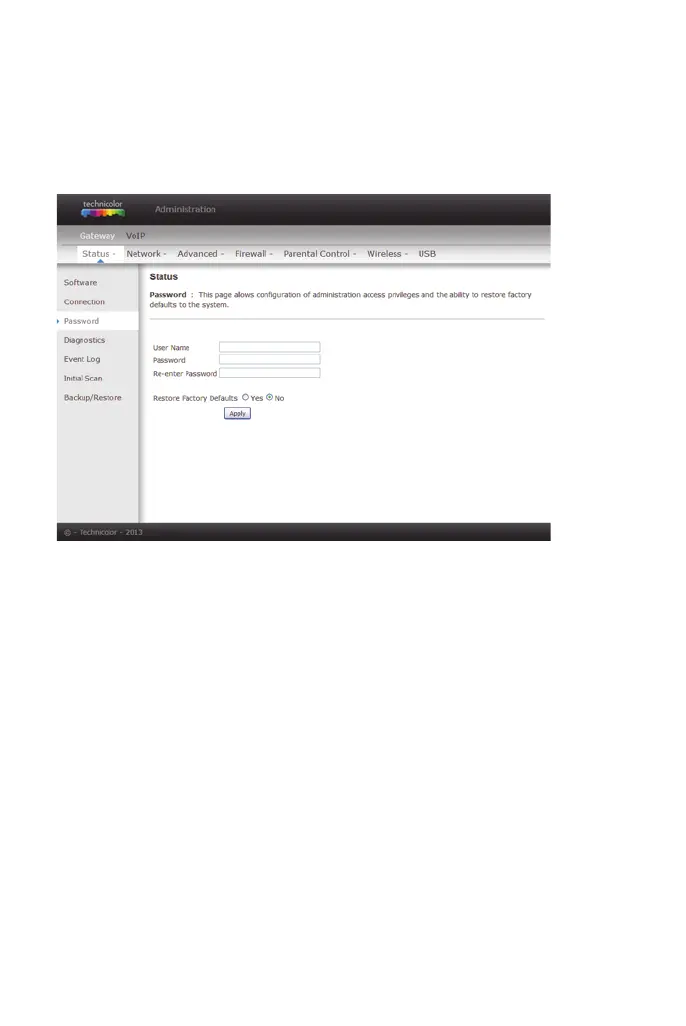
figure 9: Gateway\Status\Password
To change the password: type the password, and re-enter it again.


 To Next Page