6.1. General operation
target parameters
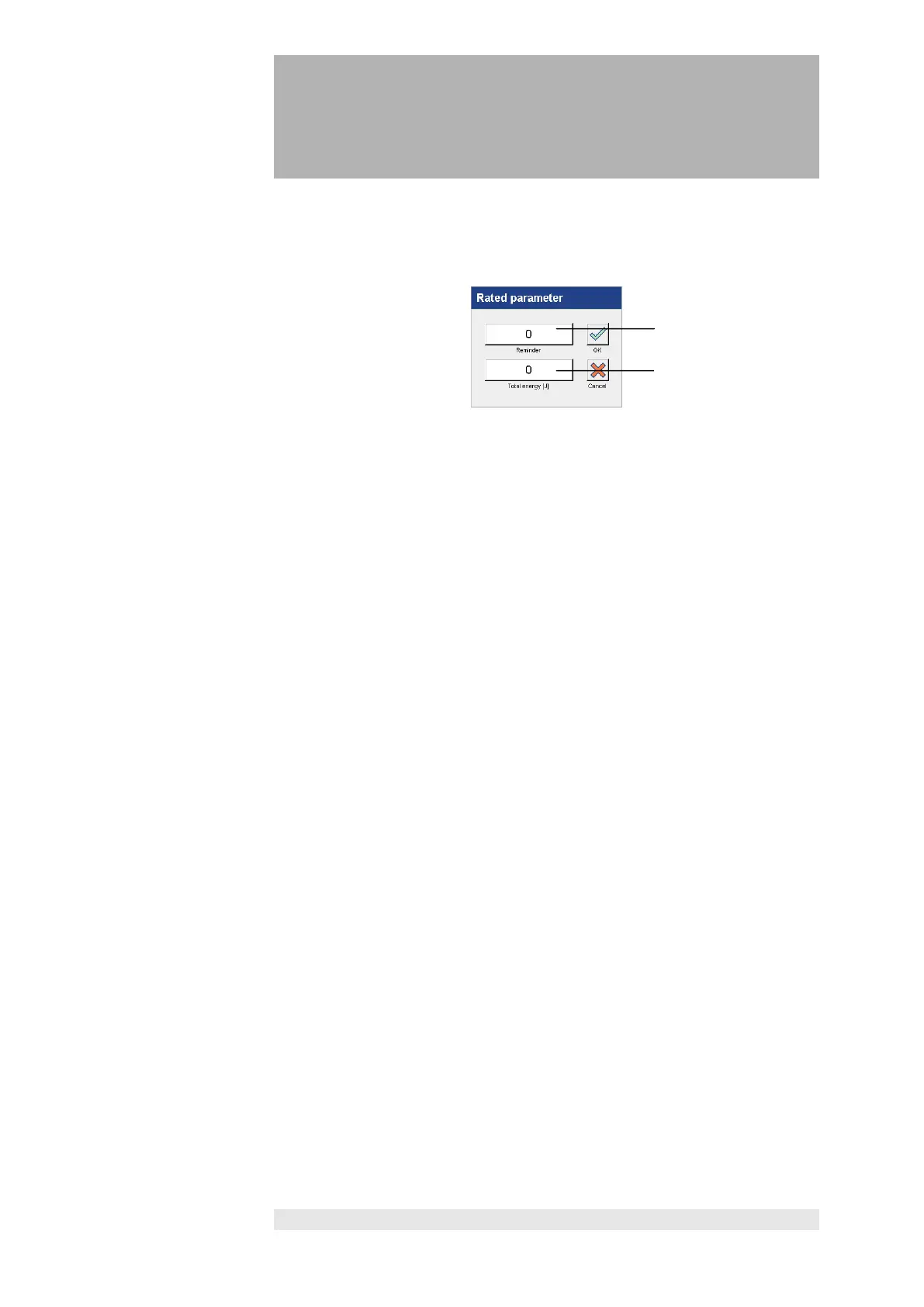
Press the "Rated parameter" button to open the
"Rated parameter" window.
Entry field (1) gives the option of entering a specific number of Joules.
An acoustic signal sounds once the specified number of Joules has been
output. The signal repeats at the same intervals depending on the number of
Joules entered until the target total energy has been delivered.
If no target total energy is entered, an acoustic signal only sounds once the set
number of joules has been delivered.
In the entry field (2) "Total energy", a target total energy can be set.
Once the target total energy is delivered, an acoustic signal sounds and the
laser application is stopped.
The application can be continued by pressing the footswitch again.
reminder,
total energy
An "Input" window is opened by pressing the "Reminder" (1) and "Total
energy" (2) buttons.
Select the desired decimal position with the cursor or activate it. The required
values are entered with the numeric keypad.
Press "OK" to accept the new settings.
Press "Cancel" to cancel the process.
Setting a reminder and a target total energy is not necessary to carry out the
therapy.
recommended total
time
After 15 min an acoustic signal sounds and a message appears on the screen
which asks the user: “The recommended treatment period is finished. Do you
wish to continue treatment? Yes / No”
• Yes: The output power is hold and the therapy can be continued by
pressing the footswitch.
• No: The laser is de-activated. The total time and total energy are hold.












 To Next Page