6.1. General operation
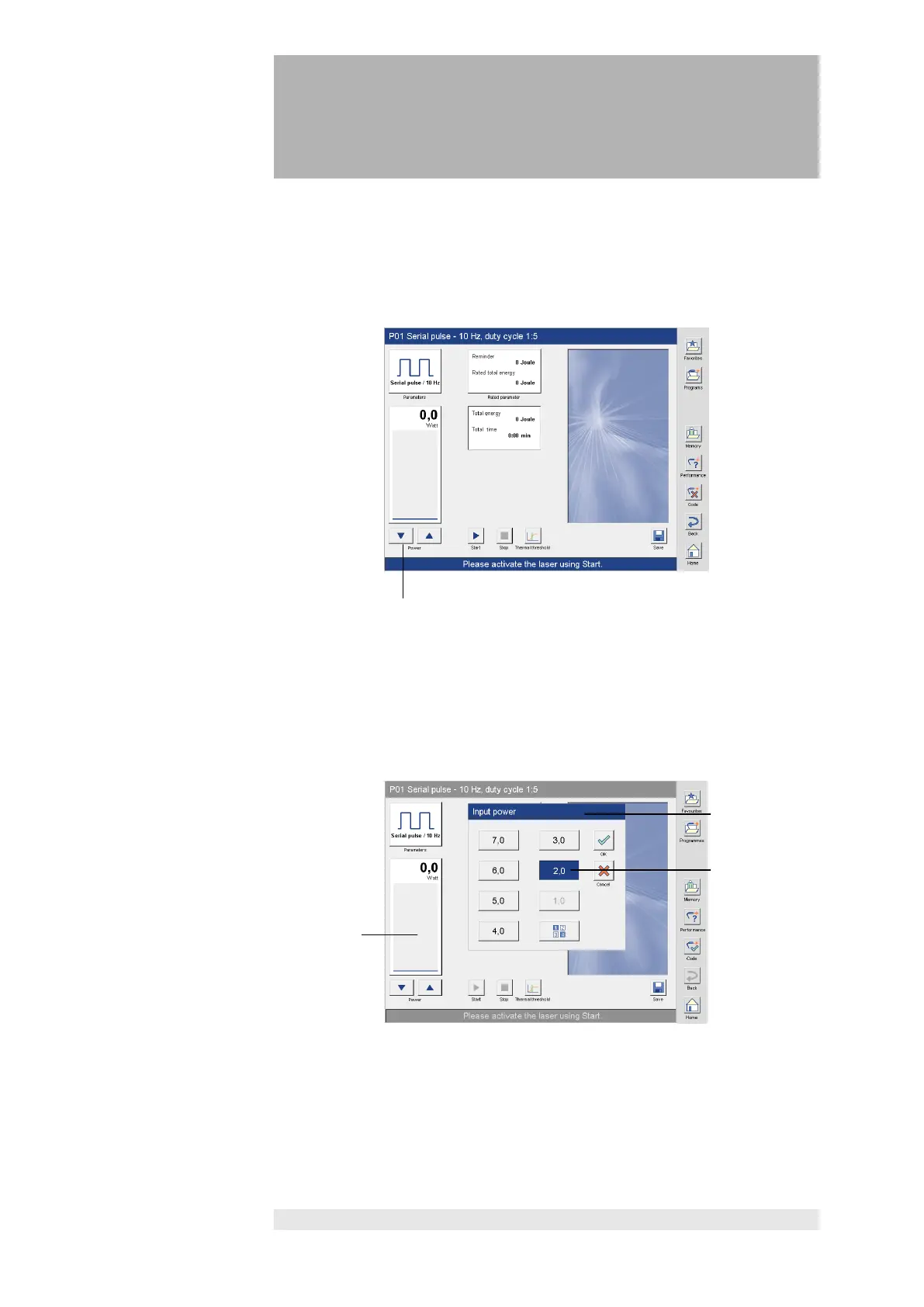
to set the power
Several options are available for setting power.
1. The power can be adjusted in 0.1 W steps with the arrow keys (1) beneath
the bar graph.
with the selection
field
2. Press the bar graph (1) to open the window “Input power” (2).
The selection is made by pressing the button with the desired power (3).
The power is set in 1 W steps.
Press "OK" to activate the selected power.
Press "Cancel" to cancel the procedure.














 To Next Page