6.3. Saving programmes
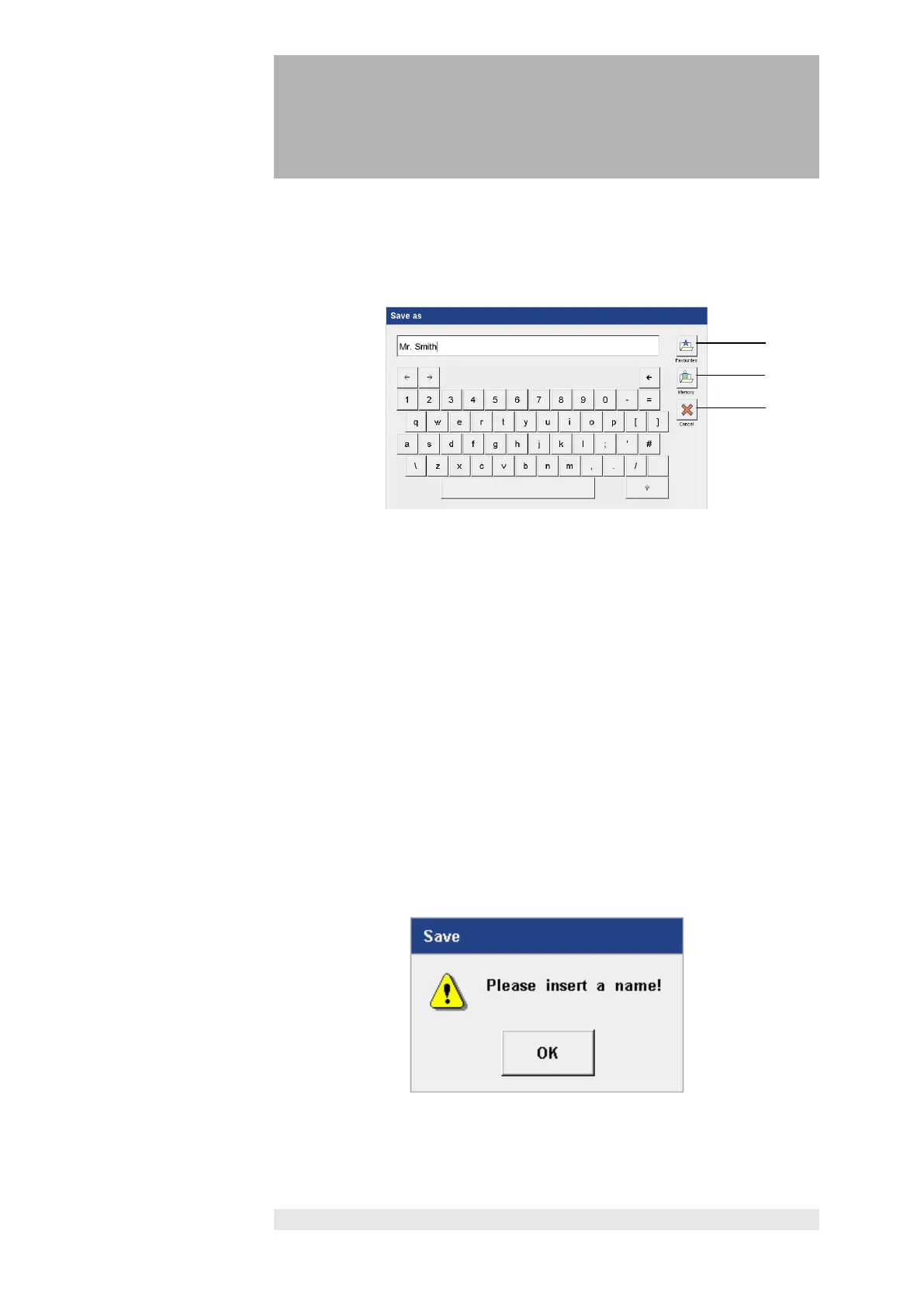
Programes can be saved in the Favorites list or in the Memory list. There are
120 memory spaces available in each case.
Favorites list /
Memory list
Press the "Favorites" button (1) to open the Favorites list and automatically
save the program to the Favorites list.
Press the "Memory" button (2) to open the Memory list and automatically save
the program to the Memory list.
The program is always saved in the first free space in the list.
Press the “OK” button to close the “Edit Favorites” or “Edit Memory” screen
and return to the treatment screen.
The program name is shown in the title bar.
Press “Cancel” (3) to stop the save procedure.
If no name is entered for the program, and the "Favorites" or
"Memory" button is pressed, the following message is shown.
Press “OK”, enter a name, and repeat the save procedure.












 To Next Page