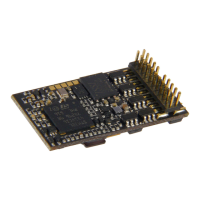
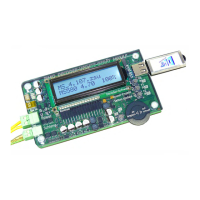
Page 74 MS - SOUND decoders MS440 to MS990 and MN - NON-SOUND decoders MN170 to MN340
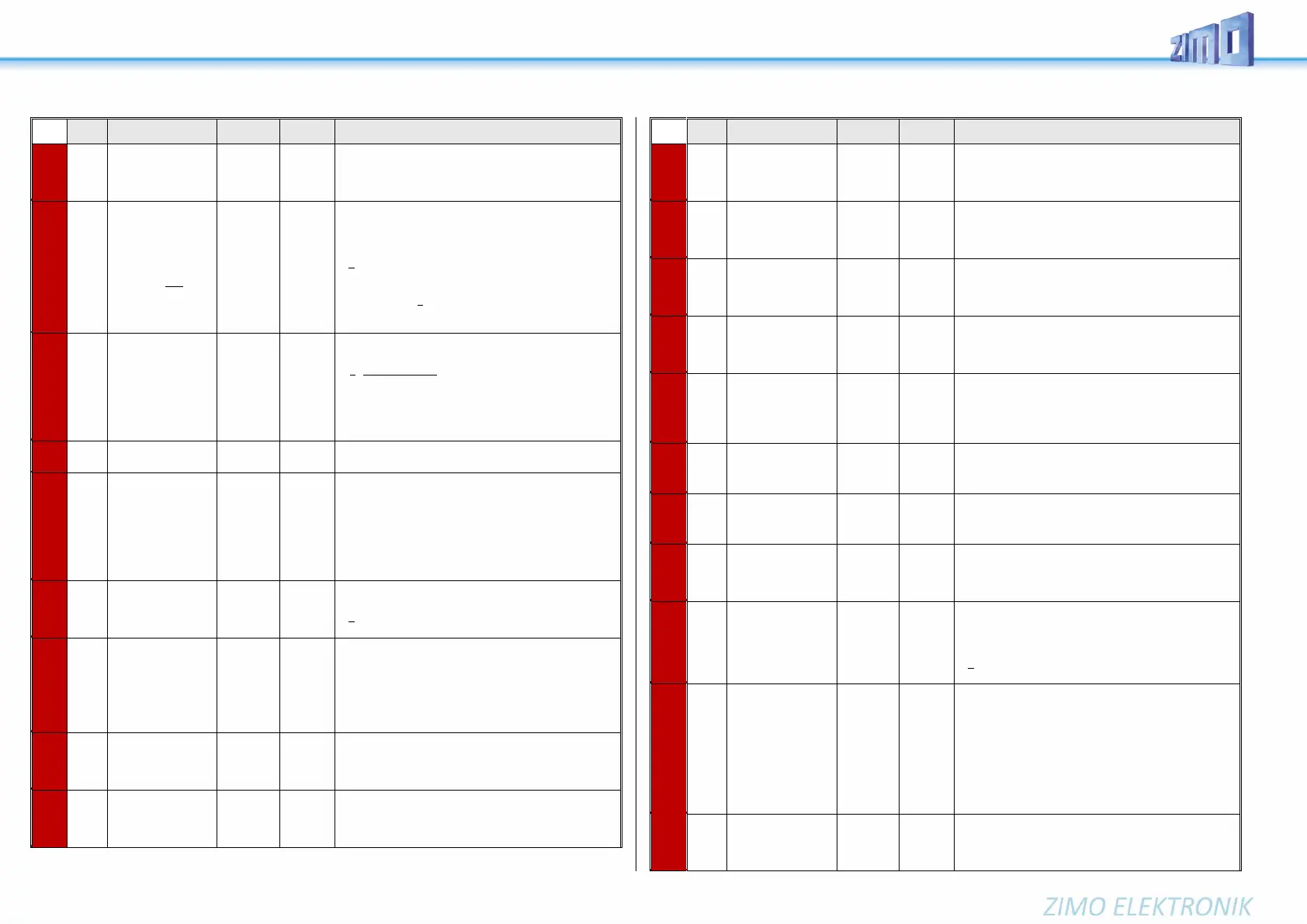
The key defined here acts as a brake key according to the
rate defined in CV #349 (the normal – higher – decelera-
tion time in CV #4 is thereby ignored). 0=deactivated;
1=F1, ..., 28=F28, 29=F0;
ON/OFF key
for
Driving sound vol-
ume and
Random Sounds
Function key to turn ON/OFF driving sounds (steam
chuffs, boiling, blow-off, brake squeal, or diesel motor, thy-
ristor sounds, etc.) as well as random sounds (air brake
pump, coal shoveling, ...).
= 8: F8 key switches driving sound ON or OFF.
NOTE: this is the default key for ZIMO original sound pro-
jects; typical OEM projects (i.e. ROCO) often use other
settings. Mostly 1 for the F1 key.
= 0 - 28 F0 - F28 as ON/OFF-key for driving noise.
= 255: Engine and random sounds are always ON.
ON/OFF key
for
Function sounds
Function key assigned as ON/OFF key of function sounds
(i.e. F2 – whistle).
= 0: does not mean that F0 is assigned for this task but
rather that the function sounds are always active (cannot
be turned off).
= if the same value is entered here as in CV #310, the key
defined in #310 turns all sound ON/OFF.
= 1 - 28: Separate ON/OFF key for function sound.
See chapter 5.4 SOUND: Steam engine → sound basic
configuration
“Mute key”
fade in/out time
Key
This CV assigns a function key with which the driving
sounds can be faded in and out, i.e. when the train disap-
pears behind scenery. In many sound projects, CV #313 =
CV #310, i.e. the same value in both CVs, therefore all
sounds are faded in/out.
= 0: No mute key or mute function.
= 1 - 28: Corresponding function key F1 - F28.
= 101 - 128: Assigned function key with inverted action.
Time in tenths of a second for sound fading in/out when
mute button is pressed. Total range is 25 seconds.
= 0 (to 10): Minimum 1 sec
= 11 - 255: longer time until sound is muted
Random generator
Z1
Minimal interval
The random generator generates internal pulses in irregu-
lar intervals that are used to playback a sound file as-
signed to the random generator. CV #315 defines the
shortest possible interval between two consecutive pulses.
Sound samples are assigned to the random generator Z1
with the help of the CV #300 = 101 procedure, see
above! By default, the compressor is assigned to Z1.
Random generator
Z1
Highest interval
CV #316 defines the maximum time interval between two
consecutive pulses of the random generator Z1; the actu-
ally occurring pulses between the values in CV #315 and
#316 are equally distributed.
Random generator
Z1
Duration of playback
The sound sample assigned to the random generator Z1
(most often the compressor) is played back for the
timespan defined in CV #317.
= 0: Play back sound sample for the first time
As above,
however…
Random generator
Z2
By default, Z2 is assigned for coal shoveling at stand-still.
As above,
however…
Random generator
Z3
By default, Z3 is assigned for the injector at stand-still.
As above,
however…
random generator
Z4 - Z8
At delivery this random generator is not used.
Key for raising
of diesel sound step
Function key that raises the diesel sound to the minimum
speed defined with CV #340.
See below if more keys for further speed raises are re-
quired.
Diesel sound step,
to which is to be
raised, and possibly
more keys.
The minimum diesel step the sound is to be raised to with
the function key defined with CV #339. This CV can be
extended (to include more function keys by applying the
formula): Minimum speed step + (16 * (Number of keys -
1))
Switch input 1
Duration of playback
The sound sample allocated to switch input 1 is played
back for the duration defined with this CV.
= 0: Play back sound sample for the first time
Switch input 2
Duration of playback
The sound sample allocated to switch input 2 is played
back for the duration defined with this CV.
= 0: Play back sound sample for the first time
Switch input 3
Duration of playback
The sound sample allocated to switch input 3 (as far as it
is not used as cam sensor) is played back for the duration
defined with this CV.
= 0: Play back sound sample for the first time
Run time of
Motor sounds
(Cooling fan, etc.)
after stops
After the engine comes to a stop, some accessories are
supposed to remain operating (e.g. cooling fans) and au-
tomatically stop after the time defined here, provided the
engine didn’t start up again.
= 0: Won’t run after stop
= 1 - 255: Runs for another 1 to 25 seconds.
Switch key
to next sound
variation within a
sound collection for
different operating
modes of a locomo-
tive or between the
sounds of a multi-
system engine
Defines a function key (F1 – F28) which switches between
two sound types that is, between the selected sound in CV
#265 and the next one in the list.
For example:
- Switch between two modes of operation (light train /
heavy train) or
- Switch between electric and diesel propulsion of a
multi-system engine; typical case:
Sound project for RhB Gem.
Conditions for
switching between
collections, as per
CV #345
Bit 0 = 1: Switches also at stand-still,
Bit 1 = 1: Switches also while cruising
(bits for standstill and cruising possible at the same
time)


 To Next Page
 Loading...