127899 Rev. C
20
A. CONTROLS
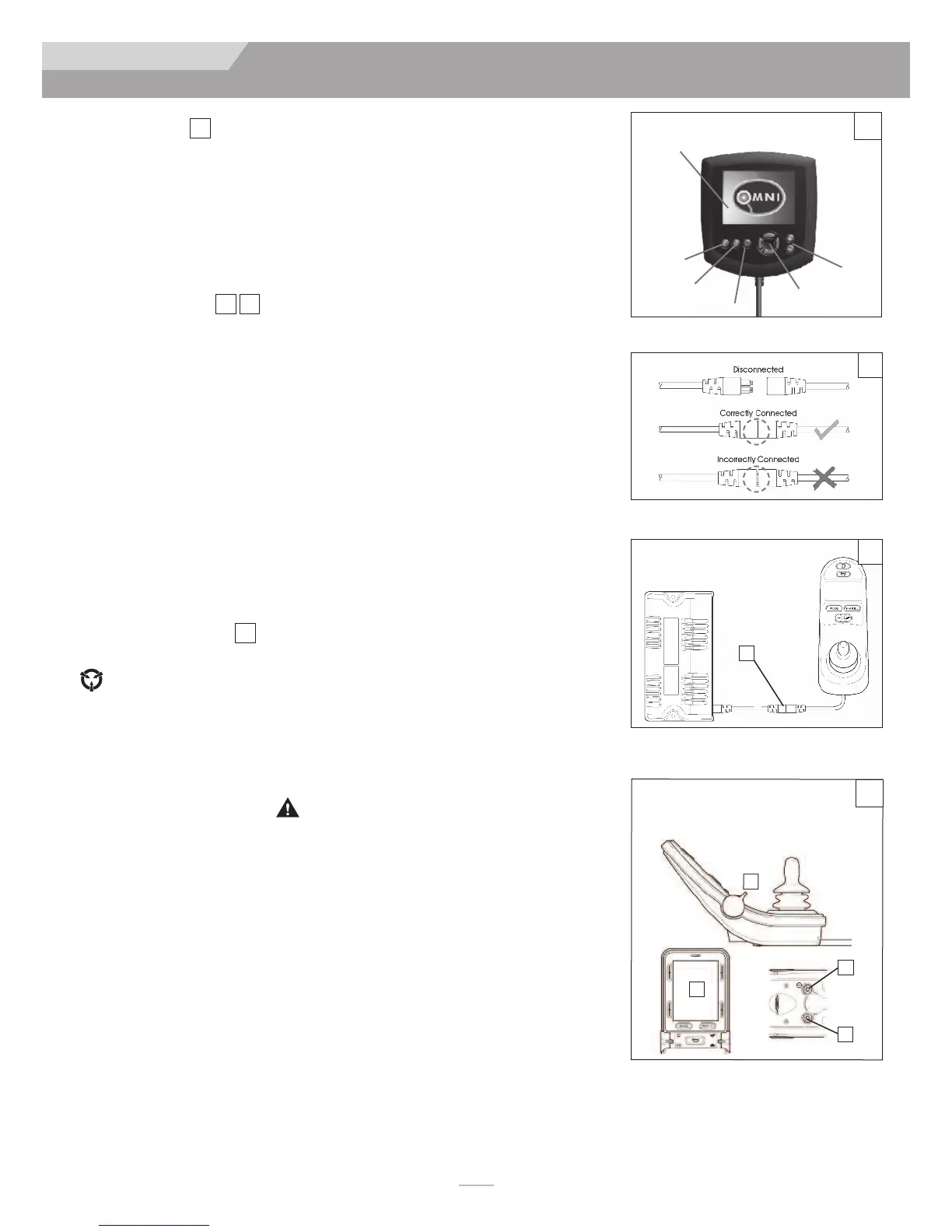
Omni Input Display
is a universal specialty controls interface that accepts signals from many different types of
SIDs and translates them into commands compatible with the PG Drives Technology
RNET control system.
B. CONNECTORS
Mating Connectors
To connect the communication cables (A):
Holding the connector housing, firmly push the connector into its mate until you
can no longer see the yellow plastic. The connectors are secured using a friction
system.
To disconnect the communication cables:
Holding the connector housing firmly, pull the connectors apart.
NOTE
– Do not hold or pull on the cable. Always grip the connector when connecting and
disconnecting.
When the control system is first switched on after a connection, or system component
change, the timer will be displayed while the system checks itself. Then the re-start icon
will be displayed. Switch the control system off and on again to operate,
C. R-NET JOYSTICKS
Controls:
LED, Color Display, and Advanced Joystick
Joystick key:
LCD Screen (B), Paddle Switch (Left and Right) (C), External Profile Jack
(D), External On/Off Switch Jack (E).
WARNING
Cleaning the LCD screen (B)
1.
ALWAYS
use a soft, clean, lint free, dry cloth
2. To clean fingerprints and greasy smudges off of your LCD screen use a screen cleaning
solution that is designed for LCD screens (Non-ammonia based). Put a small amount
of the solution on a clean, lint free, dry cloth and rub the screen gently.
3.
NEVER
use any type of windex cleaner, soap, scouring powder, or any cleanser
with solvents such as alcohol, benzene, ammonia, or paint thinner.
4.
NEVER
use abrasive pads or paper towels. If you do, you can scratch the screen or
strip the anti-glare coating off of the screen and cause permanent damage to the
Joystick screen.
20
2221
23
IX. CONTROLLER, JOYSTICKS & OPERATING GUIDE
ZIPP I E ZM-310
Power
Module
L
CD
s
creen
Profile
+/-
Navigation
Mode
On/Off
JOYSTICK
O
mni Display
22
21
20
23
Advanced Joystick shown
C
D
E
B
A



 To Next Page