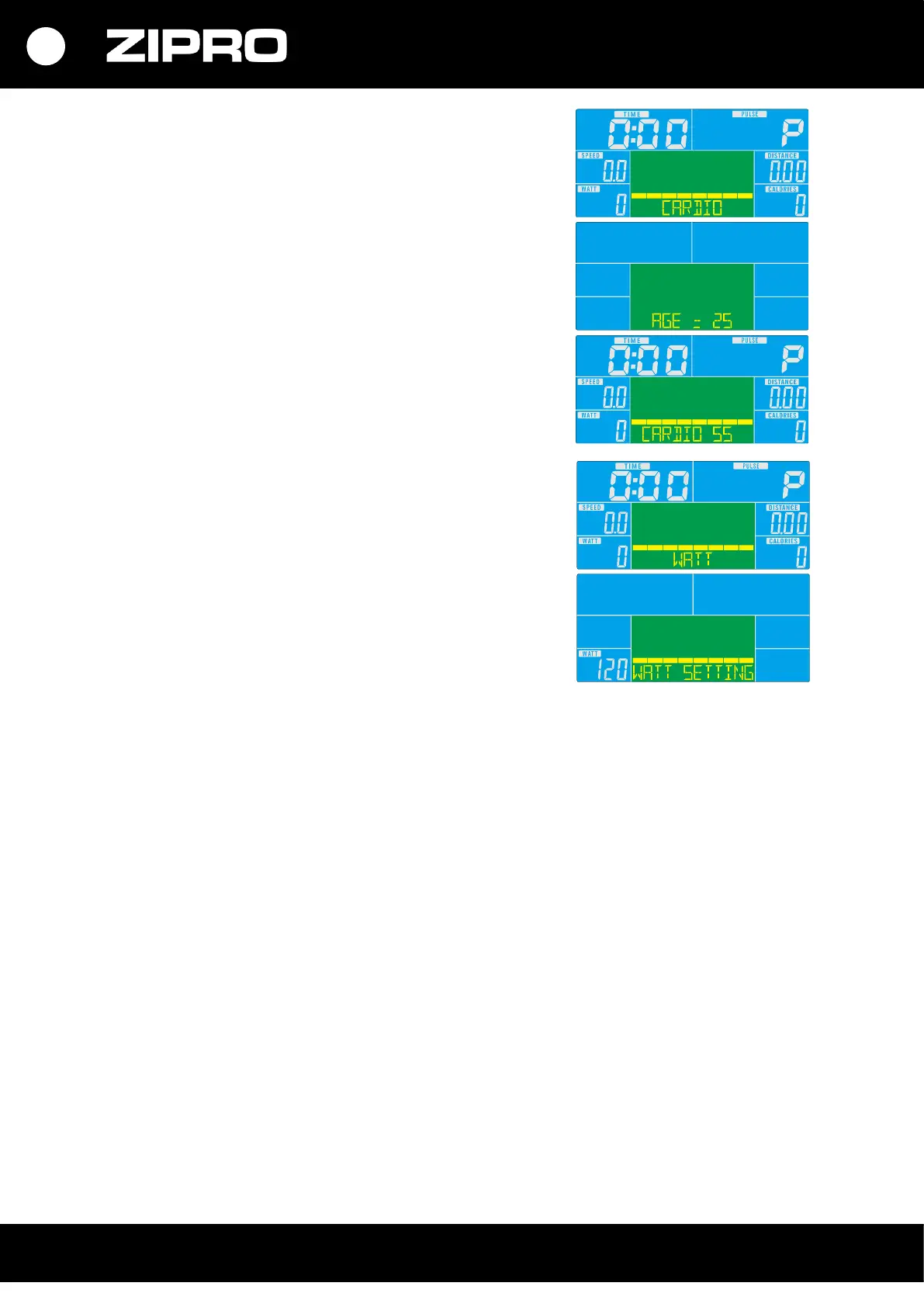
CARDIO HEART RATE CONTROL PROGRAMME
• Select the programme with the UP or DOWN button.
Select HRC and press UP or DOWN to start the training.
• Set your age and press UP or DOWN.
• Press the UP or DOWN button to set TAG, 55%, 75%, or 90%
of the maximum heart rate.
• Set the training duration with the UP or DOWN button.
• Stop the training by pressing the START/STOP button.
To return to the main menu, press RESET.
WATT CONTROL PROGRAMME
• Select the programme with the UP or DOWN button.
Select WATT and press MODE to start the training.
• Press the UP or DOWN button to select the target WATT level
(default level: 120).
• Set the duration with the UP or DOWN button.
• Start the training by pressing the START/STOP button.
To set training intensity, use the UP or DOWN button button.
• Stop the training by pressing the START/STOP button.
To return to the main menu, press RESET.
RECOVERY
Hold your hands on the heart rate sensors on the handlebar after training and press RECOVERY.
• The display counts down from 00:60 to 00:00 and displays a result of F1, F2,… F6.
F1 is the best, F6, the poorest.
• Press RECOVERY again to return to the home screen.
BODY FAT
In the STOP mode, put your palm on the heart rate sensor. Press the BODY FAT button to start a fat tissue
measurement.
• Enter your data by setting the values with the UP or DOWN buttons and confirming with MODE:
- Select the sex
- Set the height
- Set the weight
• When the data has been entered, put your other hand on the heart rate sensor. The measurement
starts.
Keep your hands on the heart rate sensors during the measurement.
• When the computer detects a heart rate, an image is displayed for 8 seconds until the end of the
measurement.
• The display shows a series of values: BMI, FAT.
Possible errors:
• Message ‘----’, ‘----’ – grip not used correctly.
• E-1 – no heart rate input signal detected.
• E-4 – FAT% and BMI below 5 or over 50.


 To Next Page