26
8010001002
X Series User’s Manual Chapter 2 Installation & Operation
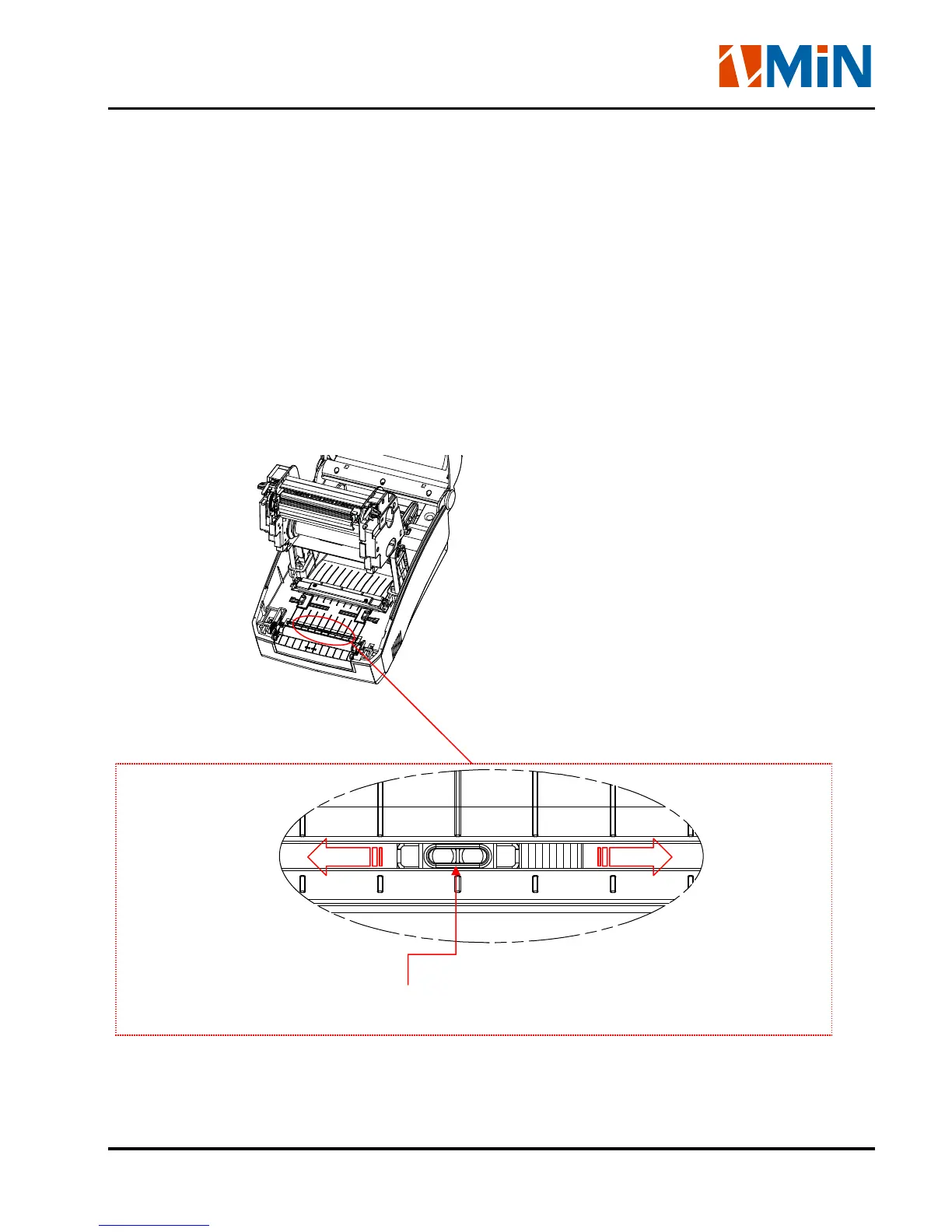
Adjusting the Position of Media Sensor
Notice:
Only the Reflective Media Sensor can’t be moved, the Transmissive Media Senor is fixed
installed.
1. Push the left and right Top Cover’s Latch Button to lift the top cover.
2. Pull the left and right Printhead Latch levers to release the Printhead Module.
3. Lift the Printhead Module to expose the media sensor. (see Figure 7-1)
4. Slide the media sensor to the appropriate position (refer to Figure 7-3, Figure 7-4 and Figure 7-5).
Figure 7-1
Figure 7-2
Reflective Media Sensor


 To Next Page