EasyManua.ls Logo

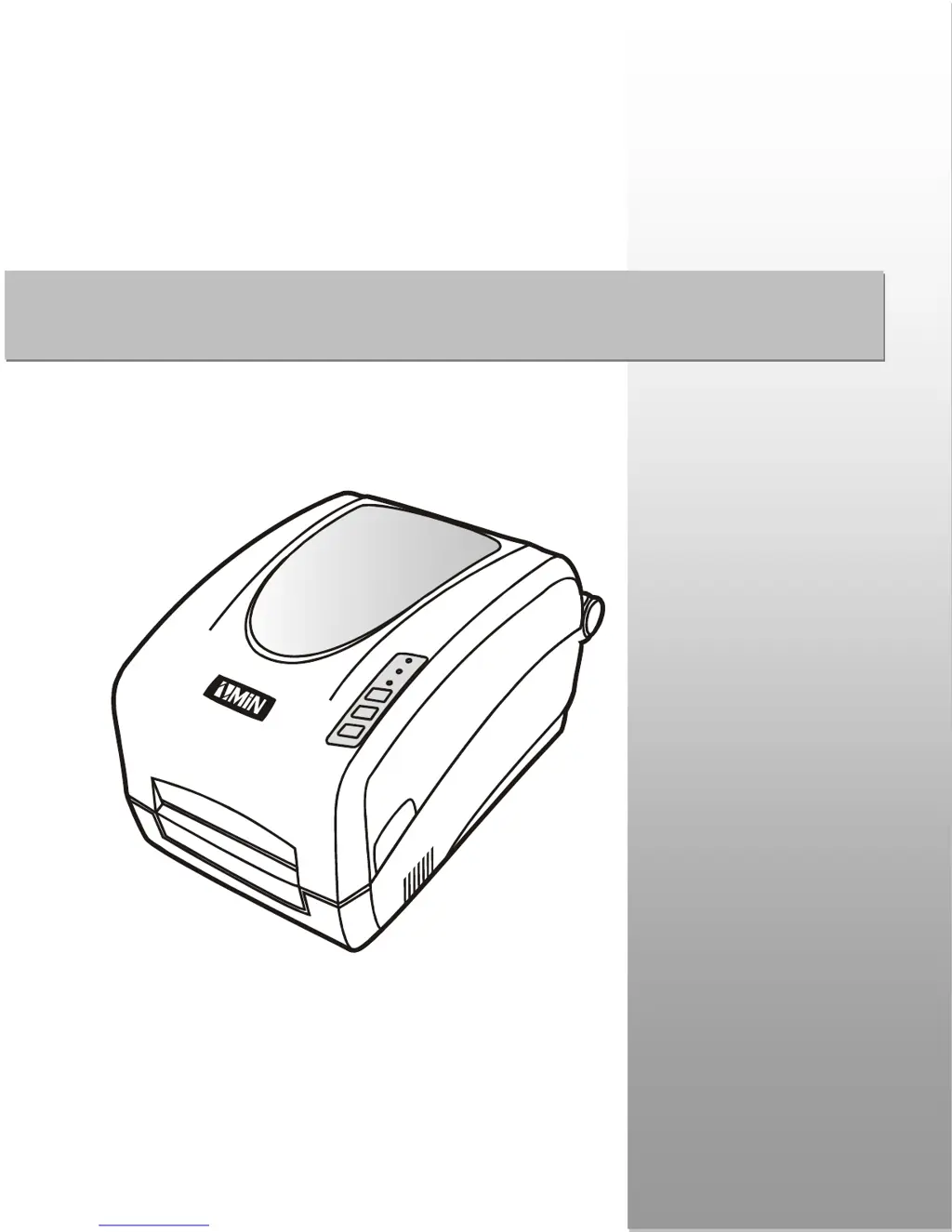
ZMIN X1 - User Manual

ZMIN X1
43 pages
Print Icon
To Next Page IconTo Next Page
Loading...
User’s Manual
ZMIN TECHNOLOGIES
2015-4-8 Version 1.5
Part Numbe
r
: 8010001002
X Series
Label Printer

Questions and Answers

  • S
    Sandra QuinnJul 31, 2025
    What to do if READY and MEDIA lights flash simultaneously on my ZMIN Label Maker?
    • Q
      qsteinJul 31, 2025
      If the READY and MEDIA lights are flashing simultaneously on your ZMIN Label Maker, this could be due to several reasons: * The device cannot detect the media gap or black line. To resolve this, check the media path, the position of the media sensor, and perform media sensor calibration. * The media has run out. Simply load a new roll of media. * There is a media jam. Clear the jam to resume printing. * The Media Roll Guides are not firmly positioned against the media. Adjust the Media Roll Guides to firmly press against the media. * There is a media sensor error. In this case, service the media sensor.
  • R
    Rebecca FisherAug 4, 2025
    Why is my ZMIN X1 Label Maker not printing even after sending the data?
    • J
      jonesjenniferAug 4, 2025
      If your ZMIN Label Maker isn't printing after you send the data, ensure that you've selected the correct Windows printer. If that's not the issue, try resetting the printer.
  • J
    Jeffery HowellAug 8, 2025
    How to resolve print quality problems with my ZMIN X1 Label Maker?
    • D
      dylan54Aug 8, 2025
      To resolve print quality issues with your ZMIN Label Maker: * Adjust the Print Darkness setting. * Adjust the Print Speed setting. * Clean the printhead and platen roller. * Ensure the correct media/ribbon is loaded. * Use only high-quality media and replace it if necessary.
  • M
    martinezgeorgeAug 12, 2025
    What to do if READY and RIBBON lights flash simultaneously on my ZMIN X1 Label Maker?
    • J
      Jacob TurnerAug 12, 2025
      If the READY and RIBBON lights are flashing simultaneously on your ZMIN Label Maker, it could indicate a few issues: * The ribbon has run out. Load a new roll of ribbon. * There is a ribbon jam. Clear the jam to continue printing. * There is a ribbon sensor error. In this instance, service the ribbon sensor.
  • T
    Thomas MannAug 16, 2025
    What to do if my host shows ‘Printer Timeout’ for ZMIN X1 Label Maker?
    • T
      Thomas RomanAug 16, 2025
      If your host displays a 'Printer Timeout' error for your ZMIN Label Maker, check if the interface cable is properly connected. Also, verify that the printer is turned on.
  • P
    Paul WestAug 21, 2025
    What causes vertical blank lines when printing with my ZMIN Label Maker?
    • R
      rwheelerAug 21, 2025
      If you are experiencing vertical blank lines when printing with your ZMIN Label Maker, clean the printhead. If cleaning doesn't solve the problem, replace the printhead.
  • A
    Alexandra CampbellAug 25, 2025
    Why is only the READY light flashing on my ZMIN Label Maker?
    • P
      Peter HallAug 26, 2025
      If only the READY light is flashing on your ZMIN Label Maker, it may indicate a Serial I/O error. Check the DIP switches for the band rate settings. Alternatively, it could be due to memory overflow; try restarting the printer or performing a reset.

Summary

Preface

Important Notice

Key precautions and warnings for using the printer, including printhead care.

Chapter 1 Introduction

Printer Specifications

Details printer models X1 and X1i technical specifications for various attributes.

Power Adapter and Unpacking

Specifications for the power adapter and guidance on unpacking and inspection.

Chapter 2 Installation and Operation

Printer Setup and Parts

Guidance on printer placement, ventilation, and identification of its components.

Connecting the Printer

Instructions for attaching the power adapter and connecting interface cables.

Consumables Installation

Overview of loading ribbon and media for different print methods.

Loading the Ribbon

Step-by-step guide for correctly installing the ribbon for thermal transfer printing.

Loading the Media

Instructions for loading media in Standard, Peel-off, or Cutting modes.

Media Sensor Adjustment

Details how to adjust the reflective media sensor for optimal media detection.

Operation Controls and Indicators

Explanation of the power switch, front panel controls, indicator lights, and key functions.

Advanced Functions and Settings

Covers media calibration, self-test, DIP switches, and software setup.

Chapter 3 Maintenance

Printer Cleaning Procedures

Step-by-step instructions for cleaning the printhead, platen roller, and printer interior.

Chapter 4 Troubleshooting

Error Indications and Solutions

Interpreting error lights and resolving common operational problems.

Print Quality and Recovery

Tips for improving print quality and recovering the printer after errors.

Appendix A: Interface Specifications

RS232 Serial Interface

Pin assignments and connection configurations for the RS232 serial port.

Parallel Centronics Interface

Pin assignments for the standard 36-pin Centronics parallel interface.

Appendix B: ASCII Table

ASCII Character Reference

A comprehensive table of ASCII characters and their corresponding values.

ZMIN X1 Specifications

General IconGeneral
BrandZMIN
ModelX1
CategoryLabel Maker
LanguageEnglish