40
8010001002
X Series User’s Manual Appendix A: Interface Specifications
pin 20 pin 8
Baud rate: 9600, 19200, 38400, 57600
(Baud Rate set by DIP switches 7–8)
Data format: always 8 data bits, 1 start bit and 1 stop bit.
Parity : always non parity.
Flow control: RTS/CTS (Hardware flow control).
If you are using software or drivers under the Windows environment, the flow control must be set to
“hardware”
Parallel (Centronics)
The parallel port is a standard 36-pin Centronics interface. Its pin assignments are as follows:
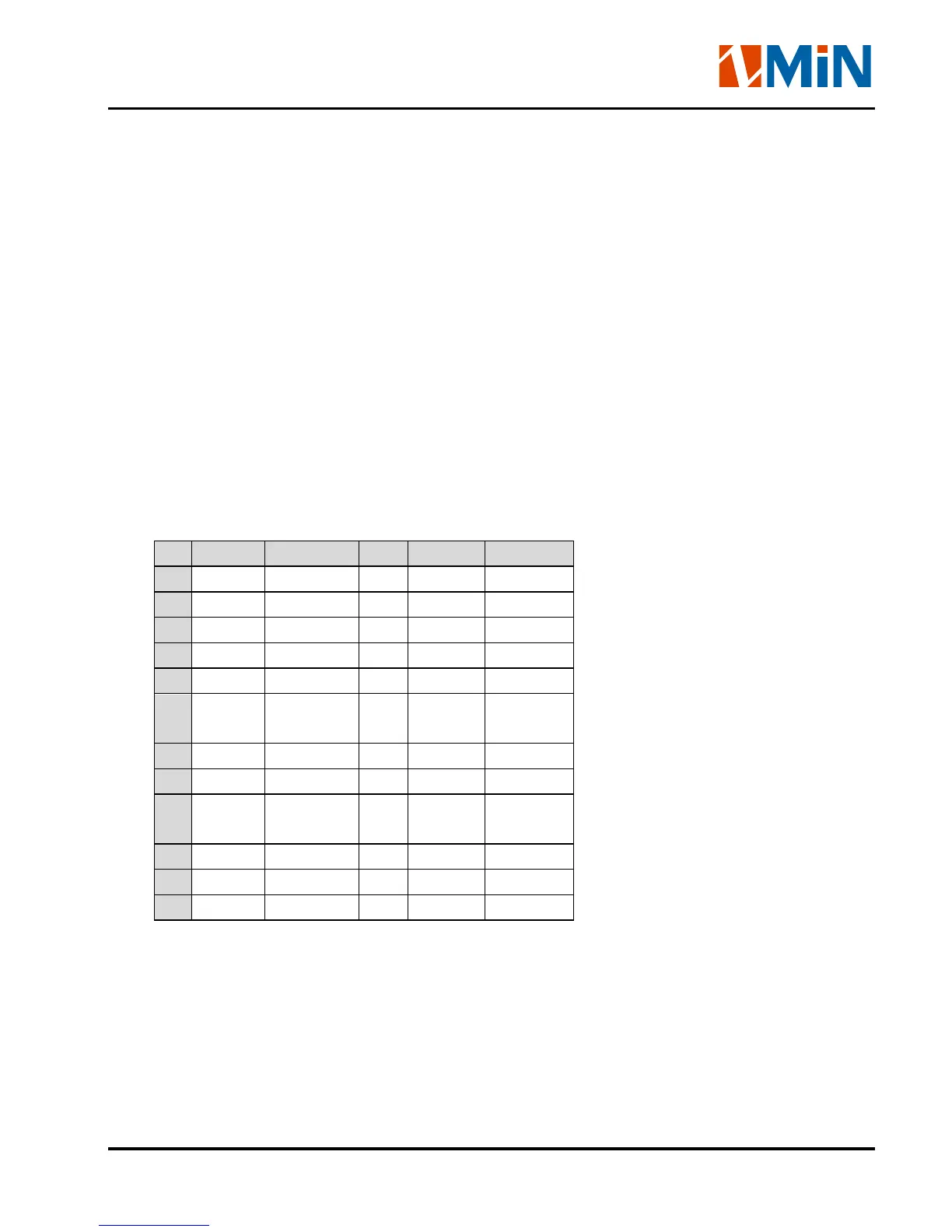
Pin Direction Definition Pin Direction Definition
1 In /STROBE 13 Out SELECT
2 In Data 1 14,15 NC
3 In Data 2 16 - Ground
4 In Data 3 17 - Ground
5 In Data 4 18 NC
6 In Data 5 19~3
0
- Ground
7 In Data 6 31 NC
8 In Data 7 32 Out /Fault
9 In Data 8 33~3
6
- NC
10 Out /ACK
11 Out BUSY
12 Out PE
Note: Never send data from 2 ports at the same time. Data cannot be sent to more than one port
simultaneously or data corruption and print errors may occur.


 To Next Page