37
8010001002
X Series User’s Manual Chapter 4 Troubleshooting
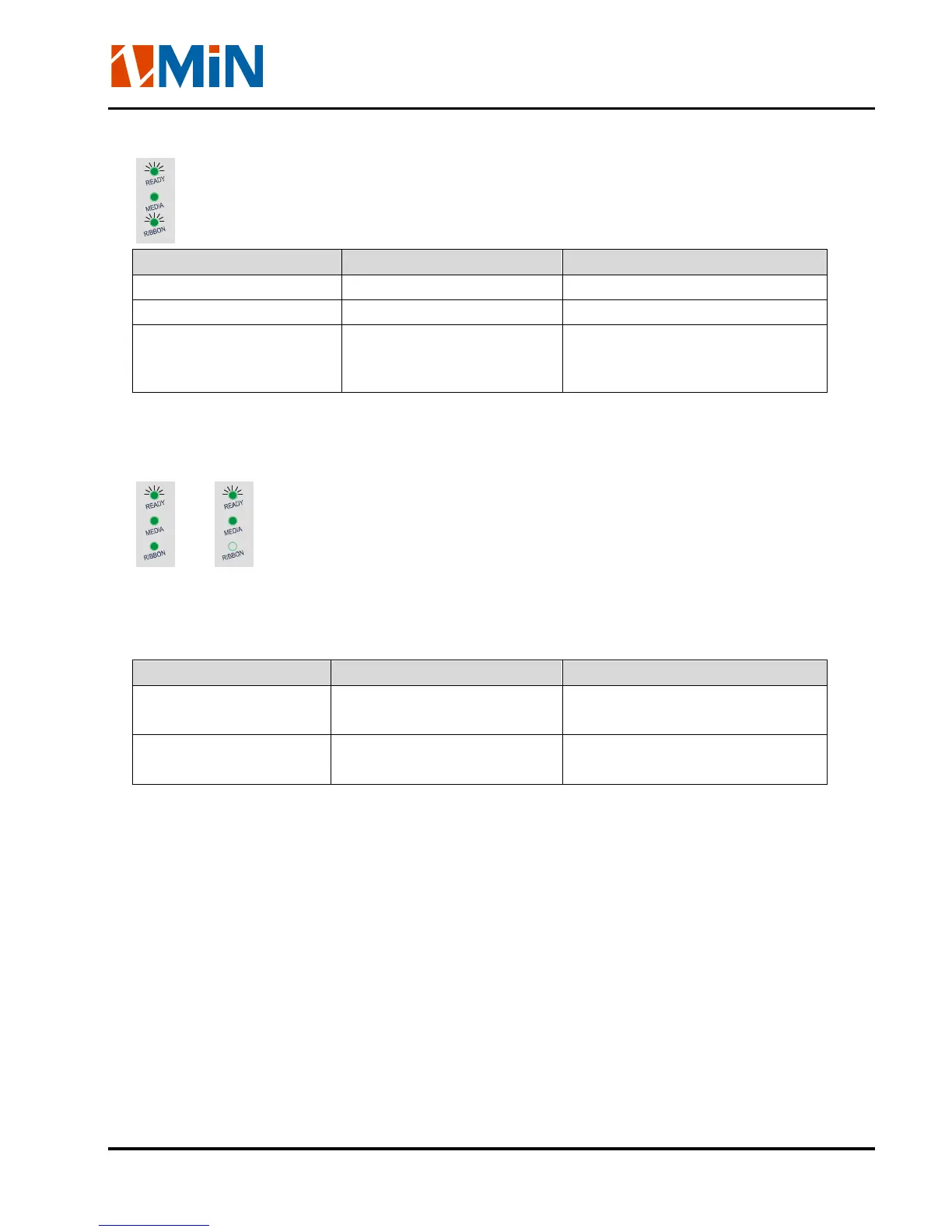
READY and RIBBON lights flash simultaneously
Possible Cause Recommend Solutions Remarks
Run out of ribbon Load a roll ribbon
Ribbon jam Clear the jam
Ribbon Sensor error Service Ribbon Sensor To be serviced only by qualified
personnel
Only READY light flash
or
Please confirm whether you have pressed the PAUSE key or not, force the print enter print pause
state?
Please press PAUSE key, if the problem is still exist, it’s may be the following list cause:
Possible Cause Recommend Solutions Remarks
Serial I/O error Check DIP switches for
the band rate settings
Memory overflow a. Restart the printer
b. Perform Reset


 To Next Page