Page 10
The ePump™ has two (2) operational modes:
User Mode and Setup Mode.
In the User Mode, the controller provides access
to pump control options including:
• Manual start and stop of pump
• Pump speed setting
• Timeclock setup and operation
See Section 4.1 for User Mode (pg10)
The Setup Mode allows the user to configure
the controller. Setup options include:
• Time-of-day setting
• Labeling of pump presets (speeds)
• Display light control
• Language selection
• Run duration
See Section 6 for Set Up Mode (pg 17)
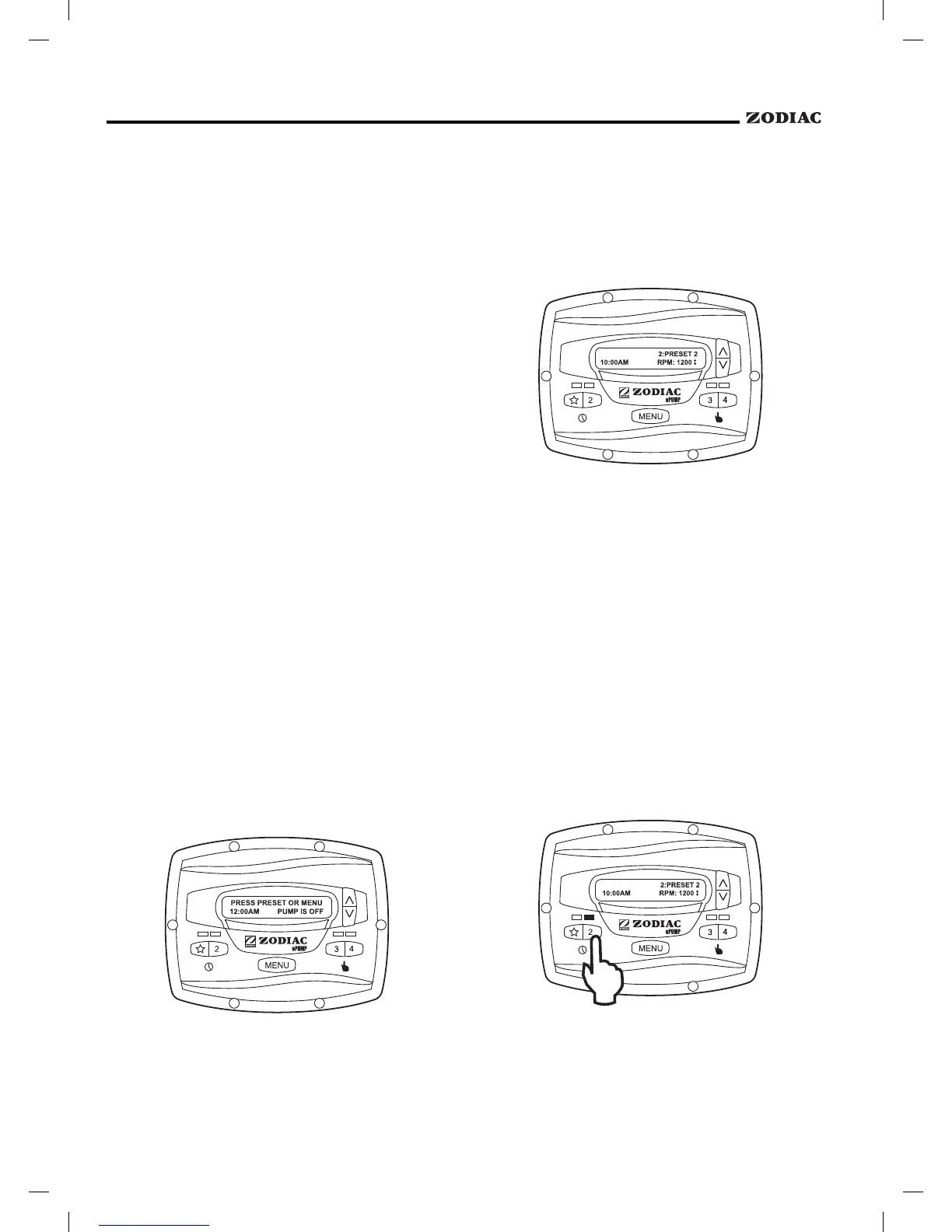
When the pump is off (not running), the
controller displays
, where 00:00 is the time-of-day clock.
When the pump is running (not off), the
controller displays
, where
n:label is the number and label of the selected preset,
00:00 is the time-of-day clock, and xxxx is the pump
speed.
Up to eight (8) programmed speeds may be
started from the controller. Manual operation of speeds
"
" through "4" differs from manual operation of
speeds "5" through "8".
When starting the pump, the pump will first run
at the priming speed for the priming duration, as
set by the installer.
To start the pump manually running at speeds
"eStar" through "4", press button "
" through "4"
corresponding to the desired speed. The associated LED
will illuminate red and the controller enters the
mode.
To stop the pump, press the button again. The
associated LED will extinguish and the pump and
controller will return to the
mode.


 To Next Page