Page 12
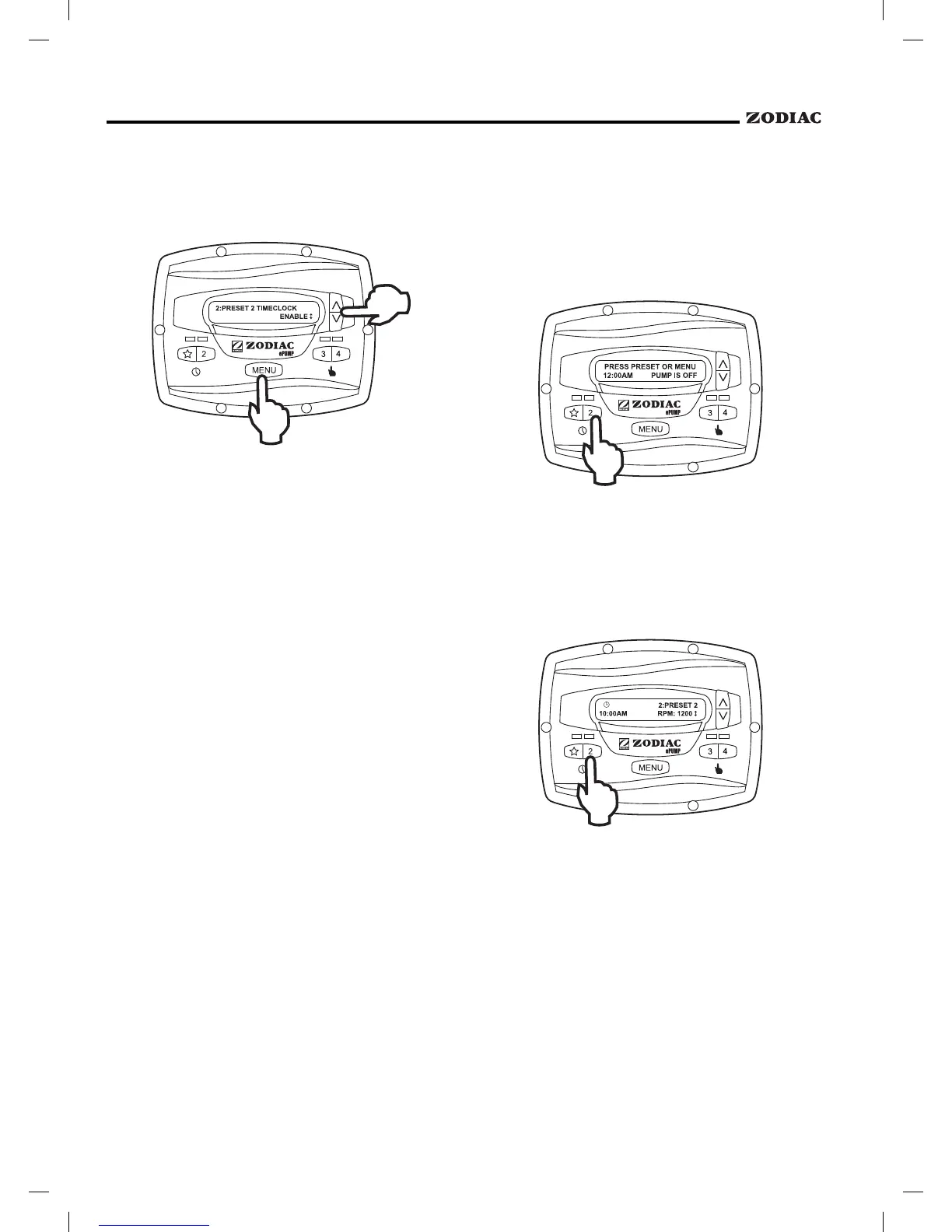
Using the arrow keys, select .
Select
using the arrow keys. The program is
now enabled to run. Press the preset button ("
" or
"2") to return to the
mode.
When the pump is stopped, the associated green
LED will illuminate, indicating a timeclock program is
enabled for that speed.
If two (2) timed programs overlap, the program
with the faster speed will take priority and run to
completion. If the earlier-starting program is still
active, it will resume operation. The program off times
never change, i.e., they are not ‘pushed-out’ in time
when programs overlap. Timeclock programs may be
prematurely stopped by stopping the pump manually
from the keypad. This override is active until the
program start time is reached again, at which time the
timed program will start the pump as programmed. See
Section 3.5.3, Manually Overriding a Timer Program.
If the pump is started manually at a speed that
has been programmed with a timer, the pump will be
stopped by the timeclock at the programmed off time.
See Section 3.5.4, Timer Overriding a Manual On.
When starting the pump via a timed program,
the pump will first run at the priming speed for
the priming duration, as set by the installer.
If a program overlap occurs, the pump will
immediately start at the program speed without
priming first.
Timeclock programs may be prematurely
stopped by pressing the active preset key. This override
is active until the program start time is reached again,
i.e., for 24 hours, at which time the timed program will
start the pump as programmed.
If the pump is started manually at a speed that
has been programmed with a timer, the pump will be
stopped by the timeclock at the programmed off time.
A clock icon appears on the display when the timer has
assumed control of the off time.
The controller allows speeds "
", "2", and "3"
to be operated like manually operated speeds via remote
contact closures. Speed "4" may also be operated
remotely, but it behaves differently. See Section 2.10,
Remote Closure 4 Behavior.
Speeds activated via remote closures always
override speeds that have been activated manually or via
an internal timer program. When the pump is activated
via a remote closure, the keypad is disabled and the
message
appears on the display.


 To Next Page