Page 11
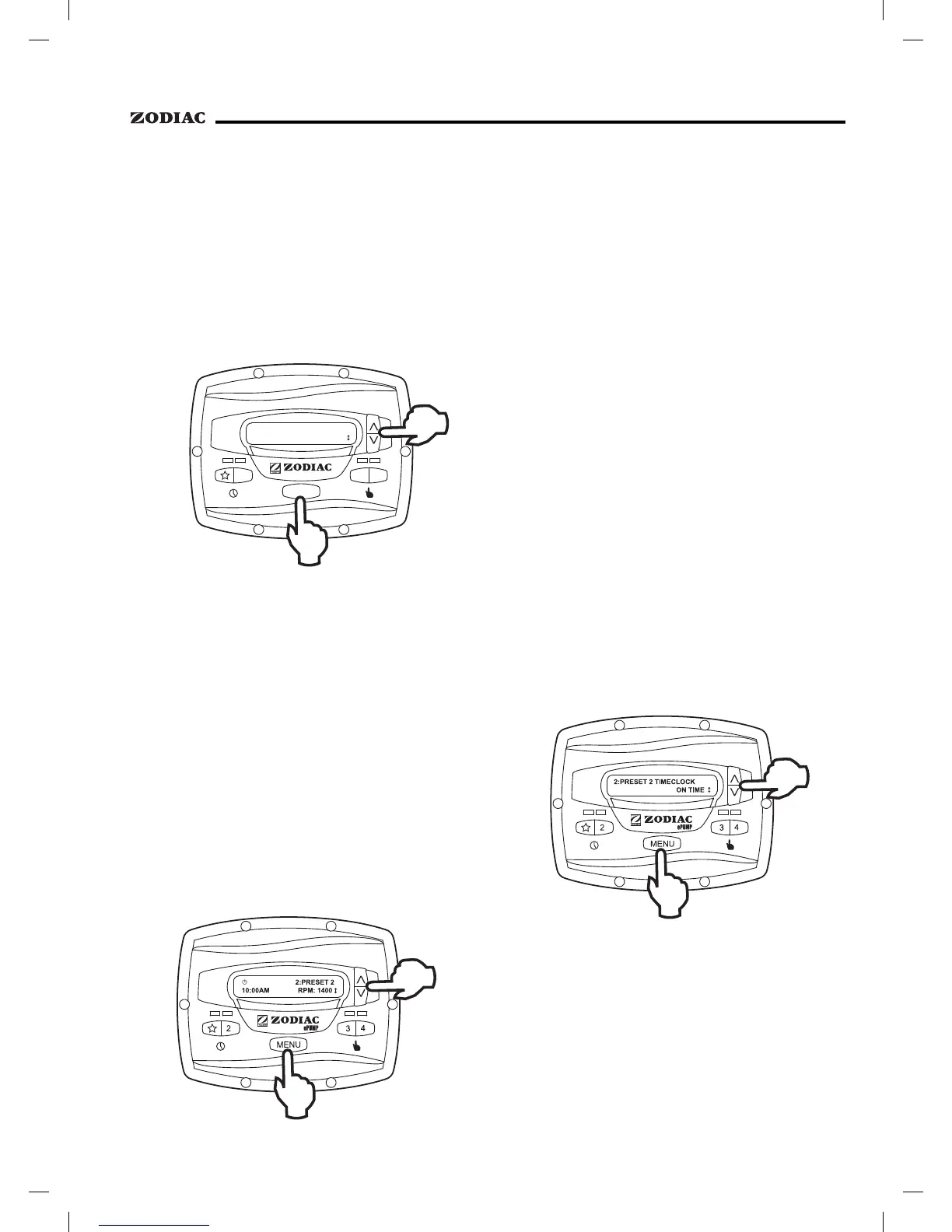
To start the pump manually at speeds "5"
through "8", press the
button. The controller
displays
, where n:label
is the number and label of the last selected preset "5"
through "8".
Using the arrow keys, select the desired preset
to activate, and then press
to enter mode,
starting the pump running at the selected speed.
2
3
4
SELECT PRESET
5:PRESET 5
ePUMP
MENU
To stop the pump, press . To exit without
starting the pump, press any button "
" through "4".
With the exception of preset "
", the pump
speed for each preset may be adjusted while the pump is
running in that preset mode. Preset "
" is reserved for
the eStar function, and its speed is set by the installer.
To adjust the pump speed, the controller must
be in the
mode. While in mode, the controller
displays the pump speed. Adjust the speed by pressing
the up or down arrow keys. The speed is saved by the
controller and will remain until changed again.
Pump speed is adjustable only within a certain
range. The minimum and maximum limits of the
range are set by the installer.
The controller allows the user to create timed
pump programs on pump speeds (presets) "
"
and "2". The two timers operate independently of each
other, and may overlap in time if desired.
Start the desired speed, "
" or "2". Press
. The controller enters the Timeclock setup mode.
Using the arrow keys, select
and press .
Set the desired pump turn-on time using the arrow keys
and press
. The time is stored. Select
using the arrow keys and press
. Set the desired
pump turn-off time using the arrow keys and press
. The time is stored.
If your filtration equipment run time is controlled
via an external timeclock such as a chlorinator
or a solar controller, add filtration run time to the
default (midnight) .
Example:
Should you wish to run filtration for 8 hours per
day set the as (midnight)
and set the ePump as .
Please note this does not mean the filtration will
operate at midnight. It indicates the epump will
run for 8 hours duration from when it receives
power from the external timeclock.


 To Next Page