13
a b c
e f
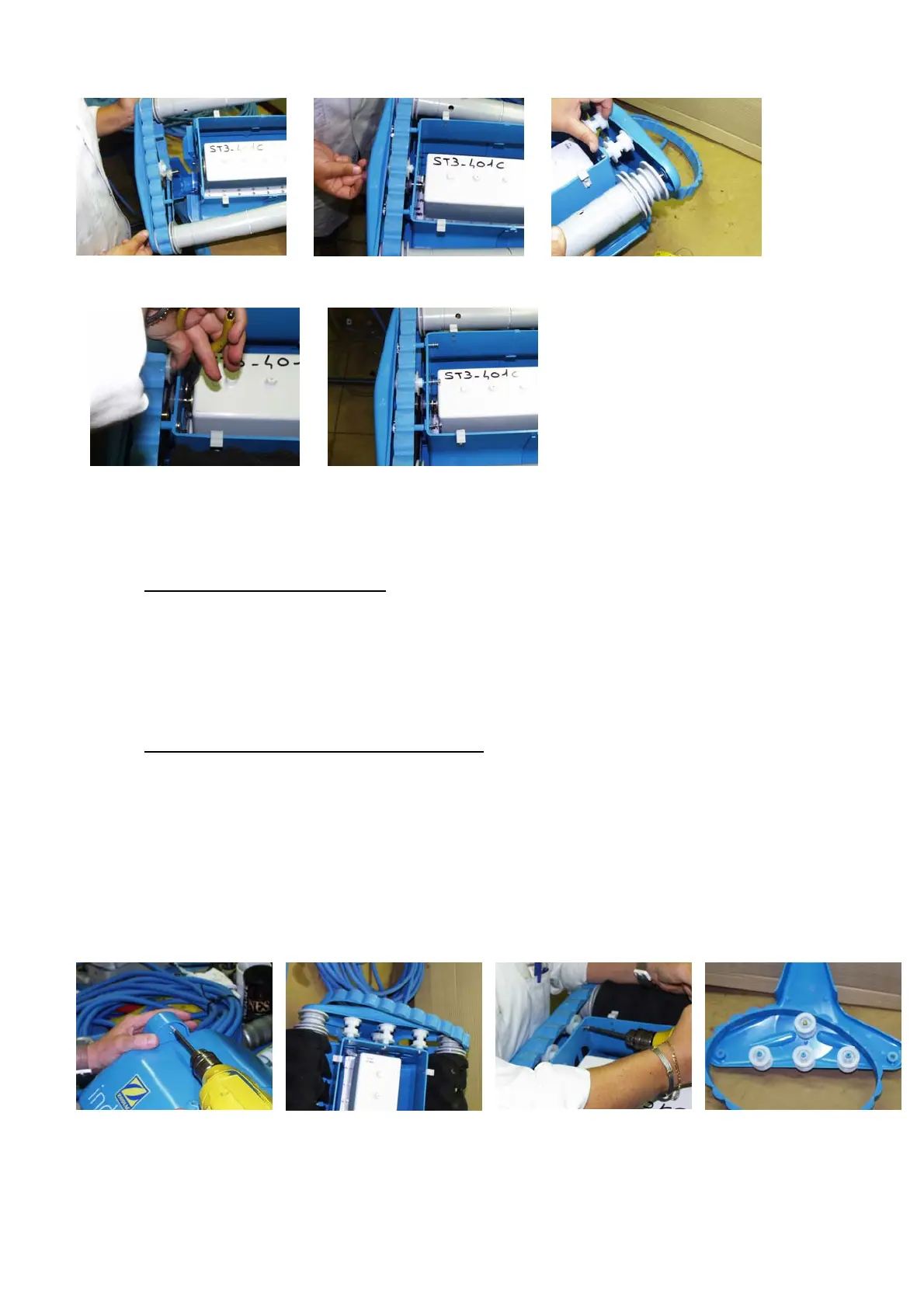
Fit the handle (lowest float on the cable side), the motor unit protective screen and the bumpers to
complete the assembly of the cleaner.
2.8. CABLE SIDE TRACK PLATE
When you remove the plate, you can change the following parts:
The track
The track guide rollers
The track plate
2.8.1. Removing the Cable-Side Track Plate
Before removing the track plate, remove the bumper and the motor protective screen.
You can now start to start removing the track plate.
a) Remove the self-tapping screw in the top of the track plate.
b) Remove the track.
c) Remove the three 3.9 X 25 self-tapping screws and their washers.
d) Carefully free the track plate, making sure the brush holders are on the traction-side track
plate.
a b c
You can now access numerous parts that you may need replacing:




 To Next Page