12
• Rinse the p of the pH sensor with tap water.
• Shake it to remove excess water.
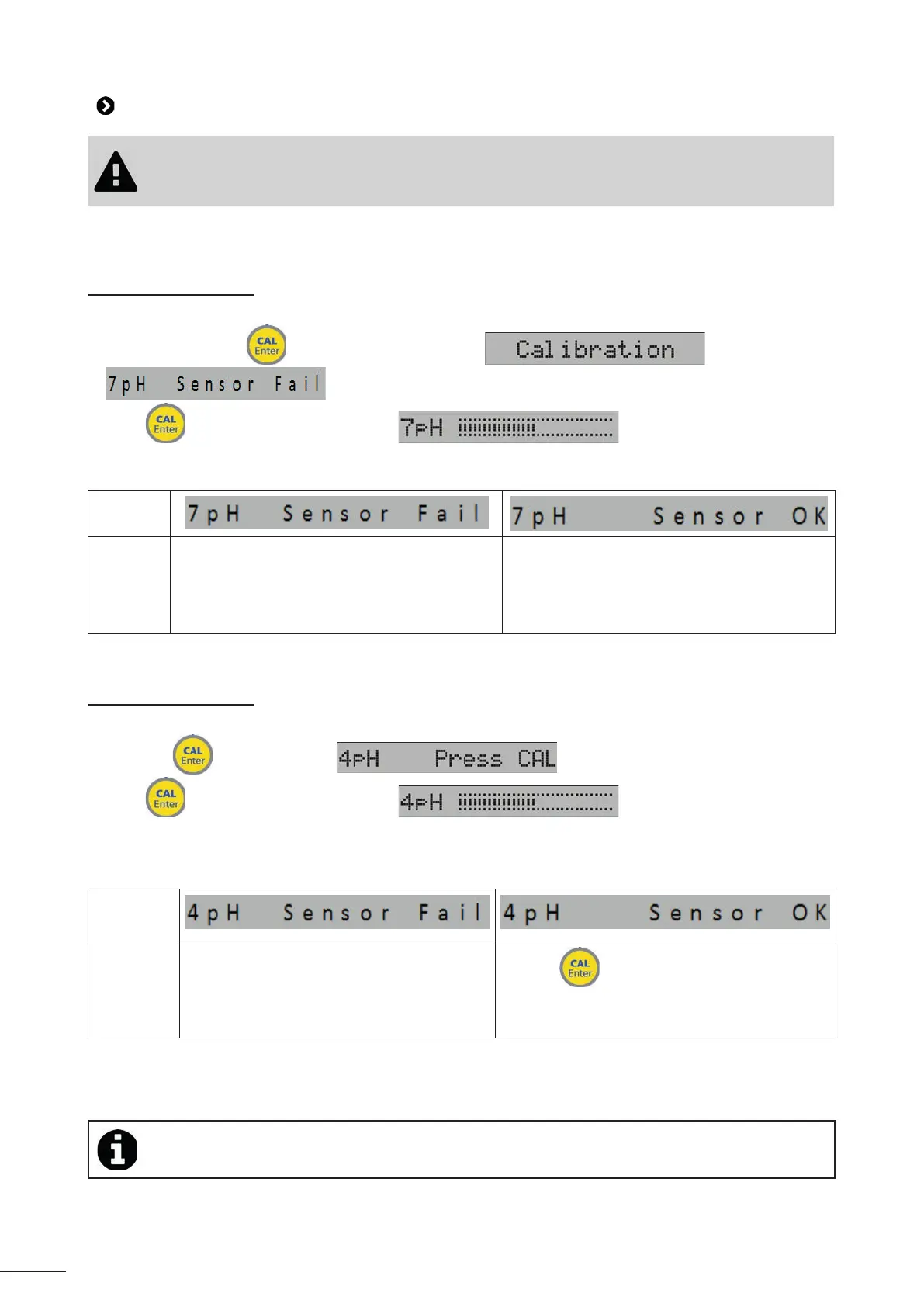
3.3.1 Calibra ng pH 7
• Immerse the sensor in pH 7 bu er solu on.
• Press and hold the
bu on for 5 seconds un l is displayed, then
,
• Press
, the progress bar is displayed:
• A� er about 60 seconds the pH sensor reliability measurement is displayed.
• Depending on the message displayed, perform the corresponding opera ons:
Message
Ac on(s) • turn o the appliance using the master switch
0-1
• replace the bu er solu on and/or the pH
sensor
• restart calibra on
con nue calibra on
• Rinse the p of the pH sensor with tap water.
• Shake it to remove excess water.
3.3.2 Calibra ng pH 4
• Immerse the sensor in pH 4 bu er solu on.
• Press the
bu on to display ,
• Press
, the progress bar is displayed: ,
• A� er about 30 seconds the pH sensor reliability measurement is displayed.
• Depending on the message displayed, perform the corresponding opera ons:
Message
Ac on(s) • turn o the appliance using the master
switch 0-1
• replace the bu er solu on and/or the pH
sensor
• restart calibra on
• press to complete calibra on
• Rinse the p of the pH sensor with tap water.
• Shake it to remove excess water.
• Fit the sensor back onto its holder.
• The sensor measurement is more accurate if the calibra on is performed at 2 points (pH7 and
pH4) rather than at a single point (pH7)





 To Next Page