12
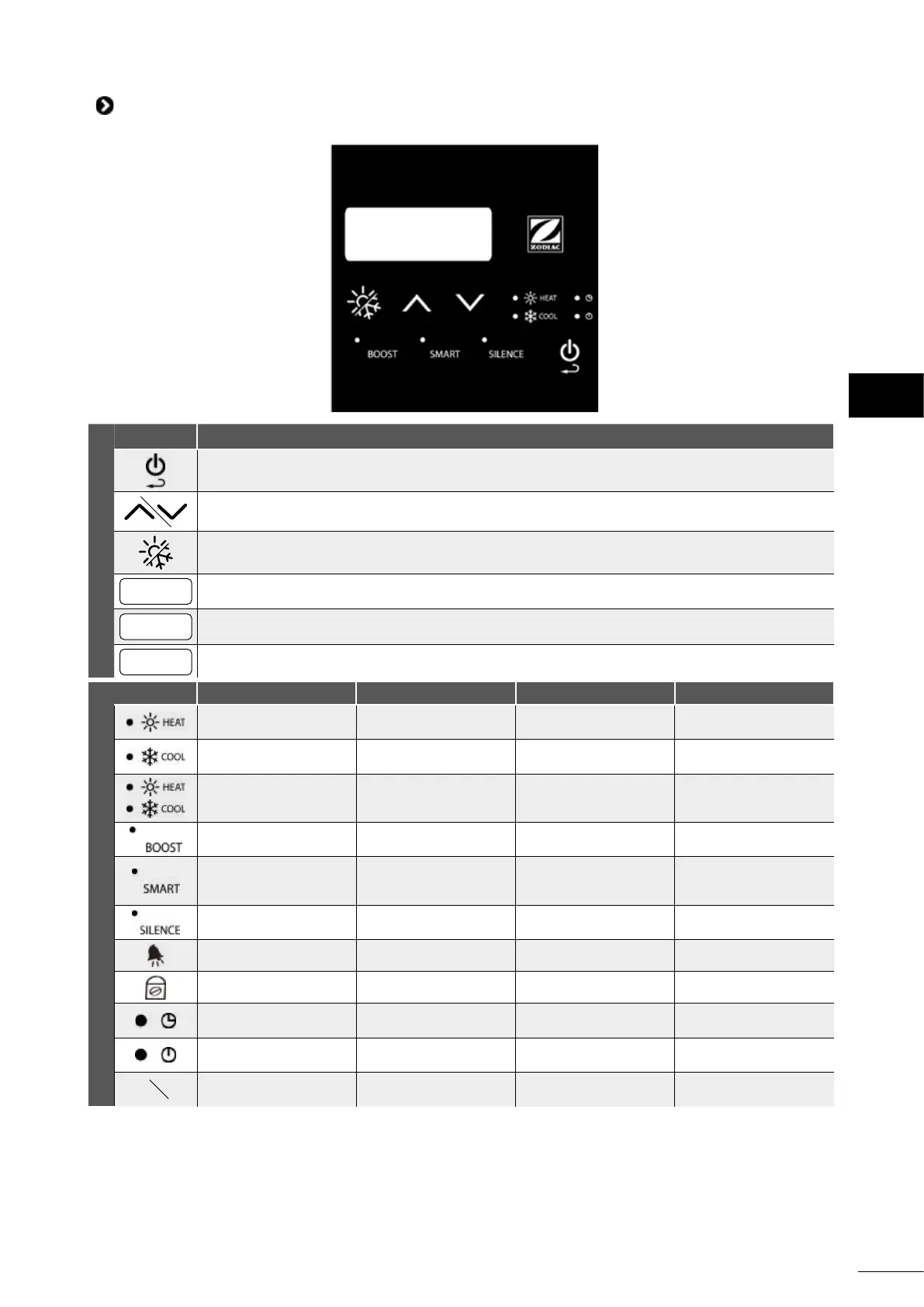
2.2 I User interface presentaon
Keys
Funcon
"On/o" or "back/exit"
To browse and adjust the values
To select the operang mode: "HEATING", "COOLING" or "HEATING & COOLING" (automac control)
BOOST
To select "BOOST" mode
SMART
To select "SMART" mode (default seng)
SILENCE
To select "SILENCE" mode
Indicator lights
Descripon Steady Flashing O
"HEATING" mode
Operang in "HEATING"
mode
/ Disabled
"COOLING" mode
Operang in "COOL-
ING" mode
/ Disabled
"HEATING & COOLING"
mode
Operang in "HEATING
& COOLING" mode
/ Disabled
"BOOST" mode
"BOOST" mode
acvated
Operang at full power
in "SMART" mode
Disabled
"SMART" mode
"SMART" mode
acvated
Operang at medium
power in "SILENCE"
mode
Disabled
"SILENCE" mode
"SILENCE" mode
acvated
/ Disabled
Alarm Alarm enabled / Disabled
Padlock Keypad locked / Disabled
"TIMER" ON
Conguraon in
progress
/ Disabled
"TIMER" OFF
Conguraon in
progress
/ Disabled
°F°C
Celsius/Fahrenheit
Selected temperature
unit
/ Disabled
EN



 To Next Page