Page 6
ENGLISH
Zodiac
®
T3
®
Pool Cleaner
|
Owner’s Manual
Test and Adjust for Proper Flow
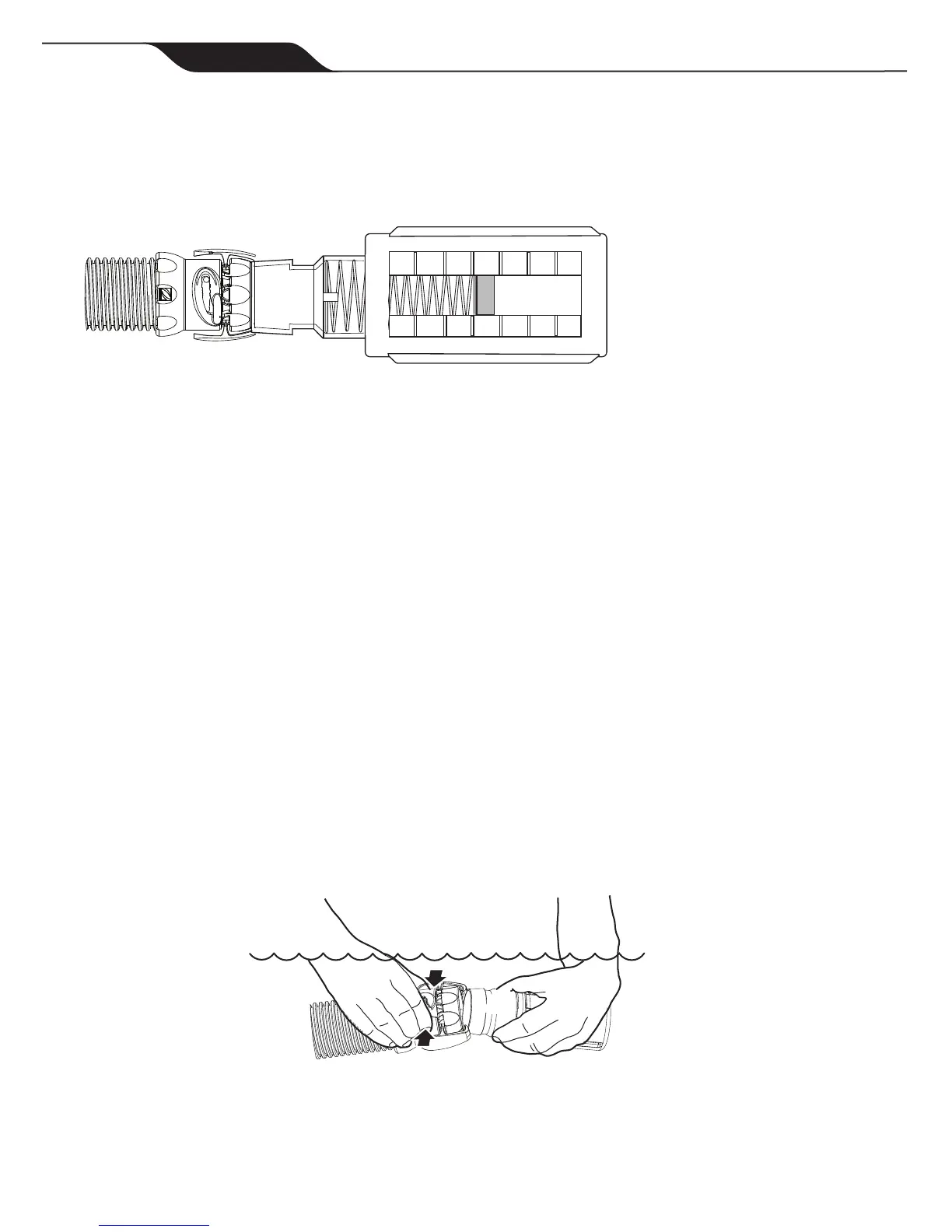
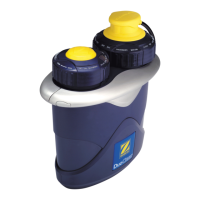
Before installing the cleaner head, test and adjust for proper flow. Keeping the hose submerged, attach the quick
connector to the end of the hose. Click the Flow Gauge onto the connector and turn on the pump.
Verifythattheredindicatorinthegauge(viewedfromtheside)isontheNumber3setting.
0 1 2 3 4 5 6
6 5 4 3 2 1 0
Ifnecessary,usethevalvesinthepoolequipmentareatoadjusttheflowsothattheredindicatorisattheNumber
3setting.
• For skimmer connections on pools with one (1) skimmer, flow is regulated by the FlowKeeper™ Valve.
TheredindicatorshouldbeattheNumber3setting.
• For skimmer connections on pools with more than one (1) skimmer, leave the valve for the skimmer
connectedtothehoseopen,thenslowlyclosetheotherskimmeruntiltheNumber3settingisreached.
• For dedicated suction line connections, leave the vacuum line open and slowly close the
skimmerlineuntiltheflowisattheNumber3setting.
If flow is in the low range (0-2):
• Checkandcleanthepoolfilterandbasketsifnecessary.
• Verifythatvalvescontrollingthesuctionlinesareintheopenposition.
• IncreasetheflowsettingontheFlowKeeperValve
If flow is in the high range (4-6):
• Ifusingadedicatedsuctionline,begintoslowlyclosethevalveuntiltheNumber3settingisreached.
• LowertheflowsettingontheFlowKeeperValve.
• Openthemaindrainslightlytofurtherreduceflow.
Turn off the pump. Keeping the hose underwater, remove the Flow Gauge by squeezing the pressure points on
either side of the quick connector.




 To Next Page