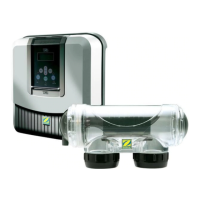
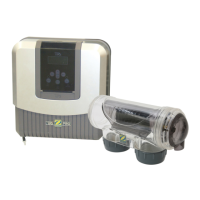
Thank you for choosing the TRi PRO module which integrates both pH regulation and chlorine
production control for your swimming pool.
From now your pool will become only a source of relaxation and wellbeing, as the TRi PRO
module frees you of tedious manual tasks, whilst providing healthy, clear and more natural
water throughout the season.
We recommend that you read this user manual carefully before installing and using your TRi
PRO unit.
CONTENTS
1/ Package contents
2/ Recommendations
3/ Quick install guide
3.1/ Prepare the pool
3.2/ Installing TRi PRO module
3.3/ Installing the POD
3.4/ Installing pH & ACL sensors
3.5/ Installing the flow switch
3.6/ Installing the pH minus injection line
3.7/ Automatic detection (« Plug & Play » TRi PRO module)
3.8/ Testing / Priming the peristaltic pump
4/ Calibrating pH & ACL sensors
4.1/ pH sensor calibrating procedure
4.2/ pH set point
4.3/ Setting the pool size
4.4/ ACL sensor calibrating procedure
4.5/ ACL set point
5/ Activating and deactivating the peristaltic pump
6/ Using Zodiac TRI with TRi PRO module
7/ Water balance
8/ pH & ACL sensors cleaning
9/ TRi PRO module maintenance and winterizing
10/ Error codes and warnings
10.1/ ‘PH LOW’
10.2/ ‘PH HIGH’
10.3/ ‘PH ERROR’
10.4/ ‘ACL LOW’
10.5/ ‘ACL HIGH’
10.6/ ‘ACL ERROR’
11/ Warranty





 To Next Page