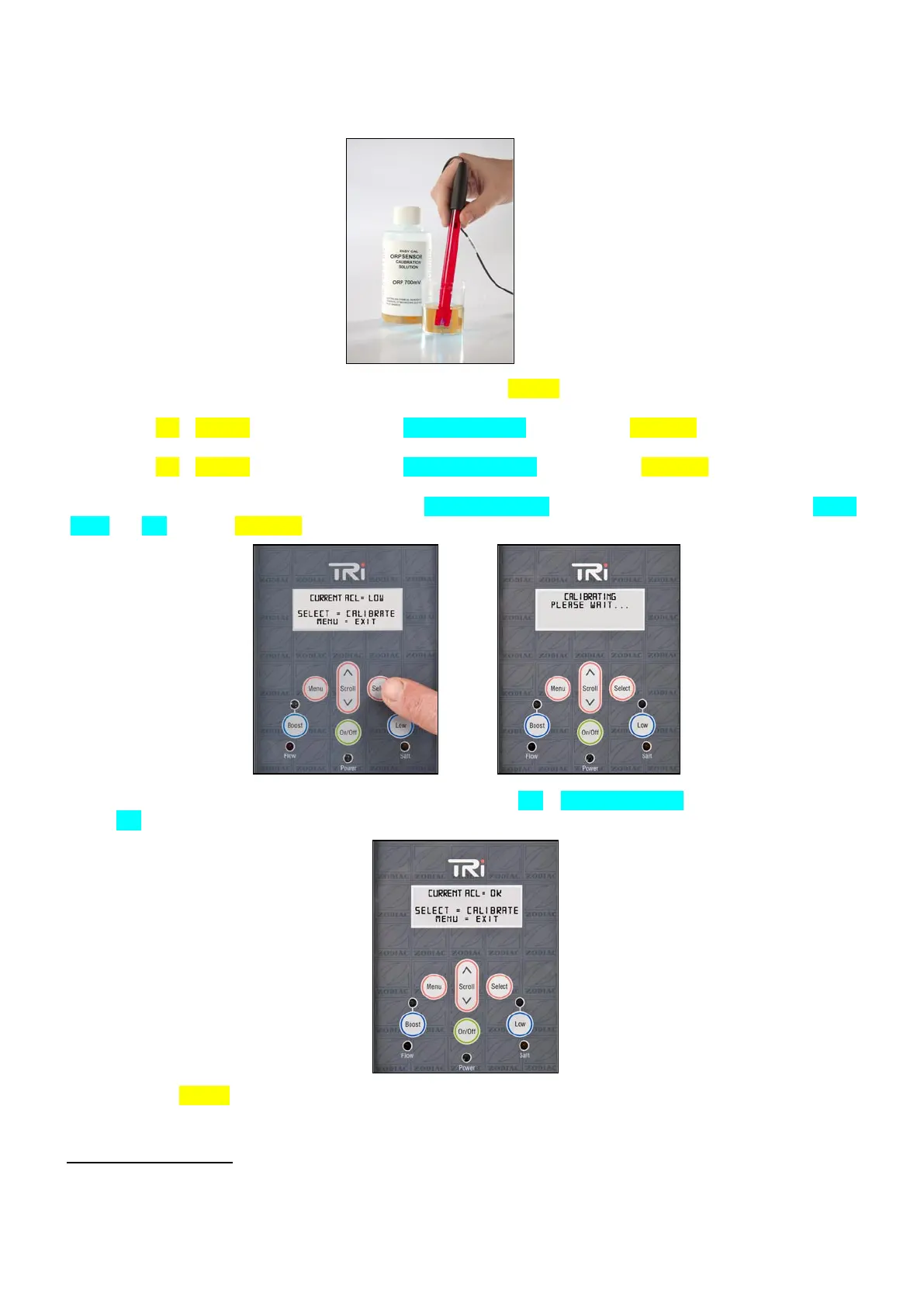
3. Leave the ACL sensor immersed in the buffer solution for approximately 5 minutes in order to ensure
a reliable measurement.
4. From the default display on the LCD screen, press the (MENU) button.
5. Use the (UP)/(DOWN) buttons to display ‘pH/ACL SETUP’, then press (SELECT).
6. Use the (UP)/(DOWN) buttons to display ‘CALIBRATE ACL’, then press (SELECT).
7. Displayed ACL value on the LCD screen (‘CURRENT ACL’) could have 3 different values : ‘HIGH’,
‘LOW’ or ‘OK’. Press (SELECT) to start the calibration process (see pictures below).
8. Once the calibration is completed, ACL value should be ‘OK’ (‘CURRENT ACL’). If the displayed value
is not ‘OK’, repeat steps 1 to 7.
21. 9. Press (MENU) button twice or wait 30 seconds, the TRi power pack will return to the default
display on the LCD screen.
IMPORTANT NOTES
:
- In order to ensure that the Zodiac TRi remains fully efficient, it is recommended to perform a
calibration at least once every two months during the season of pool use.





 To Next Page