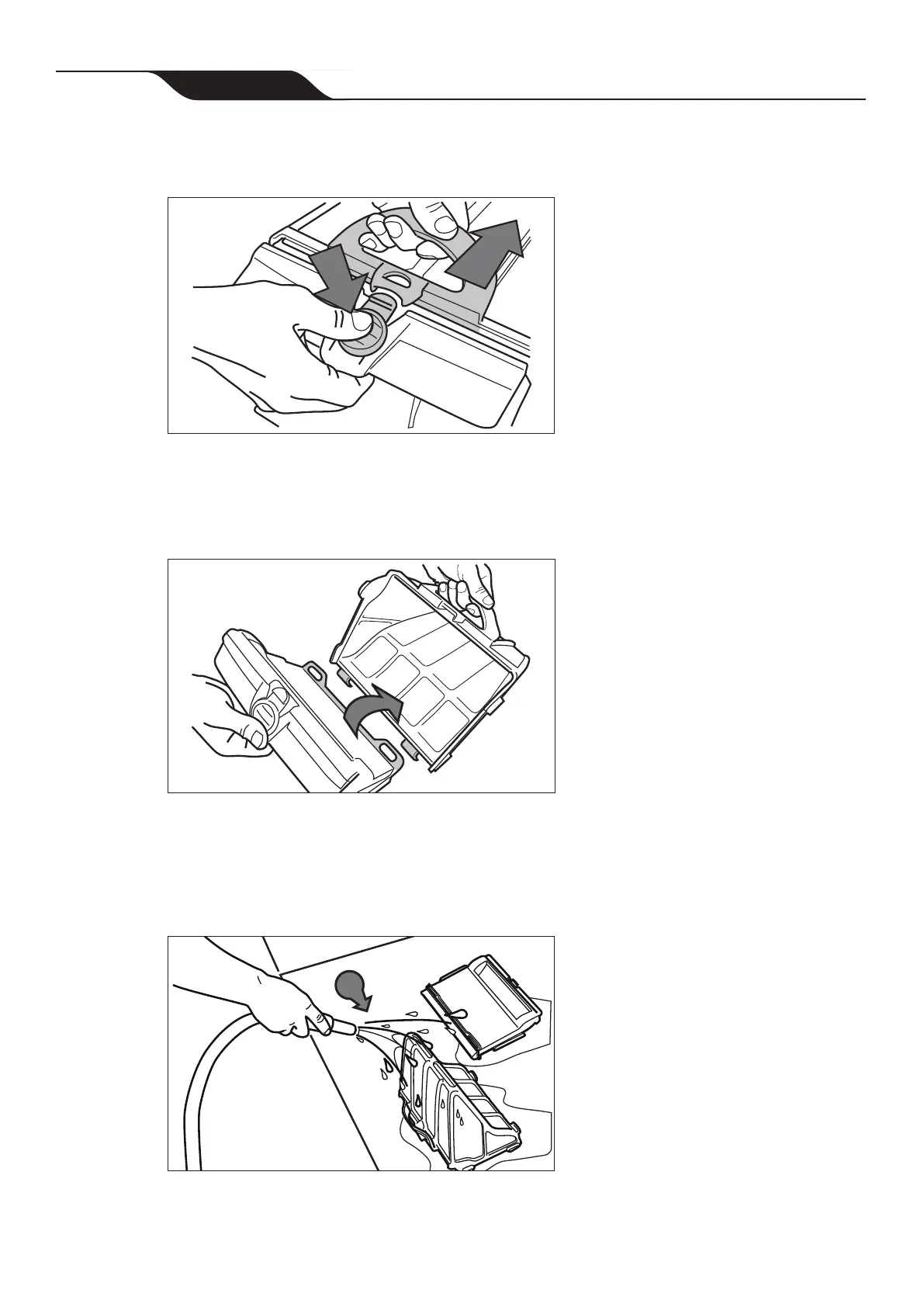
5. Push the quick release button on the canister assembly (4) and pull open
Figure 23.
4
5
Figure 23. Open Filter Canister Assembly
6. Separate the lter canister from the lter support (6), as shown in Figure 24.
6
Figure 24. Remove Filter Canister
7. Empty all debris from the lter canister, then rinse the canister, the lter support
and the cleaner using a hose, as shown in Figure 25.
Figure 25. Wash Filter Canister
7
NOTE: Periodically, remove the filter canister and clean thoroughly with soapy water
and a soft bristle brush.
Page 26
Zodiac
®
VX65iQ Robotic Pool Cleaner
|
Owner's Manual




 To Next Page