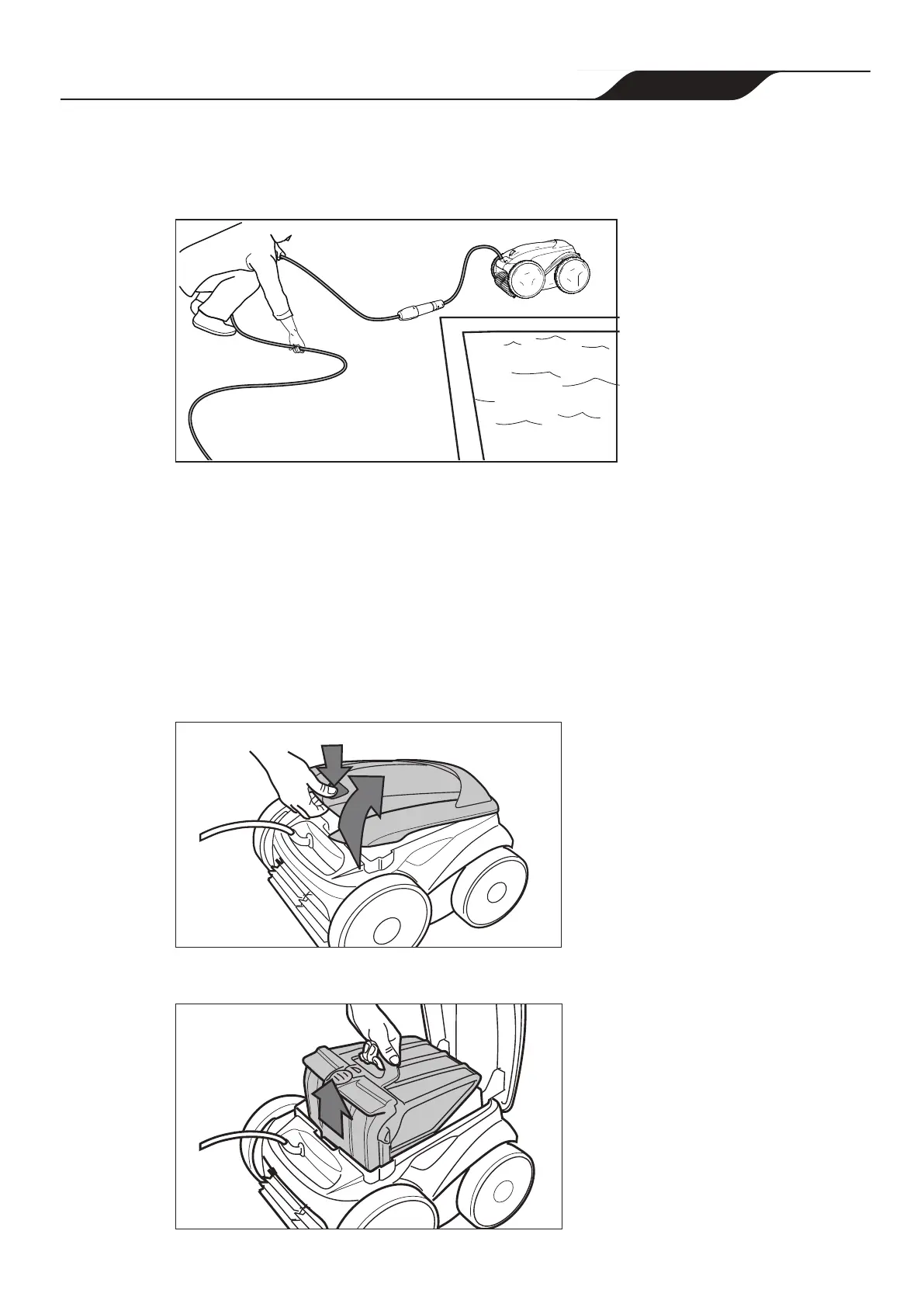
4. Remove the cleaner from the pool and untangle all kinks and coils in the power
cable (Figure 20). Start at the cleaner head. Lay the cable in the sun to loosen any
tangling memory.
Figure 20. Untangle
Clean the Filter Canister
The lter canister should be cleaned at the end of each cycle.
1. Remove the cleaner from the water using the Lift System and let the remaining
water drain.
2. Set the unit on four wheels.
3. Push the cover lock (1) and lift the cover (2) until it is secured in the vertical position.
(Figure 21).
2
1
Figure 21. Lift Cleaner Cover
4. Remove the lter canister assembly from the body (3), as shown in Figure 22.
3
Figure 22. Remove Filter Canister Assembly
Page 25
Zodiac
®
VX65iQ Robotic Pool Cleaner
|
Owner's Manual




 To Next Page