13
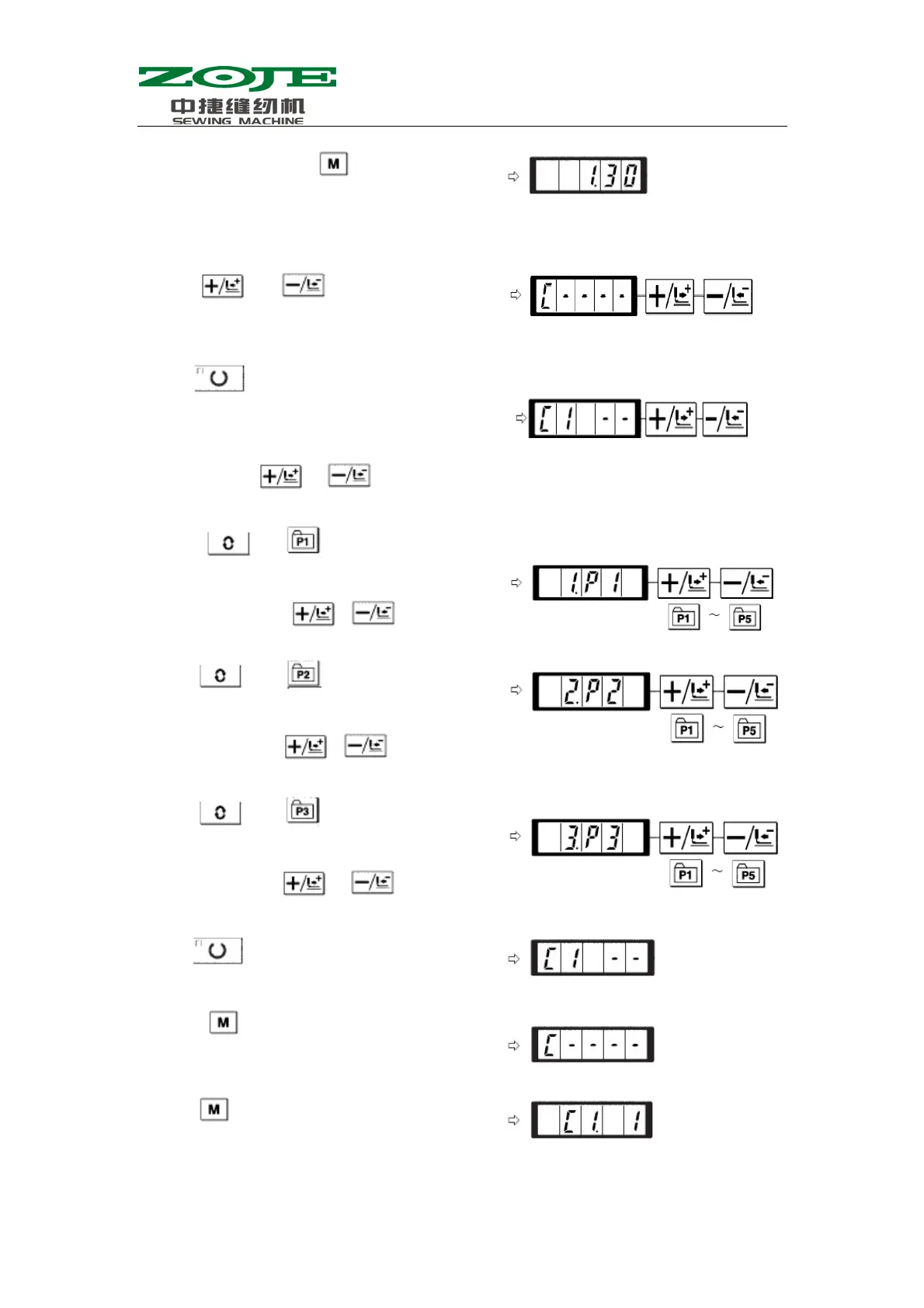
1)Turn on power. Press
to have access to
Mode Setting (for setting parameter of
memory). The Sewing LED shall be off at the
moment
2) Use
& to display the
Combination Mode
3) Press
to turn on the Sewing LED, thus to
have access to the setting mode of combination
pattern. User can select C pattern number from
C1~C20 with
& .
4) Press
and to set the P1 as the
first pattern in the C1. User can select P pattern
from P1~P50 with
& .
5) Press
and to set the P2 as the
second pattern in C1. User can select P pattern
from P1~P50 with
& .
6) Press
and to set the P3 as the
third pattern in C1. User can select P pattern
from P1~P50 with
& .
7
Press to end the stora
e
8) Press
to end the storage mode of
combined pattern。
9) Press
to end the Mode Setting and
return to the ordinar
mode.



 To Next Page