26
2.5 Parameter Setting
2.5.1 Specific Operations on Setting Parameters
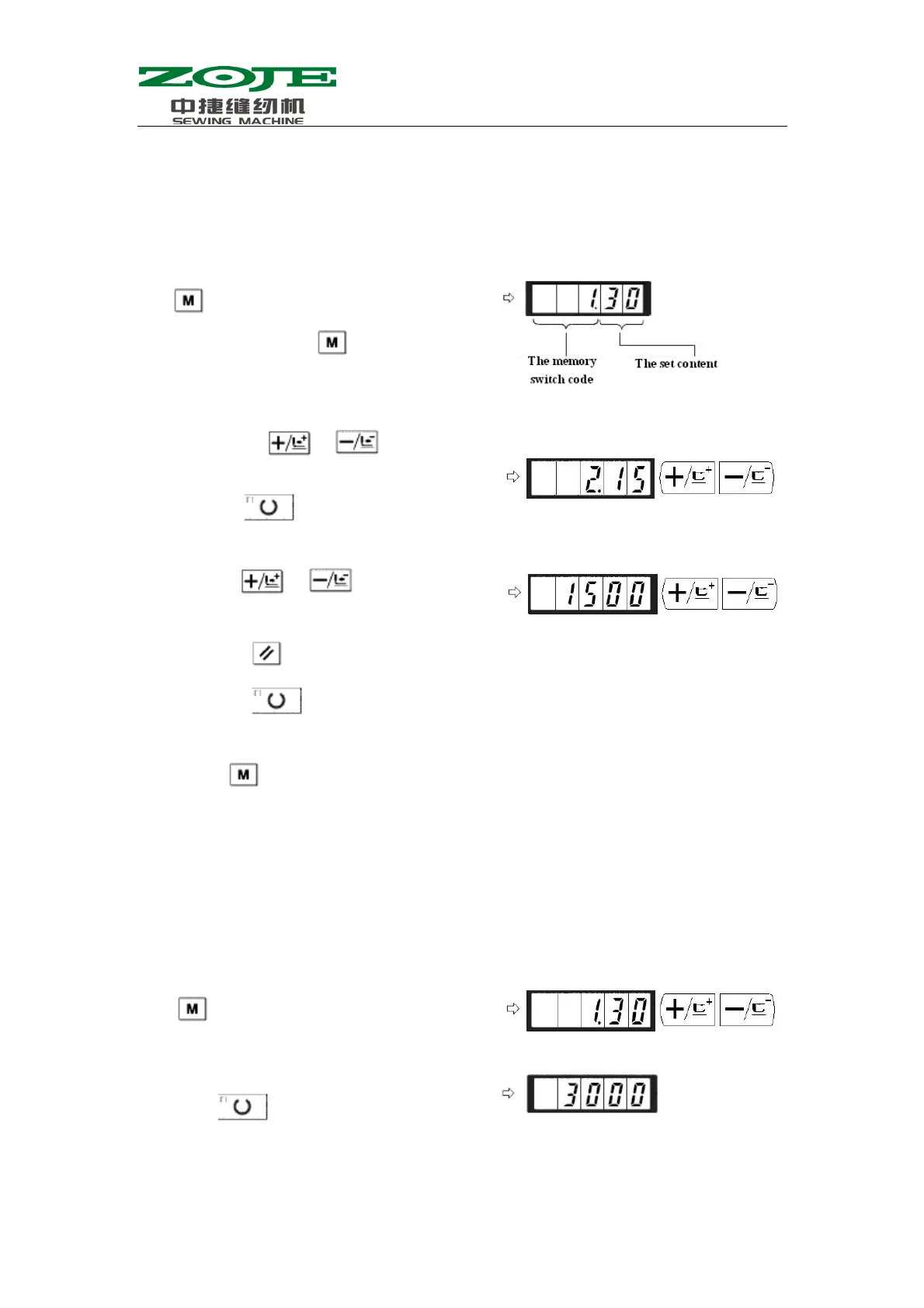
4)By using
& , user can change the
corresponding value of the parameter
5)By pressing
, user can make the parameters return to the initial value.
6)By pressing
, user can save the changed content and turn off the Sewing LED. After
that, the machine returns to parameter number selection status.
7)Pressing
will end the parameter setting mode and let system return to ordinary status.
2.5.2 Example for Setting Parameters
1.Setting of Max Sewing Speed
Emp.: Set the upper limitation of sewing speed to 1800rpm
1)When Sewing LED is off, user can press
to set the parameters.
(After user presses , the displayed
1.30 means that the Max speed of the
No.1 parameter is 3000rpm。)
2)User can use & to change the
number of parameter.
3)By pressing
, user can adjust the wanted
arameter number and turn on the Sewin
LED
1)When the Sewing LED is off, user can press
to display the content of Parameter No.1.
Parameter No.1 displays the Max speed of
sewing machine.
2)When the No.1 parameter is displayed; user can
press
to turn on the Sewing LED.
Then the content of No.1 parameter is displayed
in the screen.



 To Next Page