27
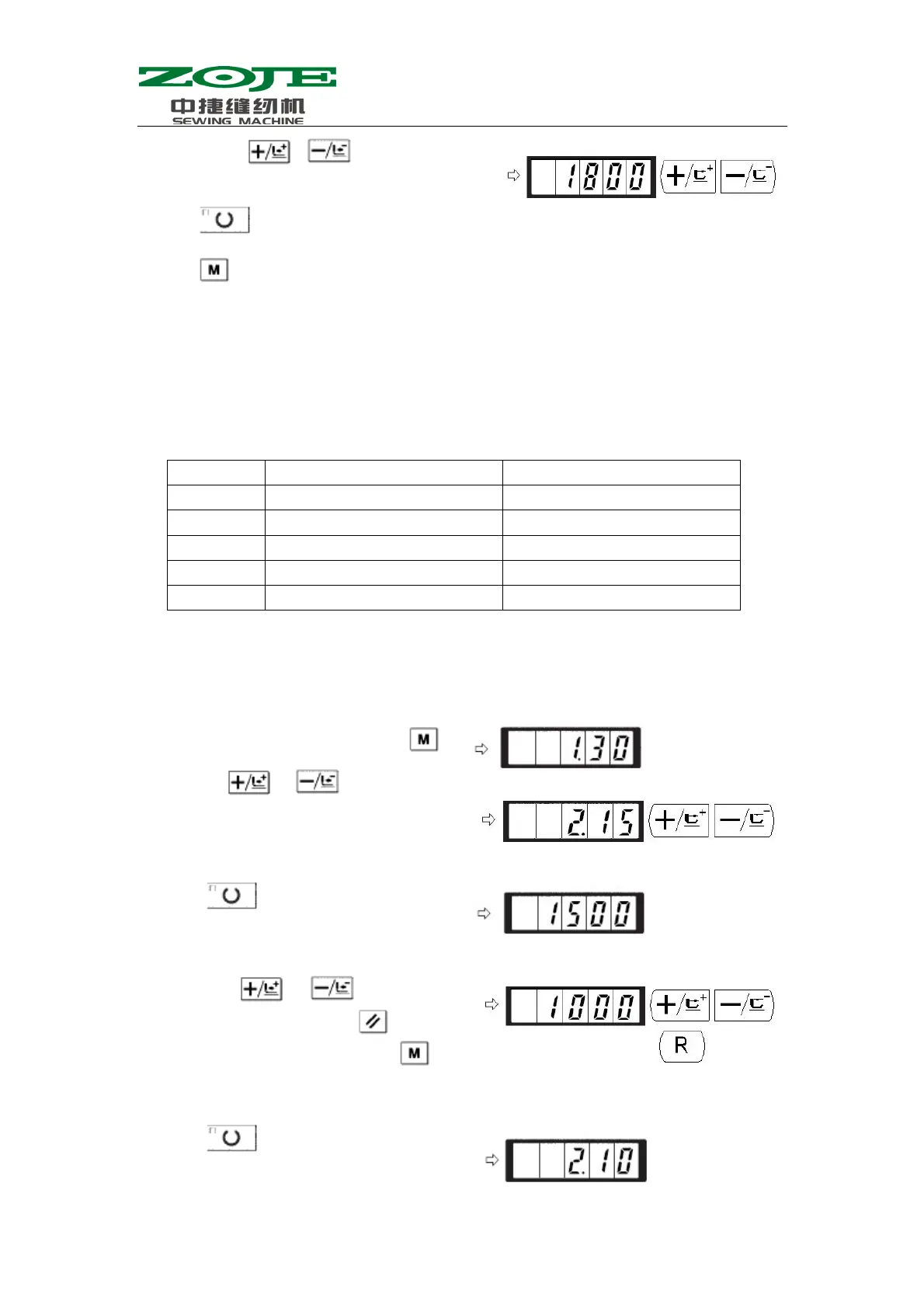
4)Press to save the value and turn off the Sewing LED.
5)Press
to return to the ordinary status.
2.Setting of Soft-start Speed at Sewing Start
The speed of stitches from the first one to the fifth one can be set in the unit of 100rpm. User
can also set the validity of thread-catching on these stitches.
With thread-catching function
Default Setting(rpm)
Setting Range
1
st
stitch
1500 400~1500
2
nd
stitch
3000 400~3000
3
rd
stitch
3000 400~3000
4
th
stitch
3000 400~3000
5
th
stitch
3000 400~3000
·For the Max speed, the No.1 parameter takes the priority.
Emp.:In case of having thread-catching function, the 1
st
stitch will change from 1500 to 1000rmp,
while 2
nd
stitch will change from 3000 to 2000rpm.
3)User can use
& to set the speed to
“1800”
1)When the Sewing LED is off, press
.
2)By using
& , user can have the
parameter code No.2 displayed. And user can
set the sewing speed of 1
st
stitch
3)Press
to turn on the Sewing LED and
display the set value of the 1
st
stitch.
4)By using
& , user can input
“1000” in the screen. Press to return to
default setting. If user presses , the
existing operations will be cancelled and
system will return to the status in step 2).
5)Press
to turn on the Sewing LED and
save the set value of the 1
st
stitch.



 To Next Page