44
5 Update Pattern via U disk
5.1 Operation for Updating Pattern
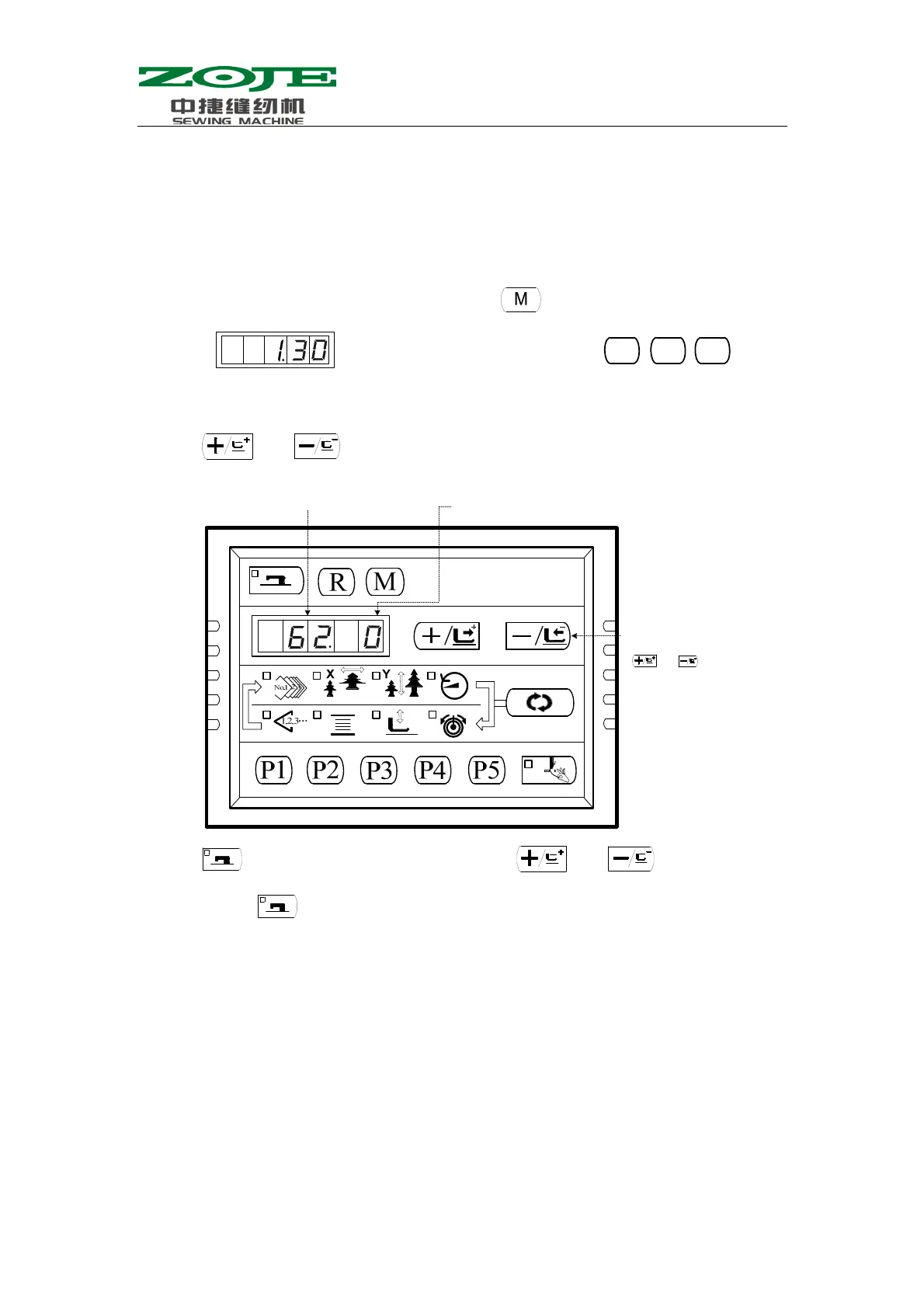
1、 When the Sewing LED is off, operator can press to have the screen
display
, and then the operator needs to press
at same time. When hearing the voice from buzzer, the operation can activate and modify the
service parameters;
2、 Press
and to select Parameter No.62:
3、 Press to turn on the Sewing LED, then press and to change the function number
to “1”; press
again to confirm the function number and turn off the Sewing LED.
4、 Please Pay Attention To The Differences Among The Operations Below:
i. If your machine uses the old type USB update module that doesn’t have USB port
on panel, please use the methods at below to perform the update operation:
1. Turn off power; remove the panel plug at X7 port on controller and insert
the plug of pattern updater into the X7 port. The pattern updater is shown at
below:
P1
P3
P5
Parameter No. 62 is used to update
the
attern
Mode Selection:
“0” is Normal Mode
“1” is Patten U
date Mode
When the sewing LED is on, use
or to change the mode



 To Next Page