19
1. Preparation
Press
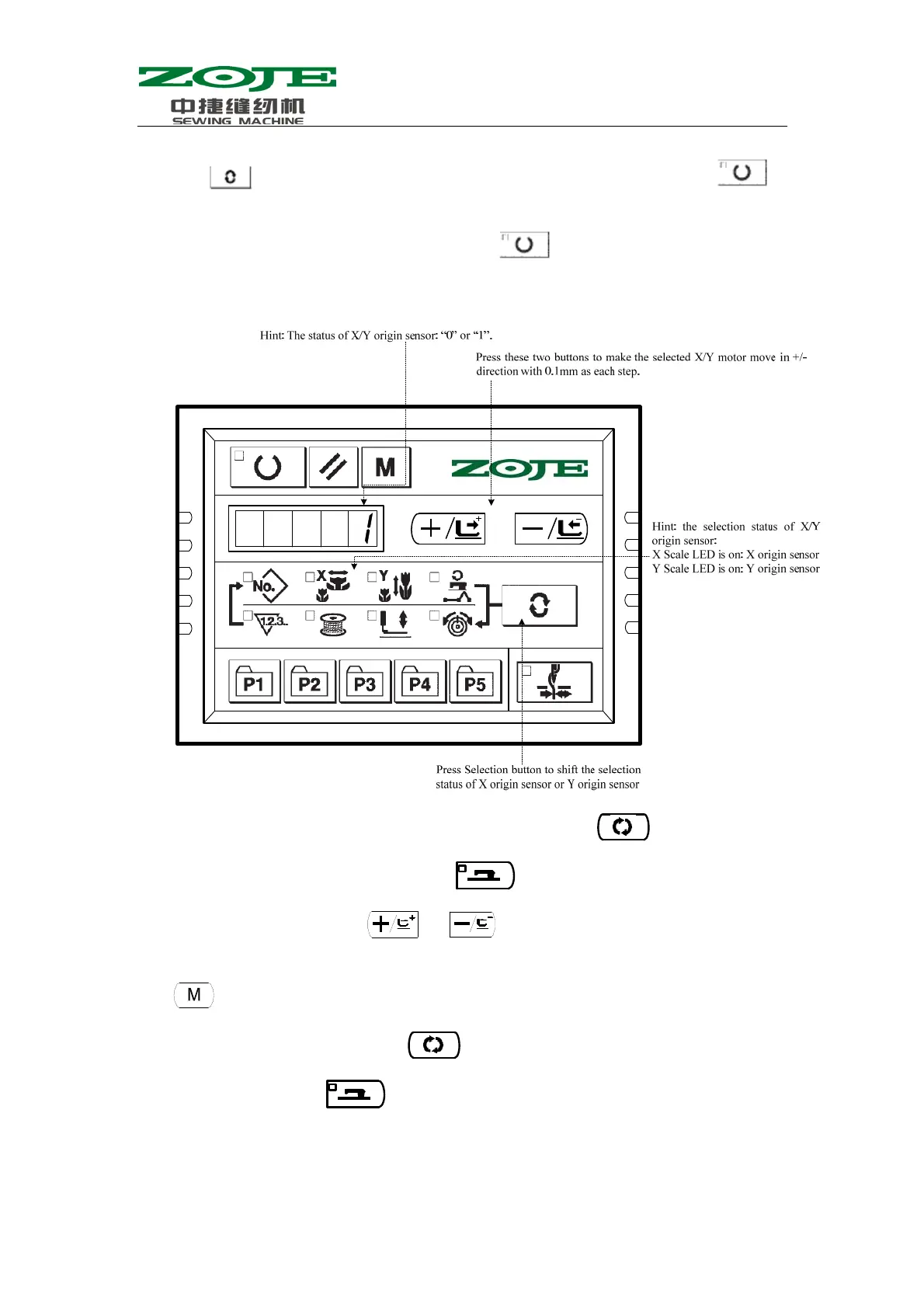
to have access to CP-2, and system displays “1” at screen. Then press
to search the origins of X/Y motors. At that time, the presser goes down and the Sewing LED is on
(User can also perform step 2 directly without pressing
).
2. Operation
3、X,Y Origin correction:(1)、new origin set up:At first press to access to CP-2,
and system displays“0”or“1”,and then press ,and the pedal to search origin. When the
Sewing LED is on, user can press
or to have the selected X\Y motor to move in
step at +/- direction with the changing unit at 0.1mm. After setting the new origin, user can
press
to quit, thus to finish the setting of new origin.
(2)、Return to Origin: At first, press
to have access to CP-2. The screen will display
“0” or “1”. And then press
to search origin, lower the presser, and activate the Sewing
LED. Step on the pedal to the second level, repeat it for twice (the first time is to search the newly
set origin; the second time is to return to the return to the system origin). When the machine return
to the origin, please press M for quit.



 To Next Page