4
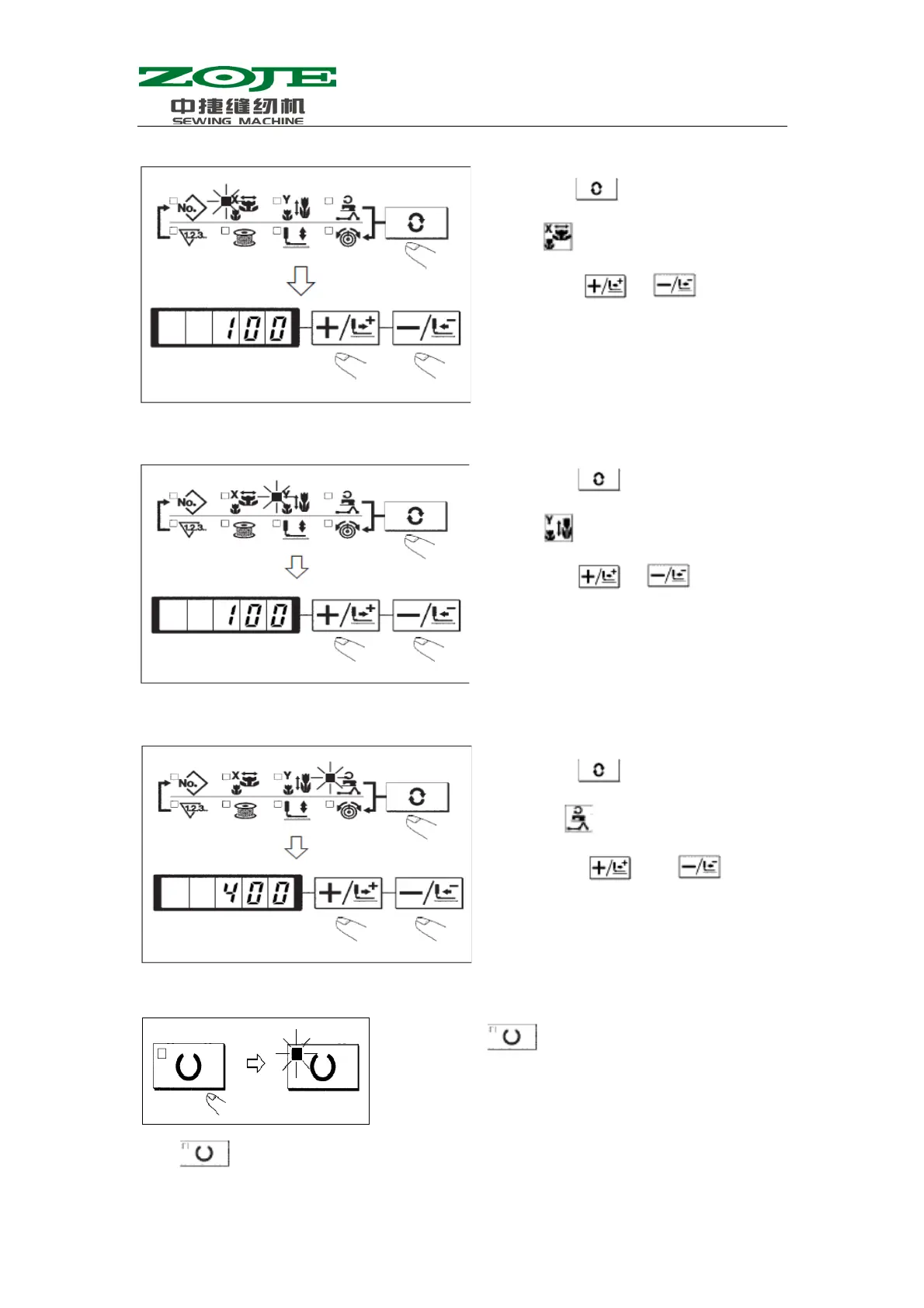
3.Setting of the X scale
4.Setting of Scale Rate in Y scale
5.Setting of Limitation on Max Speed
6.Setting End
·Press
to record the set values like pattern number, X/Y scale rate and so on.
(1) Press
, and then the LED of
will be displayed.
(2) Press
& to display
100 at Data Display LED
(The Scale Rate in X Direction is set
as 100%)
(1) Press , and then the LED of
will be displayed.
(2) Press
& to display
100 at Data Display LED.
(The Scale Rate in Y Direction is set
as 100%)
(1) Press
, and then the LED
of
will be displayed.
(2) Press
& to
display 400 at Data Display
LED
(The limitation is set as 400rpm)
(1) Press
.
(2) After the presser goes up, the Sewing LED is on.
At this time the system is in the sewing status



 To Next Page