Configuration from Embedded Web Server
5 - 29
AppleTalk Setup
The print server can print jobs submitted from Macintosh
workstations connected to an Ethernet using AppleTalk
protocol. The basic configuration is for the print server in an
AppleTalk environment is performed simply by opening the
Chooser window and selecting a printer that is connected
to the print server.
1. Click Setup, it appears the sub-menu.
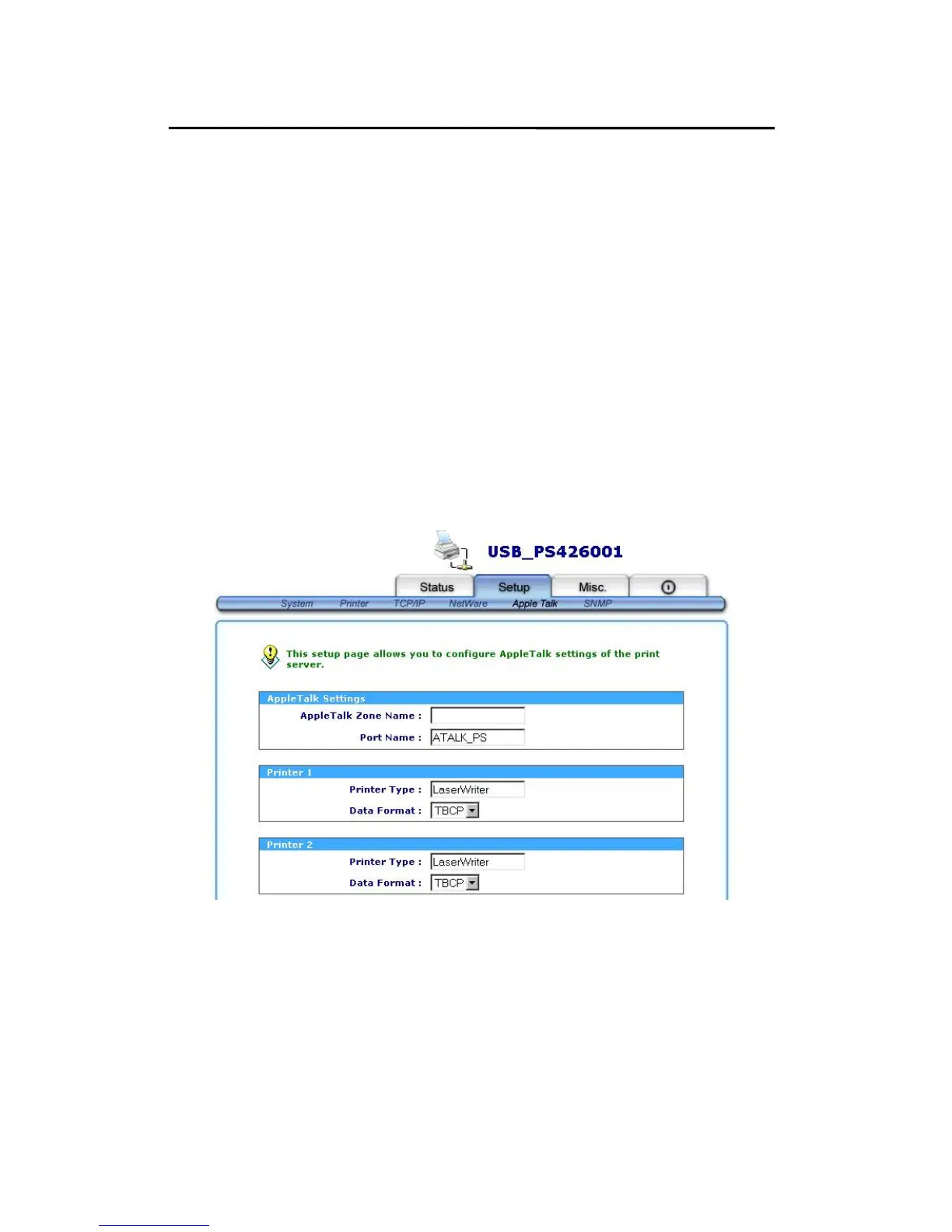
2. Click AppleTalk, it as shown in the following picture.
3. Zone Name: In this option, type an AppleTalk Zone
name that you want the print server to belong to or leave
it in default (This enables the print server automatically
search and link itself to the default zone that is set on the
AppleTalk router, if found). We also assume that at least



 To Next Page