Advanced Wireless Settings
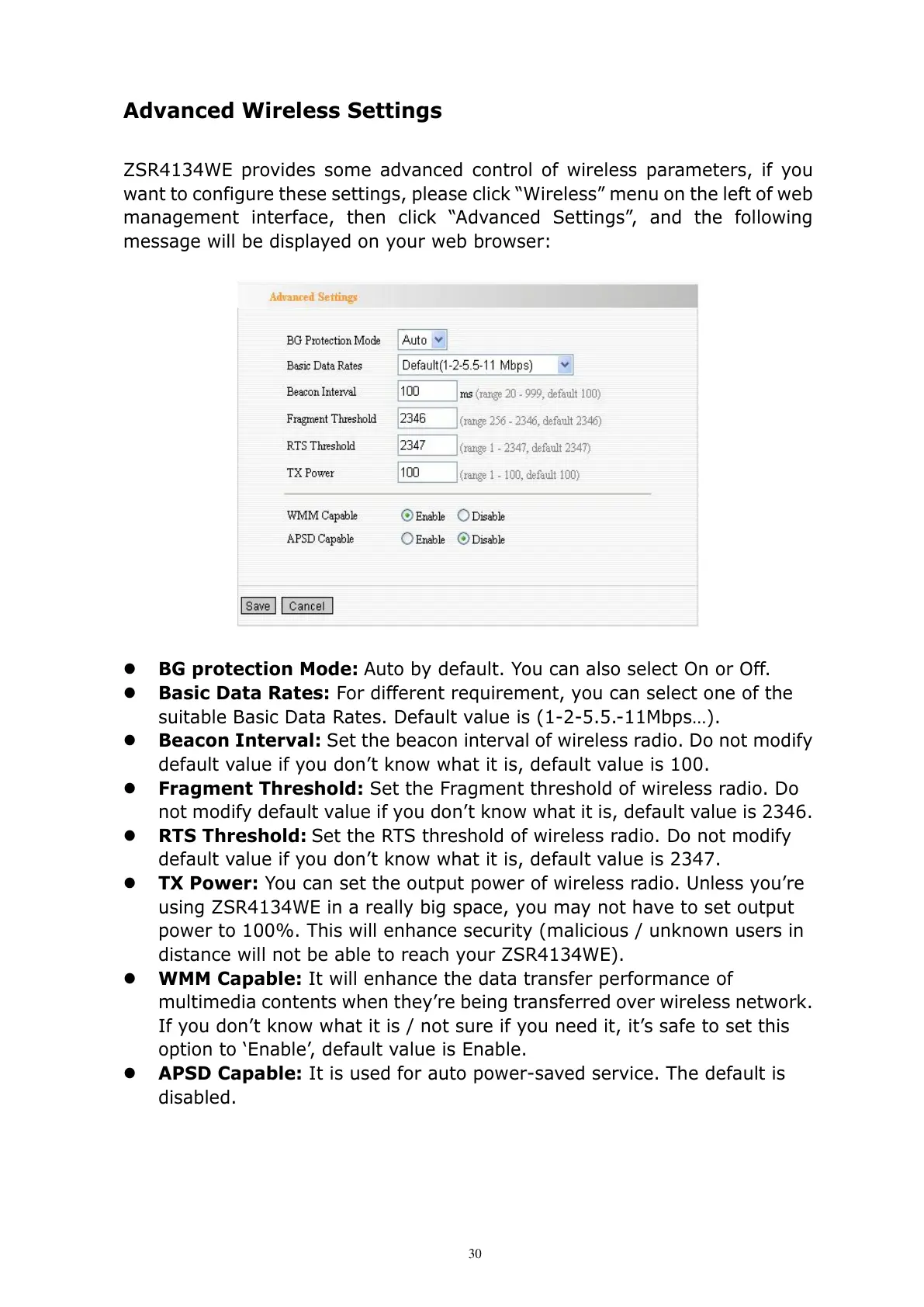
ZSR4134WE provides some advanced control of wireless parameters, if you
want to configure these settings, please click “Wireless” menu on the left of web
management interface, then click “Advanced Settings”, and the following
message will be displayed on your web browser:
BG protection Mode:
Auto by default. You can also select On or Off.
Basic Data Rates: For different requirement, you can select one of the
suitable Basic Data Rates. Default value is (1-2-5.5.-11Mbps…).
Beacon Interval:
Set the beacon interval of wireless radio. Do not modify
default value if you don’t know what it is, default value is 100.
Fragment Threshold: Set the Fragment threshold of wireless radio. Do
not modify default value if you don’t know what it is, default value is 2346.
RTS Threshold: Set the RTS threshold of wireless radio. Do not modify
default value if you don’t know what it is, default value is 2347.
TX Power: You can set the output power of wireless radio. Unless you’re
using ZSR4134WE in a really big space, you may not have to set output
power to 100%. This will enhance security (malicious / unknown users in
distance will not be able to reach your ZSR4134WE).
WMM Capable: It will enhance the data transfer performance of
multimedia contents when they’re being transferred over wireless network.
If you don’t know what it is / not sure if you need it, it’s safe to set this
option to ‘Enable’, default value is Enable.
APSD Capable: It is used for auto power-saved service. The default is
disabled.



 To Next Page