Wireless Access Control
This function will help you to prevent unauthorized users from connecting to
ZSR4134WE; only those wireless devices who have the MAC address you
assigned here can gain access to your ZSR4134WE. You can use this function
with other security measures described in previous section, to create a safer
wireless environment.
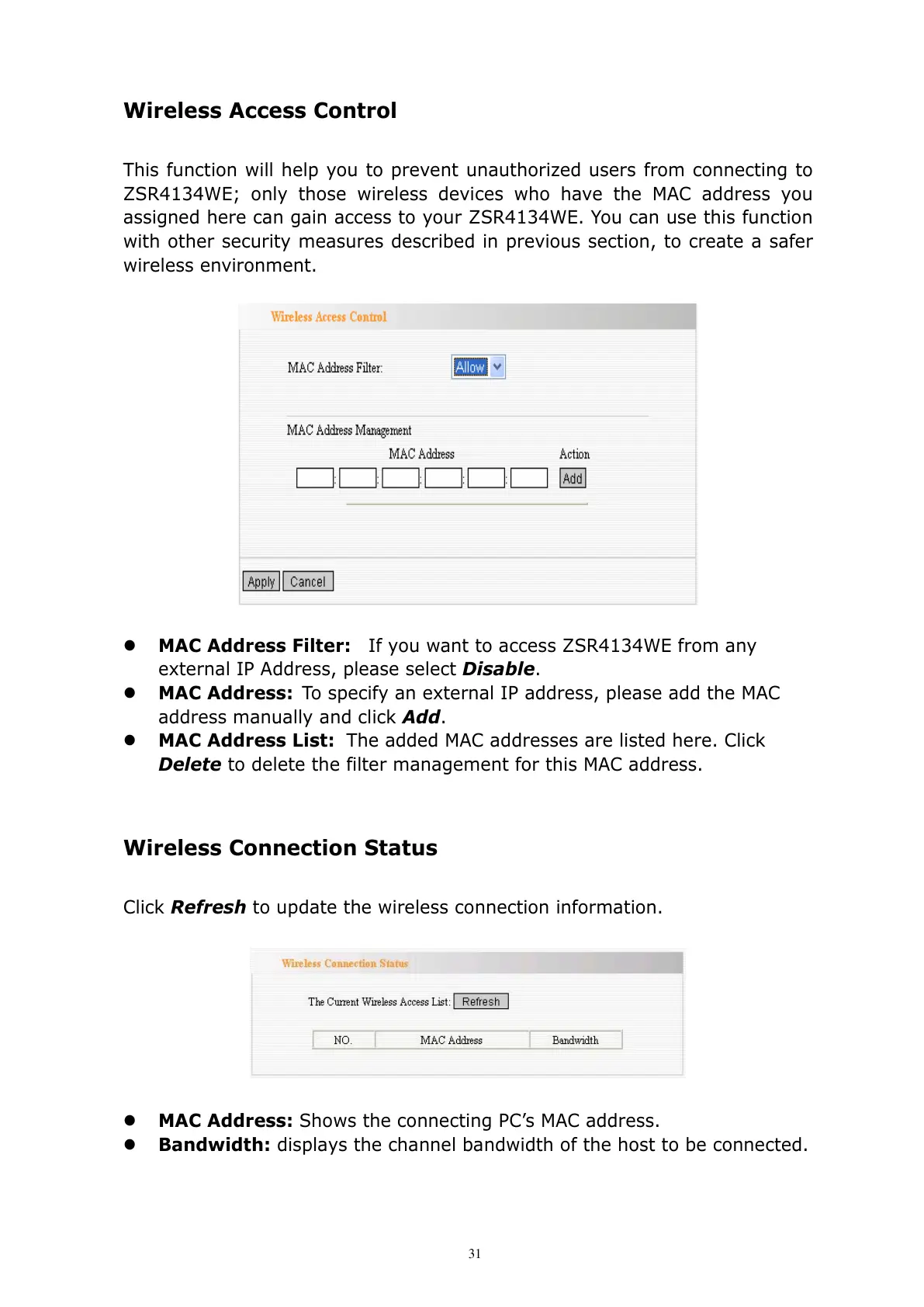
MAC Address Filter: If you want to access ZSR4134WE from any
external IP Address, please select Disable.
MAC Address: To specify an external IP address, please add the MAC
address manually and click Add.
MAC Address List: The added MAC addresses are listed here. Click
Delete to delete the filter management for this MAC address.
Wireless Connection Status
Click Refresh to update the wireless connection information.
MAC Address: Shows the connecting PC’s MAC address.
Bandwidth: displays the channel bandwidth of the host to be connected.



 To Next Page