Connecting mics
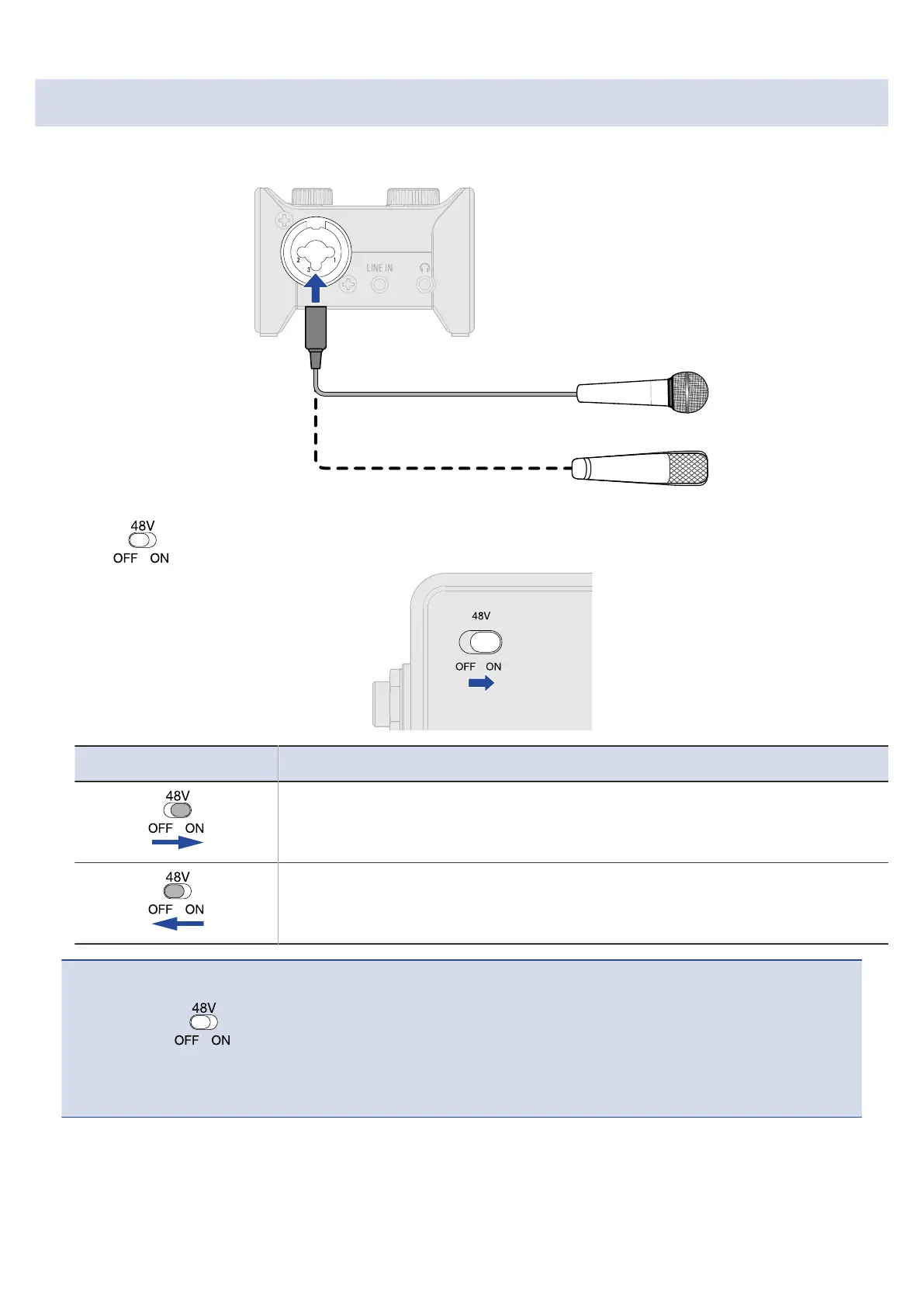
1. Use a mic cable to connect a dynamic or condenser mic to the MIC/GUITAR jack.
2. Use to set phantom power.
Switch position Explanation
Use this to supply phantom power to condenser mics.
Use this when connecting dynamic mics.
NOTE:
• Do not set to ON when connecting equipment that is not compatible with phantom power.
Doing so could damage the equipment.
• Phantom power (48 V) is not supplied to the standard phone (TRS) connectors.
12



 To Next Page