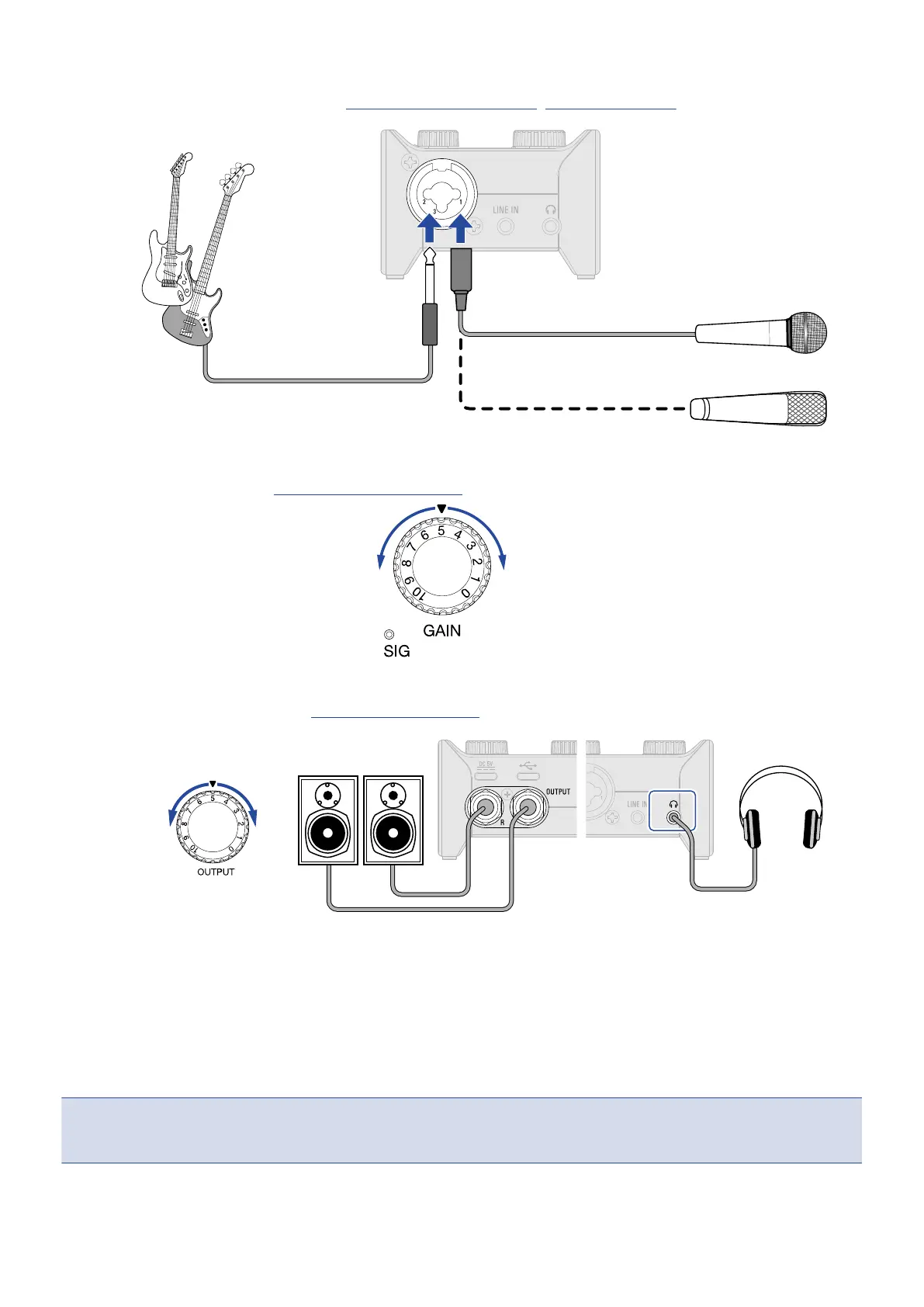
3. Connect an instrument or mic. (→ Connecting instruments, Connecting mics)
4. Adjust the input gain. (→ Adjusting the input gain)
5. Adjust the output volume. (→ Adjusting the volume)
6. Launch the DAW app on the computer, smartphone or tablet, and select the AMS-22 as the audio
interface.
7. Create recording tracks in the DAW app, and start recording.
NOTE:
Refer to the DAW app manual for how to use it.
20



 To Next Page